Flight Simulation developers shared news today, including aircraft and airports for Microsoft Flight Simulator 2024 and MSFS 2020, on top of X-Plane 12.
Simulation Daily publishes a roundup every day for all the news across the flight simulation field, helping you keep up to date with the ins and outs of the industry.
Also, make sure to check out today’s episode of our “Can You Guess this Airport?” video series.
Without further ado, I leave you with today’s flight simulation news.
Dornier 228 for Microsoft Flight Simulator 2024 Gets New Screenshots
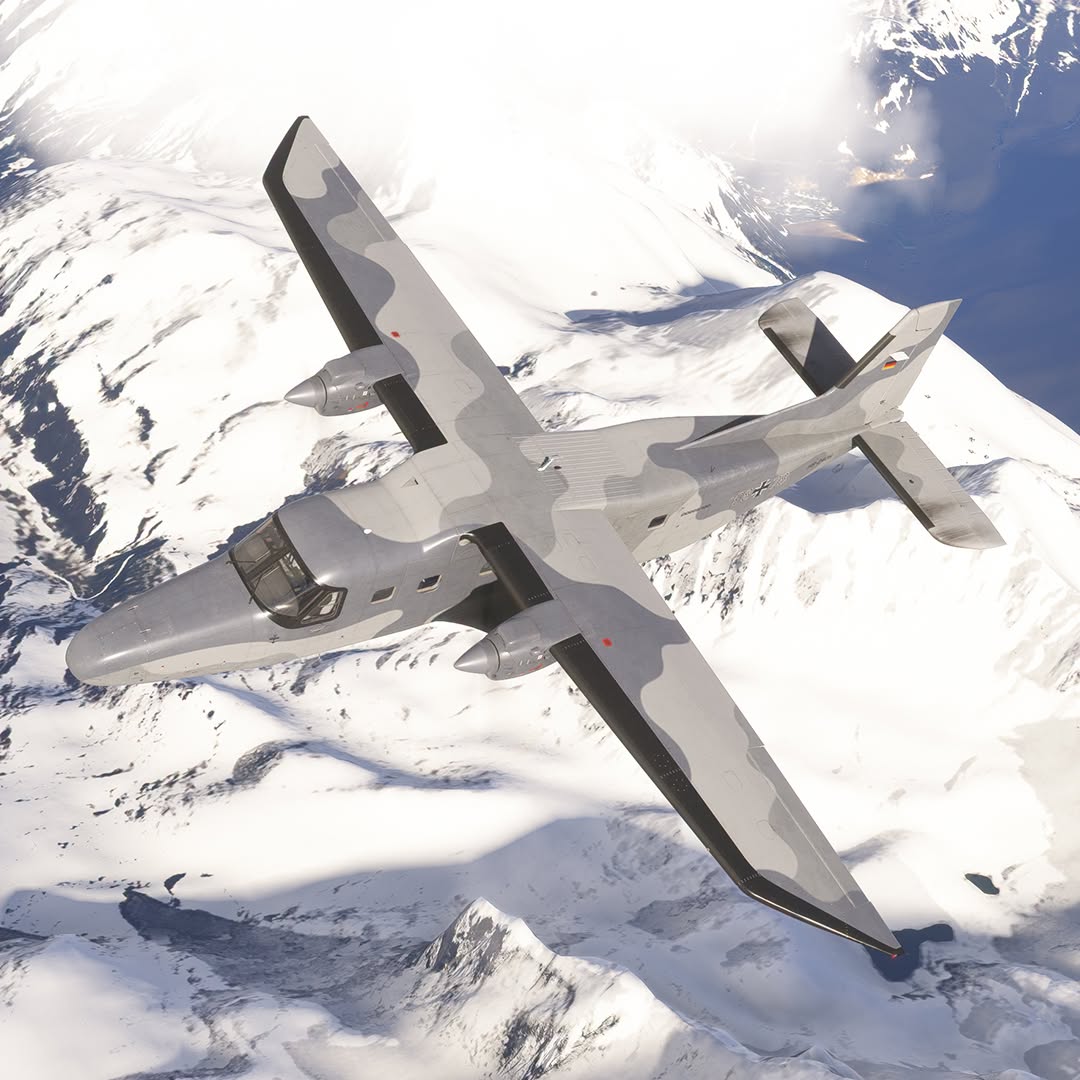
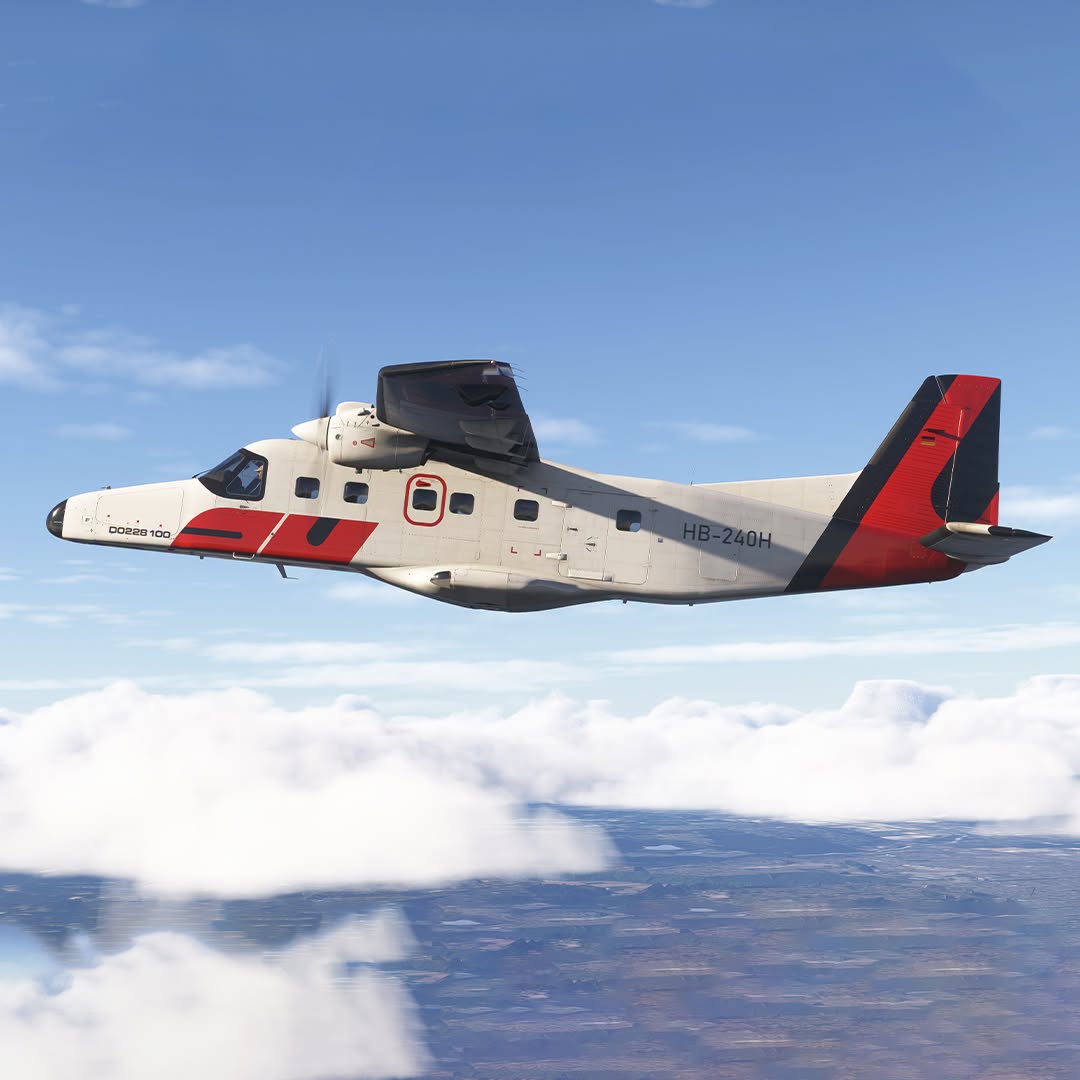
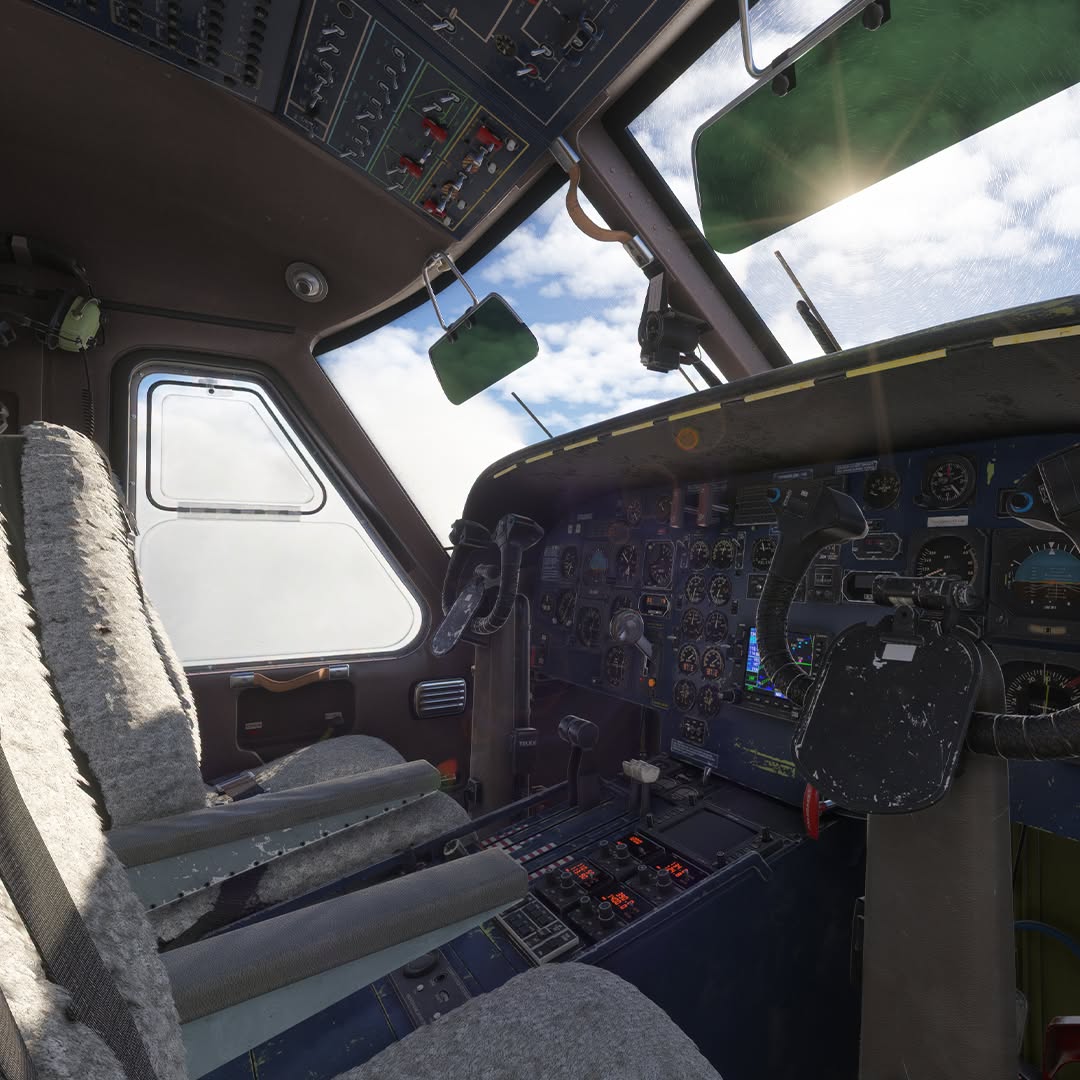
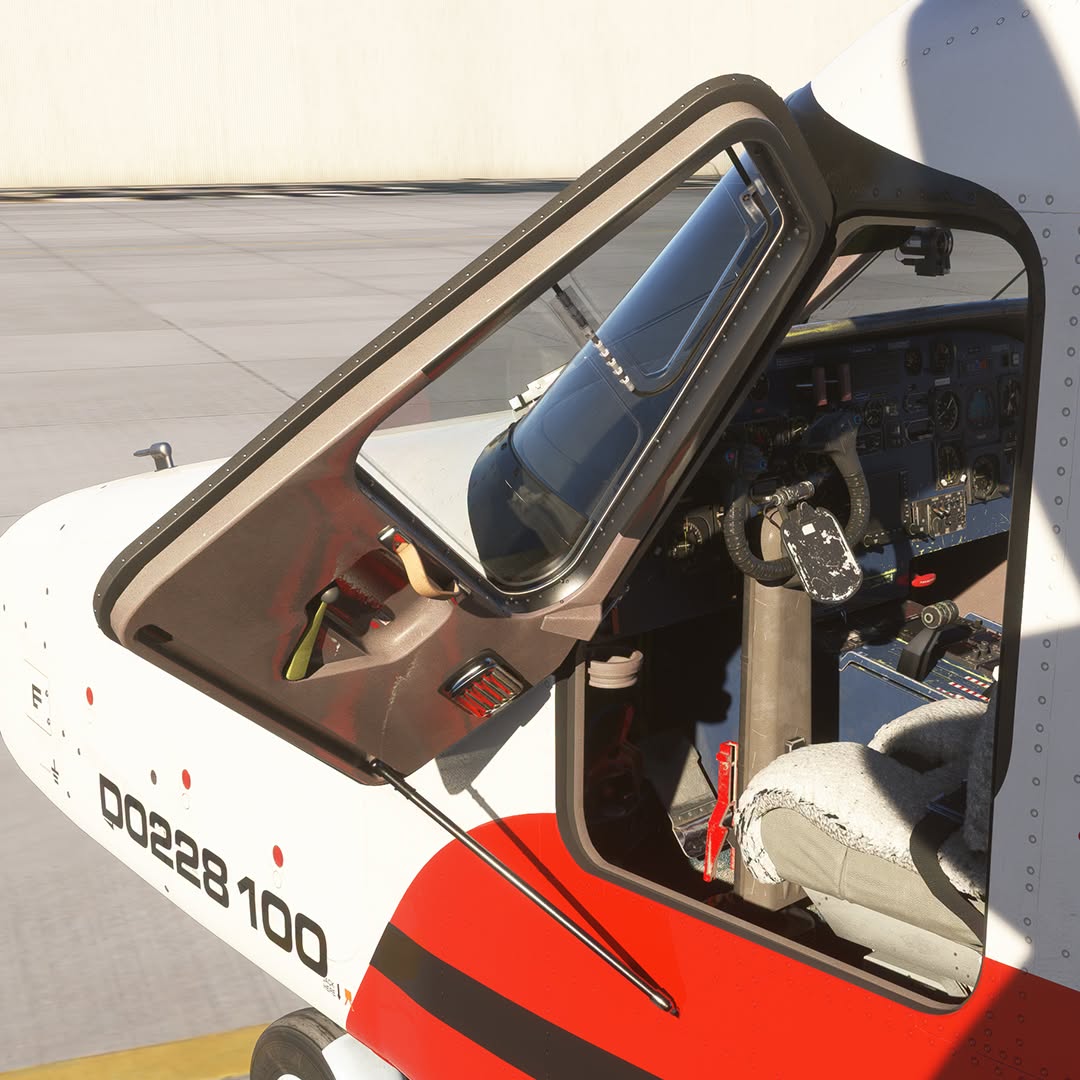

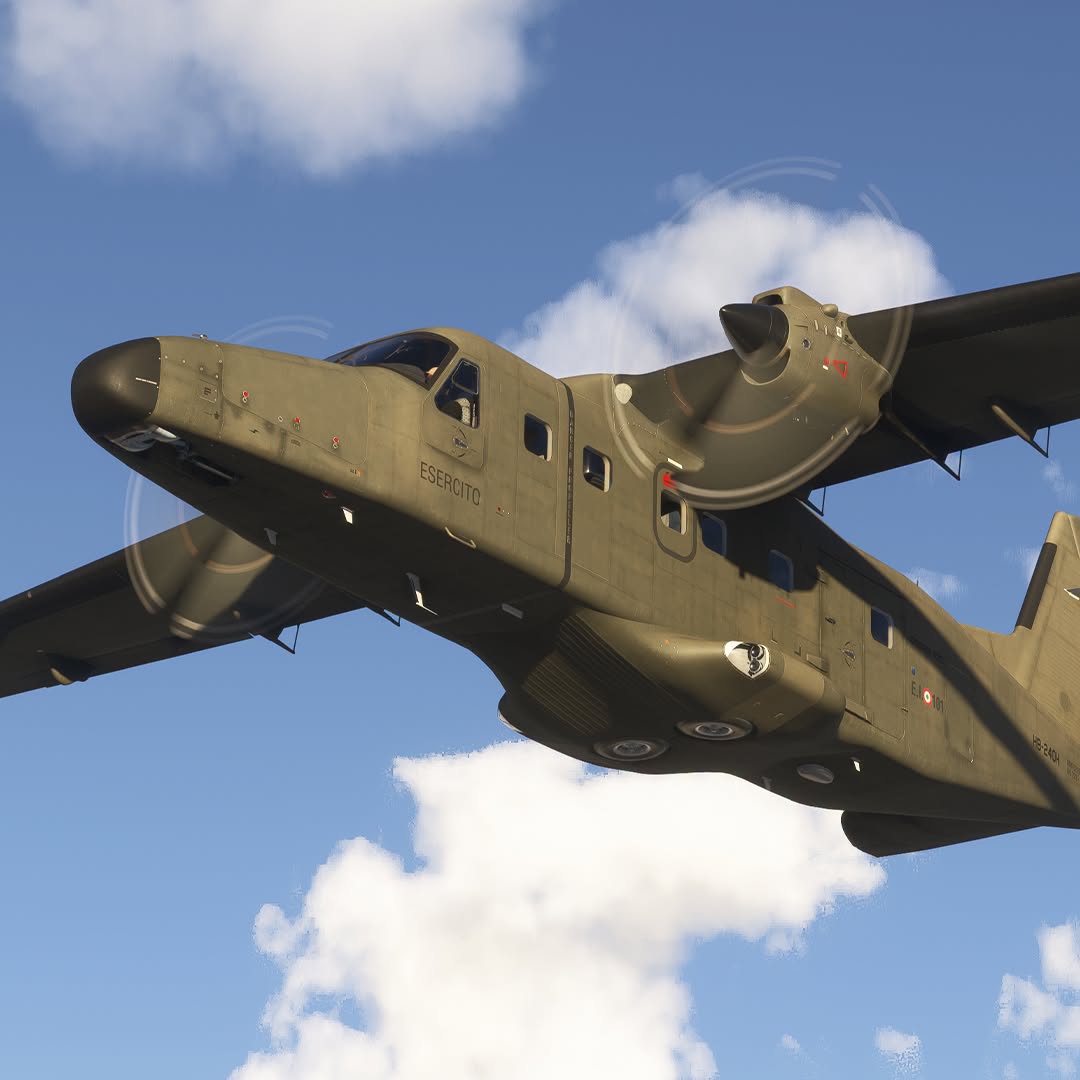
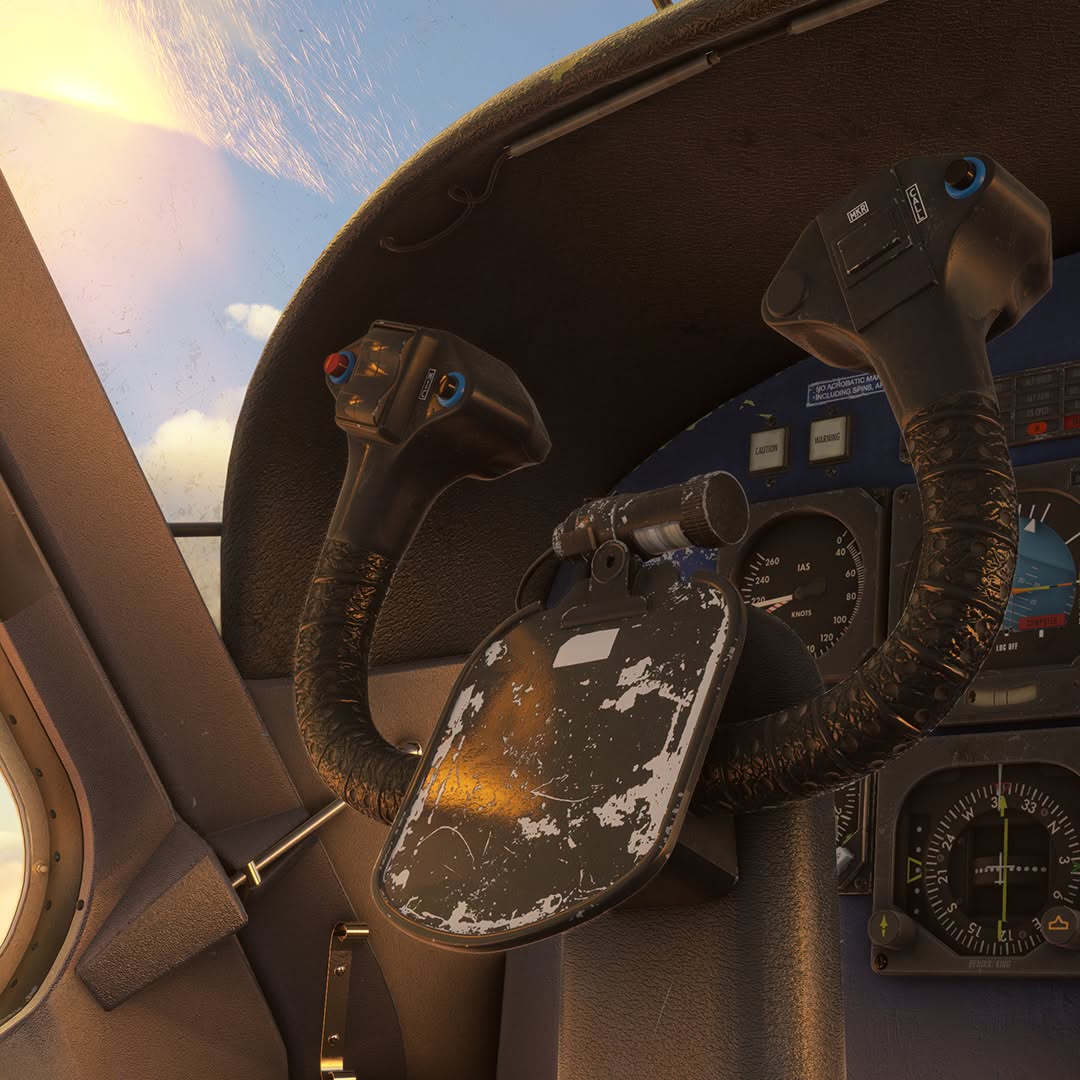
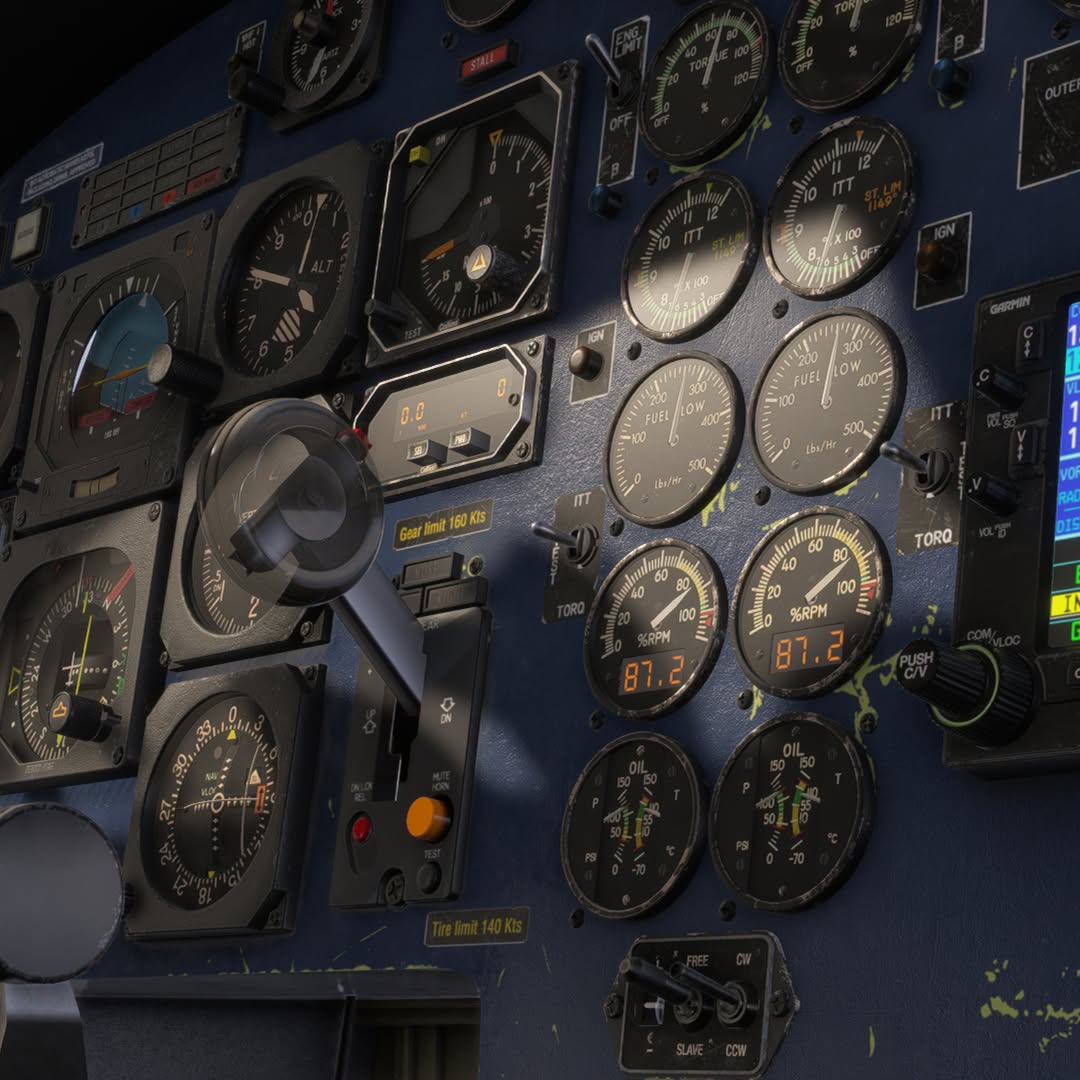
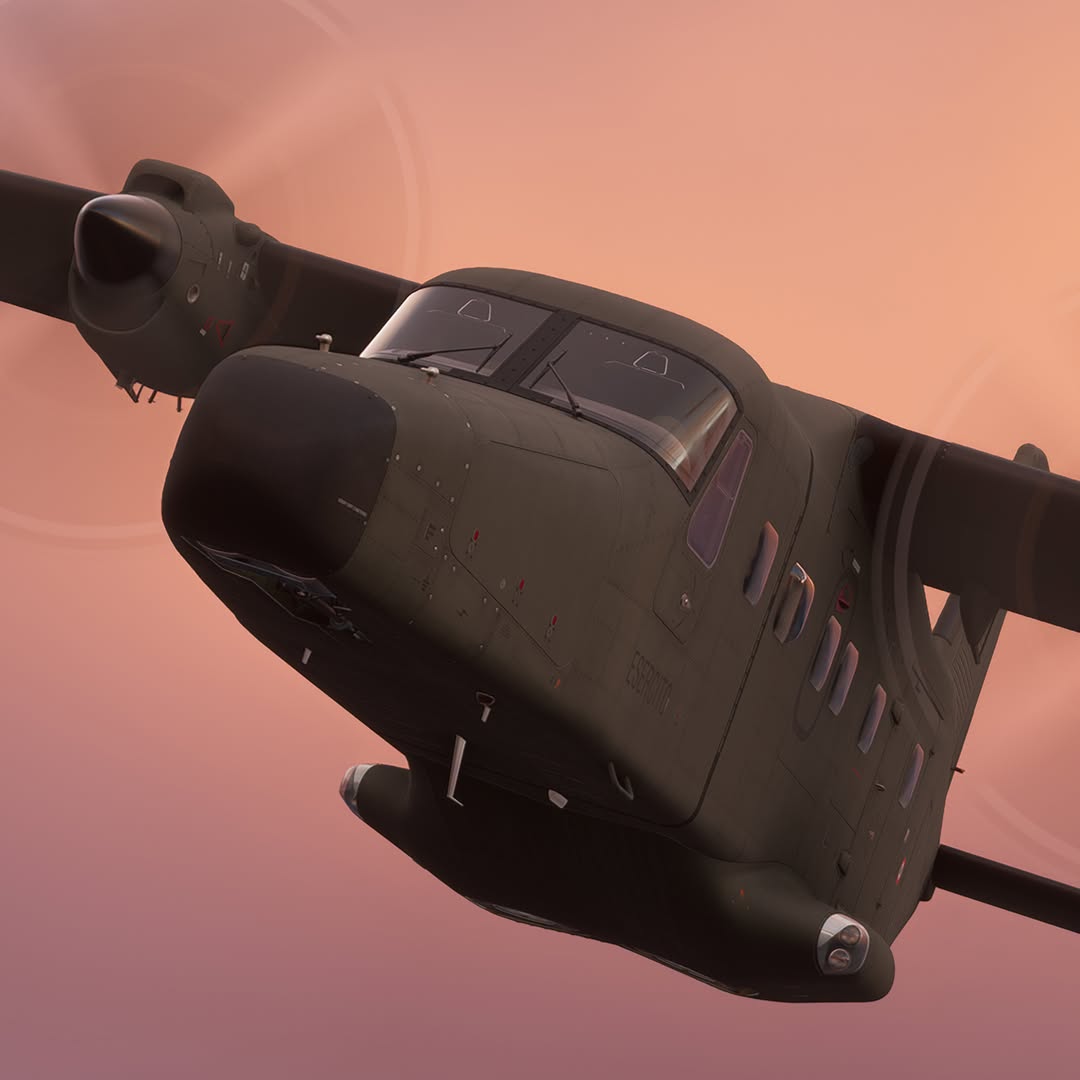

Carenado released new screenshots of the Dornier 228 for Microsoft Flight Simulator 2024.
For now, an MSFS 2020 version has not been announced, but Carenado often releases its aircraft for MSFS 2020 after the MSFS 2024 version, although we won’t know for sure until the announcement is made.
Airbus A380 by iniBuilds Gets New Screenshots

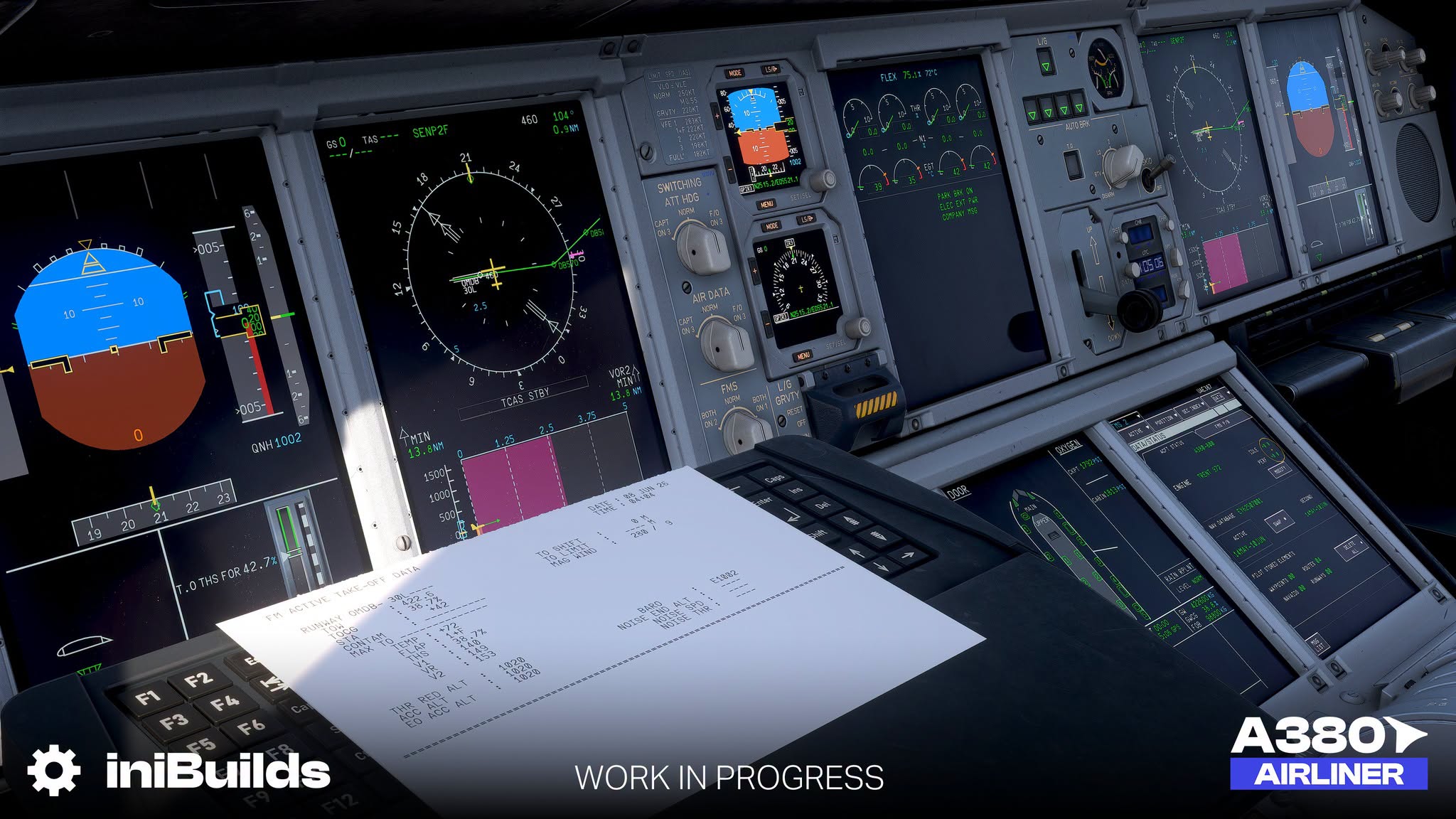

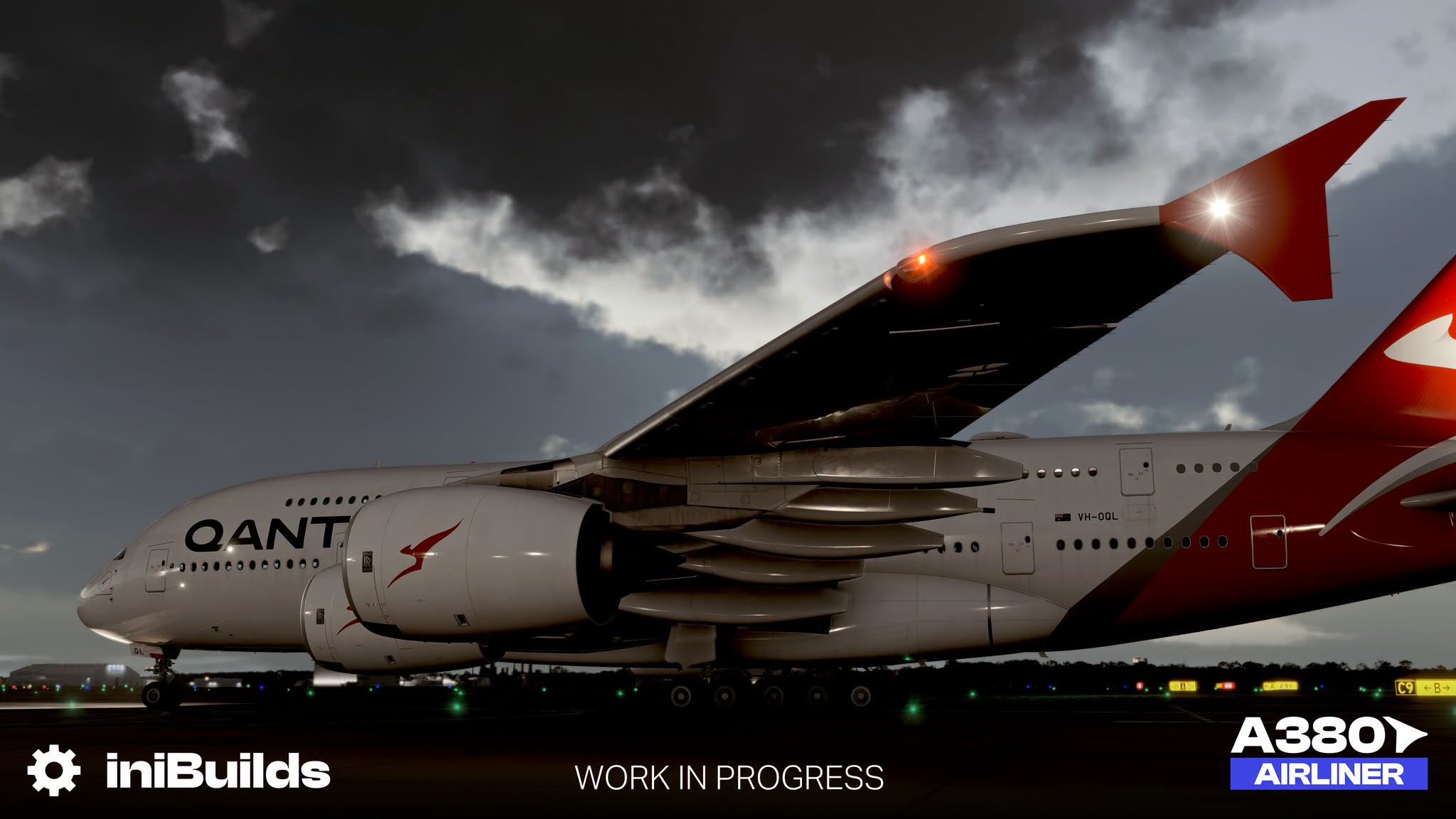
iniBuilds released new screenshots of its upcoming Airbus A380, showing off the exterior and the flight deck.
At the moment, a release window has not been announced just yet.
Airbus A350 for X-Plane 12 Gets New Screenshots
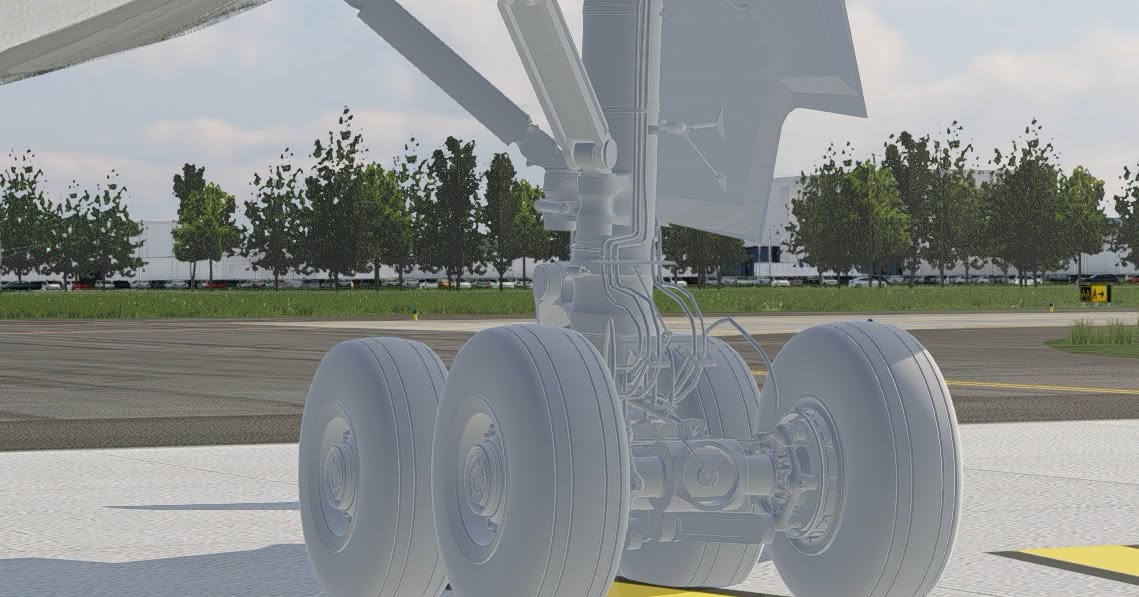
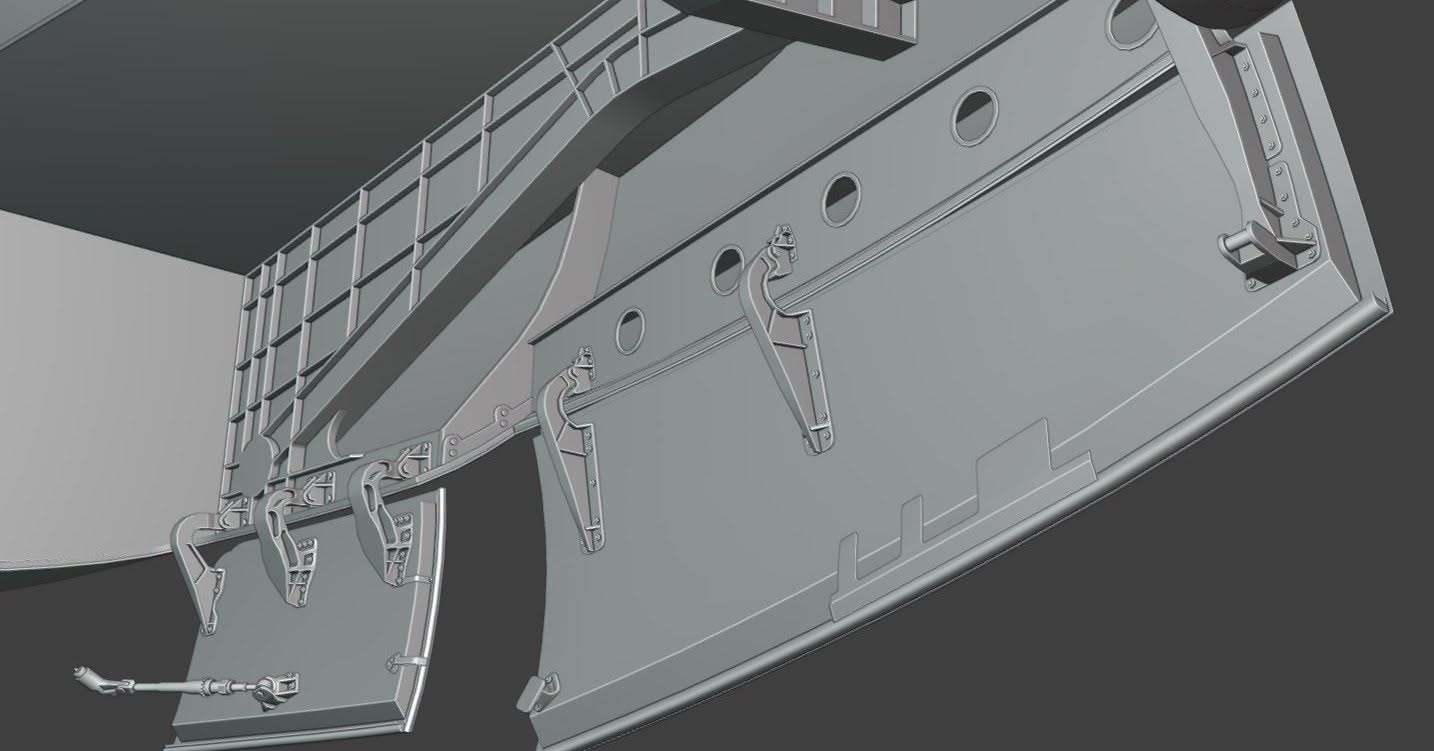


FlightFactor released a number of screenshots of the modeling work being done for its upcoming Airbus A350 v2.
You can check them out above.
Airbus/Eurocopter AS365 Dauphin & HH-65 Dolphin Get Release Date
Taog’s Hangar announced the release date of the upcoming Airbus/Eurocopter AS365 Dauphin, which will also include the American HH-65 Dolphin variant.
We learn that the add-on will release on June 30, and you can enjoy a trailer above.
Mil Mi-2 Hoplite Released for Microsoft Flight Simulator 2024
Digital Aeronautics released the MSFS 2024 version of its Mil Mi-2 Hoplite helicopter, which was released for MSFS 2020 in April.
It’s available on Orbx Direct, Contrail, and Simmarket, starting at approximately $35. Users who purchased the MSFS 2020 version are entitled to an upgrade at no additional cost.
Helicopter systems
- Electrical system that accounts for all loads of DC and AC consumers, current, resistance and voltage; load on the batteries, their discharge and charging; realistic behavior of generators when distributing load between them; realistic behavior of converters and their consumers
- Pneumatic system maintains a constant air pressure in the brake system using a compressor installed on the engine, has an air flow rate and is necessary for the operation of the helicopter brake system
- Fuel system accounts for fuel consumption at different engine modes; fuel quantity indicator accounts for the position of the helicopter in space (roll, pitch) repeating the position of fuel in the tank
- Hydraulic system accounts for pressure, temperature, the amount of hydraulic fluid depending on loads and the state of the atmosphere
- Oil system accounts for pressure, temperature, the amount of oil, depending on the operating modes of the engines and the state of the atmosphere
- Fire extinguishing system, including system monitoring and control
- Heating and anti-icing systems allow to monitor the condition of the icing of the helicopter and control the heating of the blades and windows of the helicopter depending on the state of the environment
- Lighting equipment depends on the state of the helicopter electrical system
Helicopter control
- The interaction of the helicopter control knobs fully corresponds to the actual position of the blade angle in different flight modes
- Trimming system allows you to balance the helicopter in a stable position
Engines control
- Implementation of motor control, including separate control
- Engine starting system accounts for the load on the electrical system at the time of starting, the state of the atmosphere and the state of the liquids required for the operation of the engines
- Kinematics of combined control unit of engines RPM and propeller pitch that allows to perform all checks, including engines run-up in accordance with the manual
Instruments
- Aviation clock with second meter repeats the actual behavior of the watch, including all operating modes
- Gyrohorizons have realistic behavior of gyromechanism, including its spin-up and shutdown
- Anaeroid tubes allows realistic behavior of instruments that use them, including the influence of incoming flow and atmospheric pressure
- Devices operating from electric current account for inertia and friction force of needle indicators
- Radio altimeter accounts for slaving and adjustment
- Rotor pitch indicator with realistic behavior during power loss
- Airspeed indicator with response to wind, airflow and direction effects implemented
Interactive cockpit controls
- The mechanical and kinematic behavior of cockpit controls were modeled right up to simulating the operation of the toggle switch spring
- Switches respond to mouse wheel input
Navigation
- ADF allows to navigate by beacons and indicates the magnetic course of the helicopter; this system also implements a simulation of the gyro-magnetic compass operation with a simulation of real slaving
Radio
- Radio unit allows radio communication with ATC at the selected frequency
- Intercom allows to select various listening modes, including ADF signals
Physics and effects
- Atmospheric precipitation realistically displayed on the surface of the windows of the helicopter along with the effect of icing on windows
- Firing signal rockets and smoke generator realized
- Flight model accounts for realistic location of the center of gravity, as well as its influence on the control of the helicopter
- Switching from asymmetric to straight airflow and vice versa causes natural vibration
- Natural deflection of the blades as reaction to the wind in an idle state, the cone of rotating blades changes its size depending on the load on the main rotor
Doors
- Cabin doors fully implemented with individual mechanics for each door
- Interactive opening by dragging the handle with inertia response
- React to helicopter flight dynamics: pitch, acceleration/deceleration, roll, yaw
- Doors may partially open or close in flight if not properly secured
GAMEPLAY INSTRUCTIONS
VHF allows you to adjust ATC frequencies in multiples of 0.25
Manipulators: combine two modes of interaction:
- mouse wheel – instantaneous state switching
- left mouse button + movement – realistic state switching
- VR – fully adapted, including control of the longitudinal and transverse control knob by moving the controller
- The model includes the ability to automatically start and turn off the helicopter with the preparation of systems in the correct sequence through simulator commands
- To facilitate control, some controls are connected to simulator commands (see manual list)
- When controlling the watch, it is necessary to familiarize yourself with the instructions, since due to the complexity of the implementation, combined control of the manipulators was used
- Due to the realistic implementation of the electrical system and the load on the batteries at the time of starting, the battery charge is enough for 5-6 unsuccessful starts. Due to the fact that it is not possible to replace the battery, the model must be restarted to reset the state of the batteries
- The altimeter has realistic control of the pressure setting handle, which has a reverse direction of rotation (rotation to the right reduces the barometric height, while rotation to the left increases it)
- To remove the helicopter from the parking brake, press the latch on the helicopter control stick or use the simulator command
- The nose steering wheel is made in accordance with a realistic model, and is free castoring (not directly related to the position of the pedals)
- Due to the realism of helicopter centering, restrictions on helicopter centering and loading should be complied with
- For correct display of the helicopter heading on the UGR-4UK device in 3.5 min after starting the helicopter and starting all systems, it is necessary to slave the heading system by pressing the «СОГЛАСОВАНО» button
- For toggle switches with more than 3 positions, to move the toggle switch in the required direction, use manipulator located in the direction of toggle switch movement (wiper toggle switch, АКК/ГЕНЕРАТОР toggle switch)
- Due to the custom implementation of all systems, we do not recommend using default simulator failures
- Audio and Immersion
- Wwise fully dynamic sound pack
- Sound of engines, systems and other controls
Jurassic World: Archipelago EFB Map Released for Free for MSFS 2024
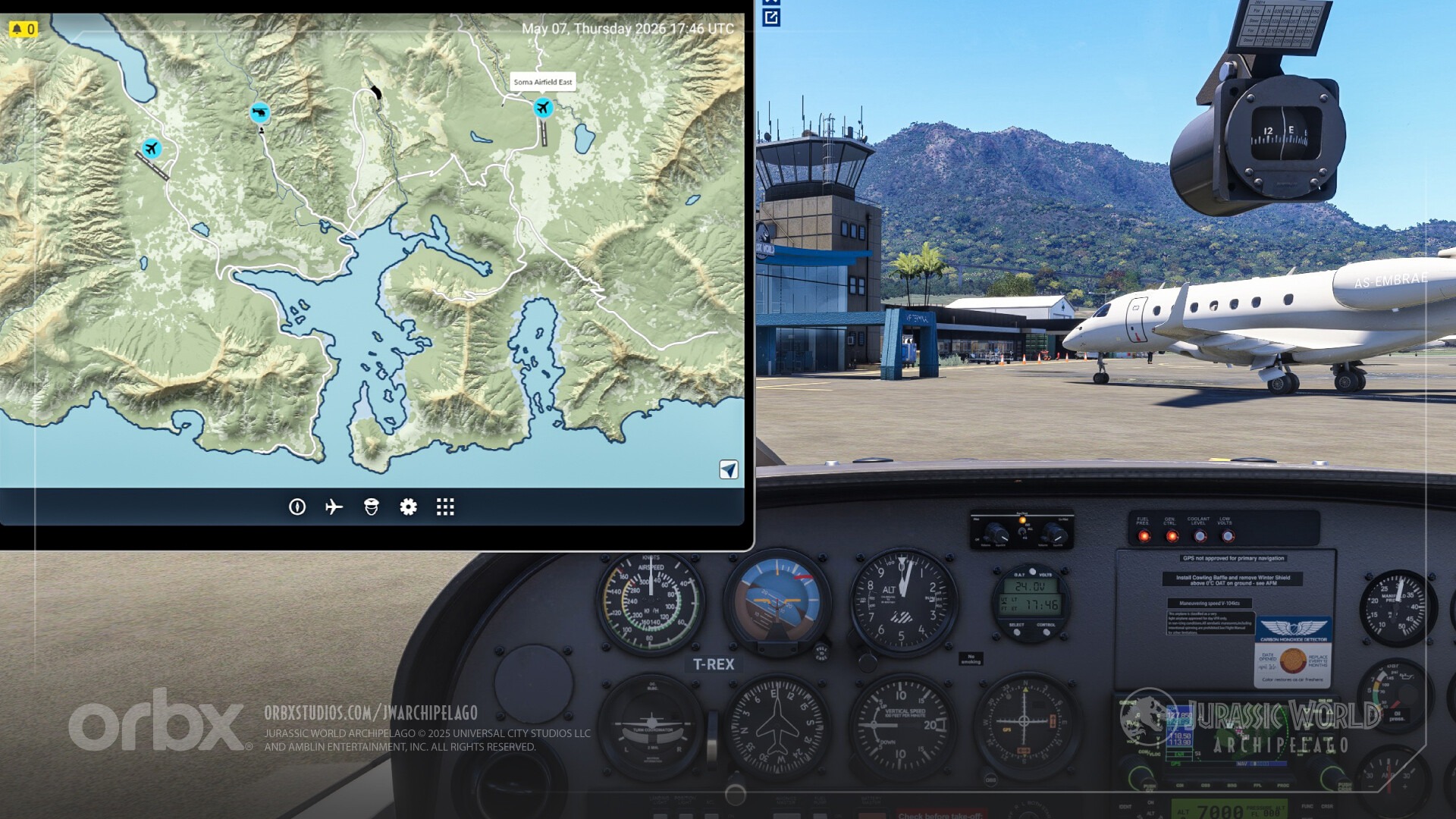

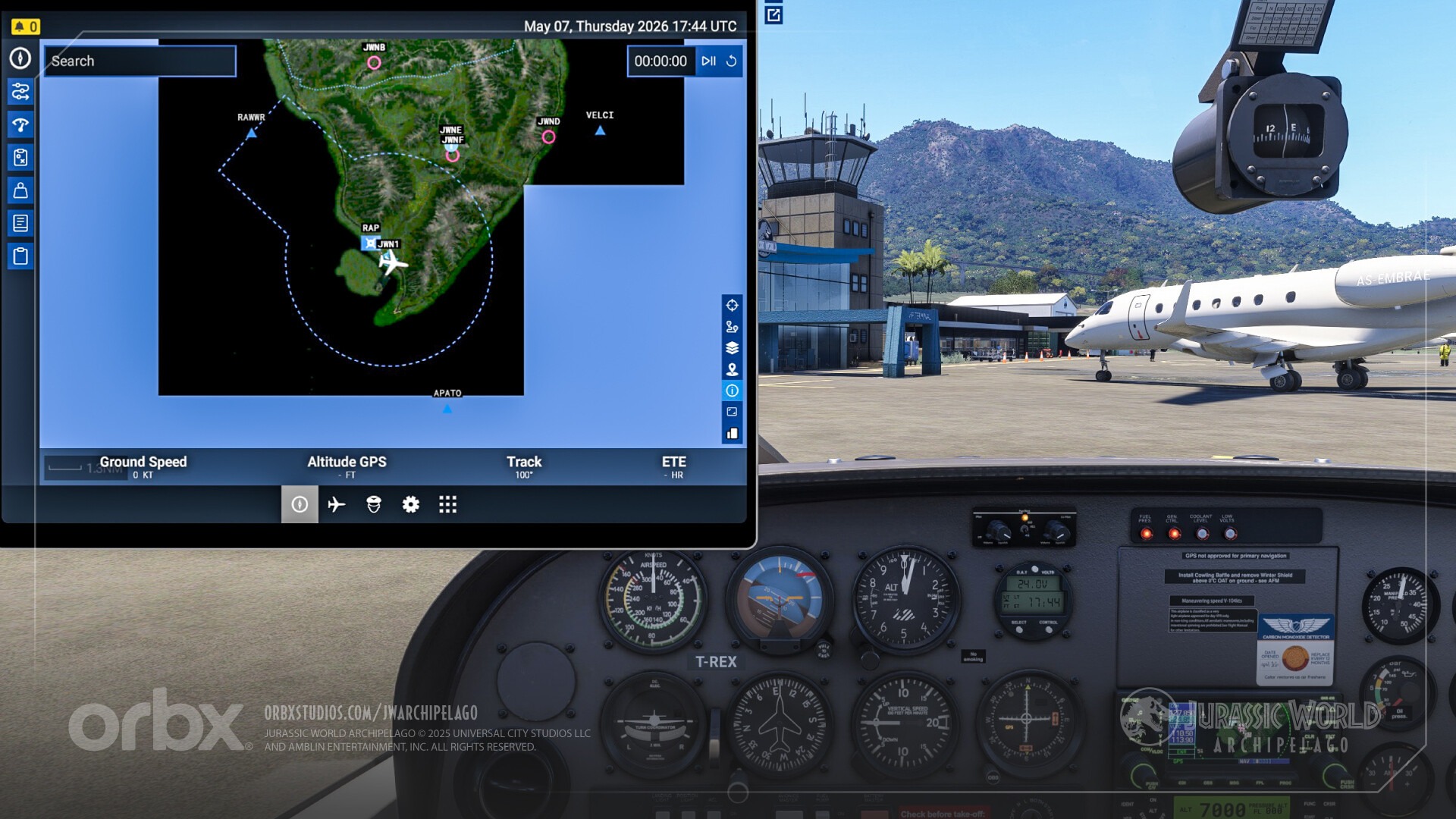


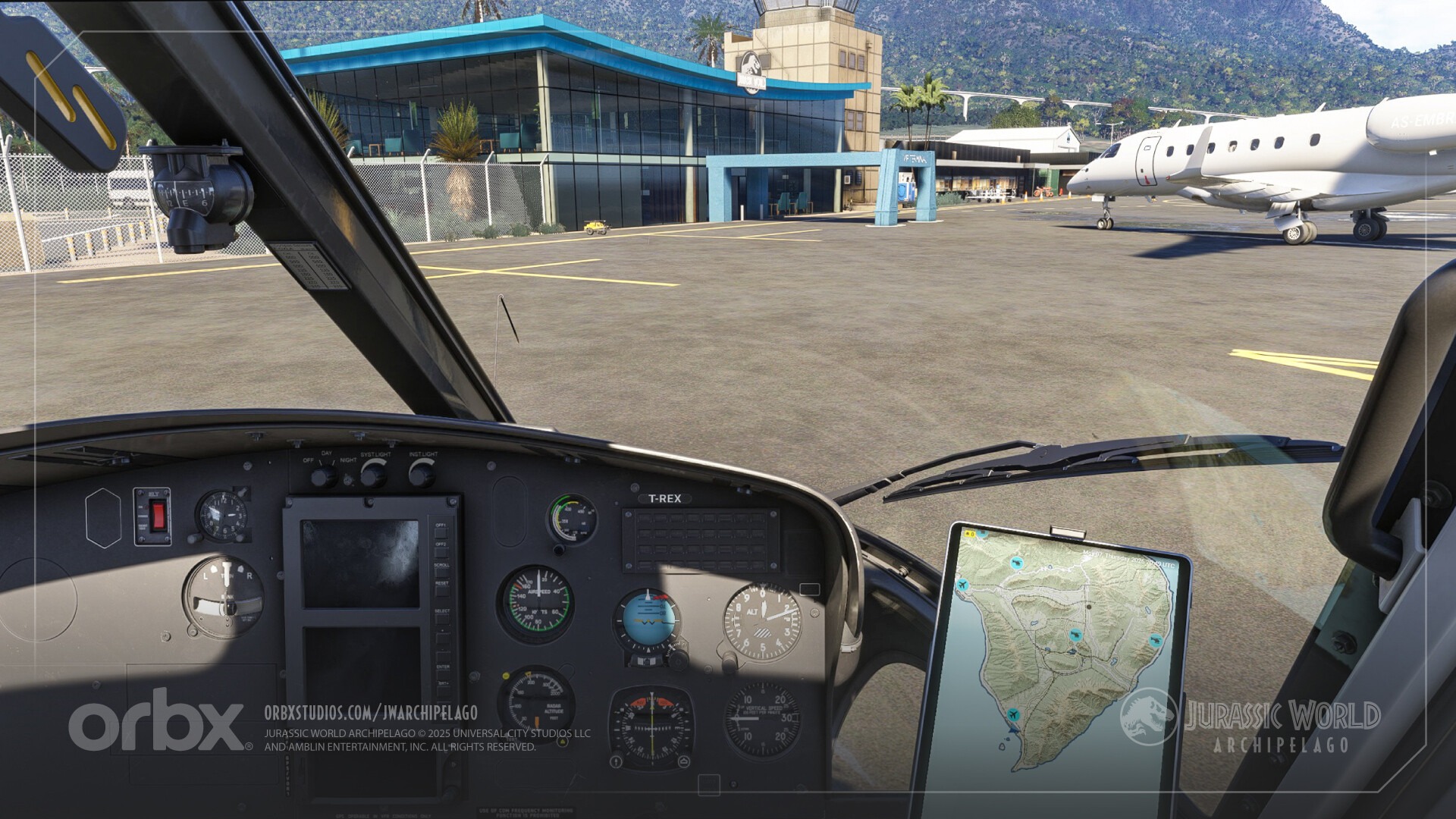
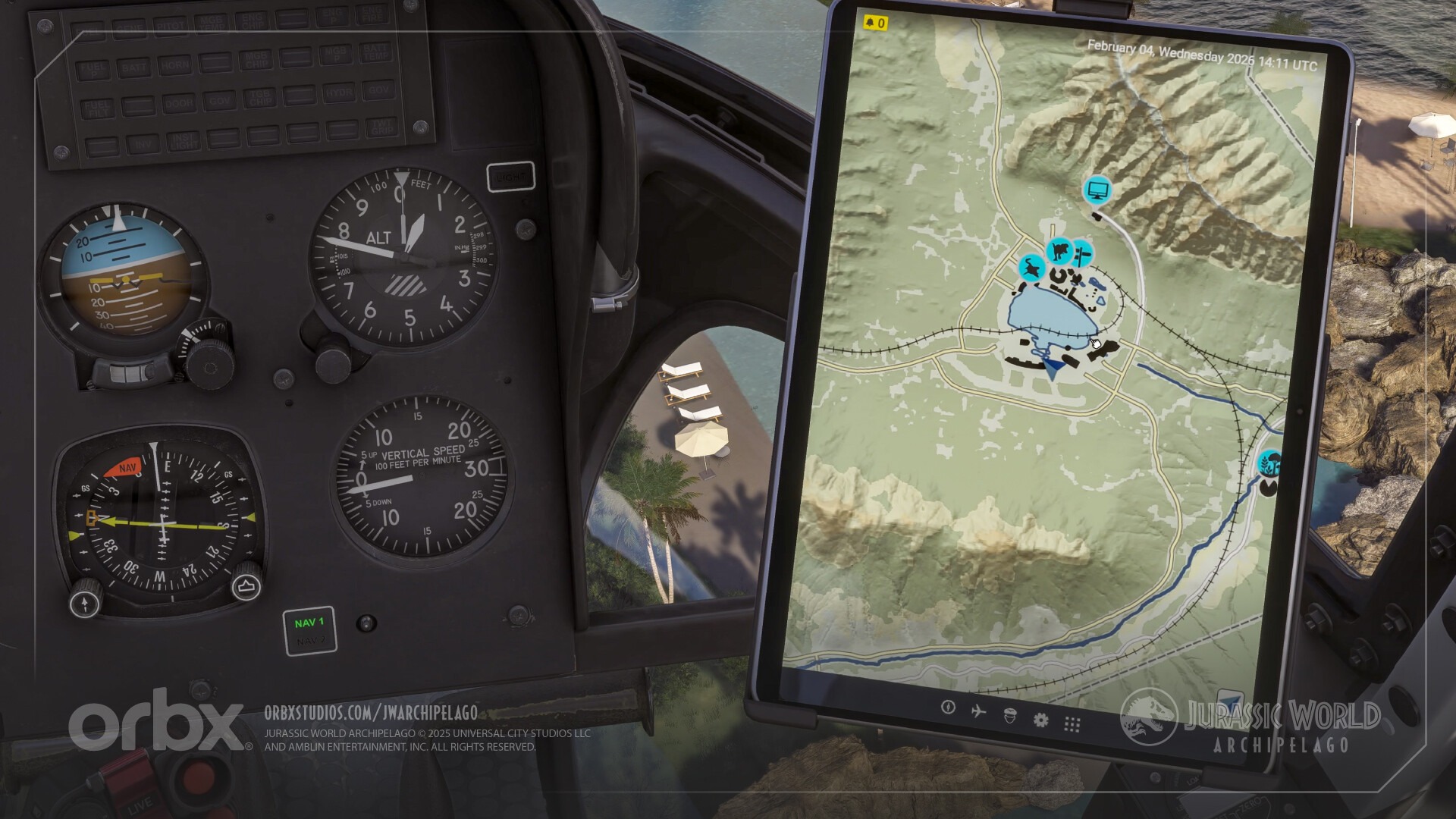
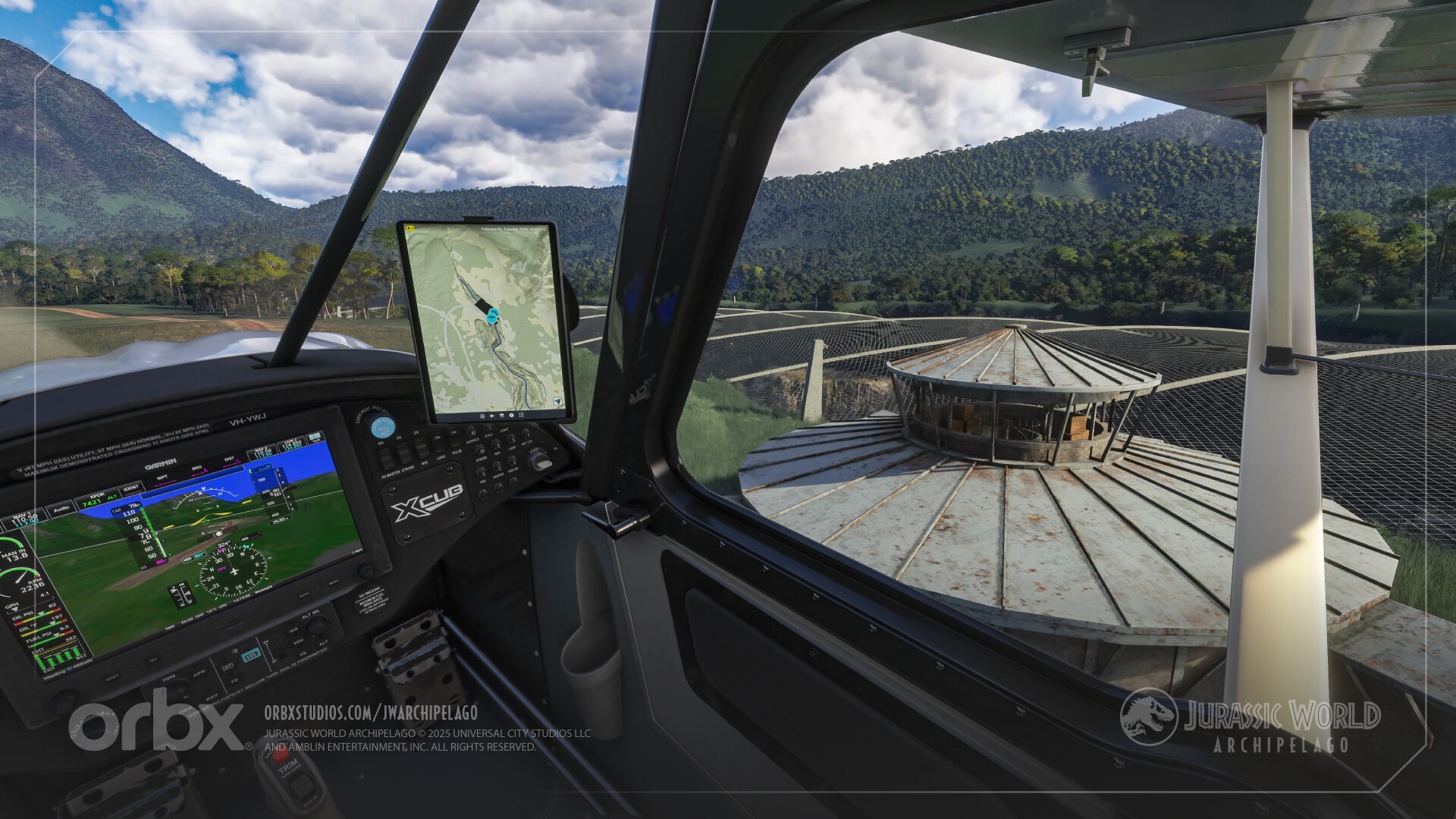
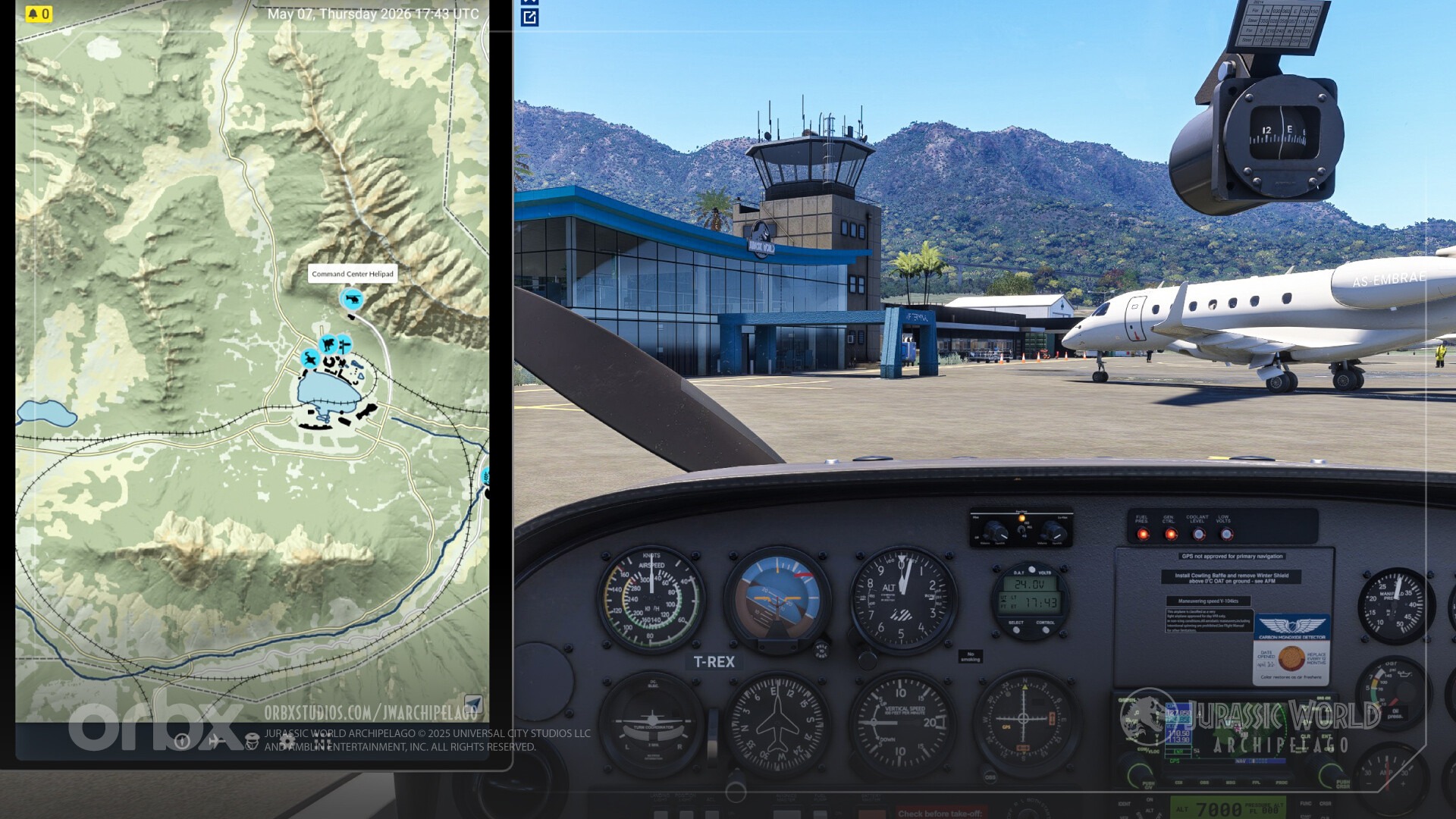
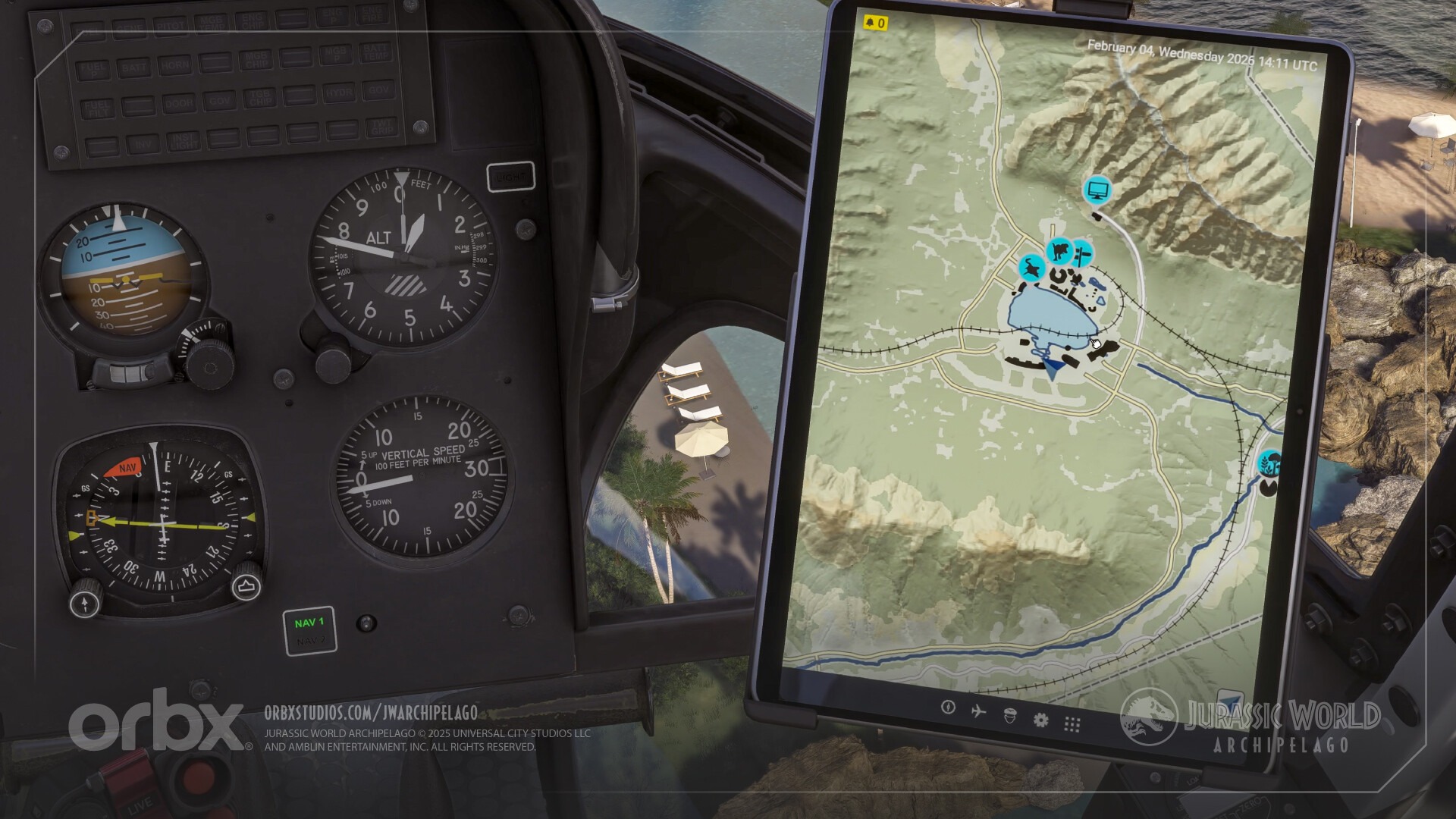
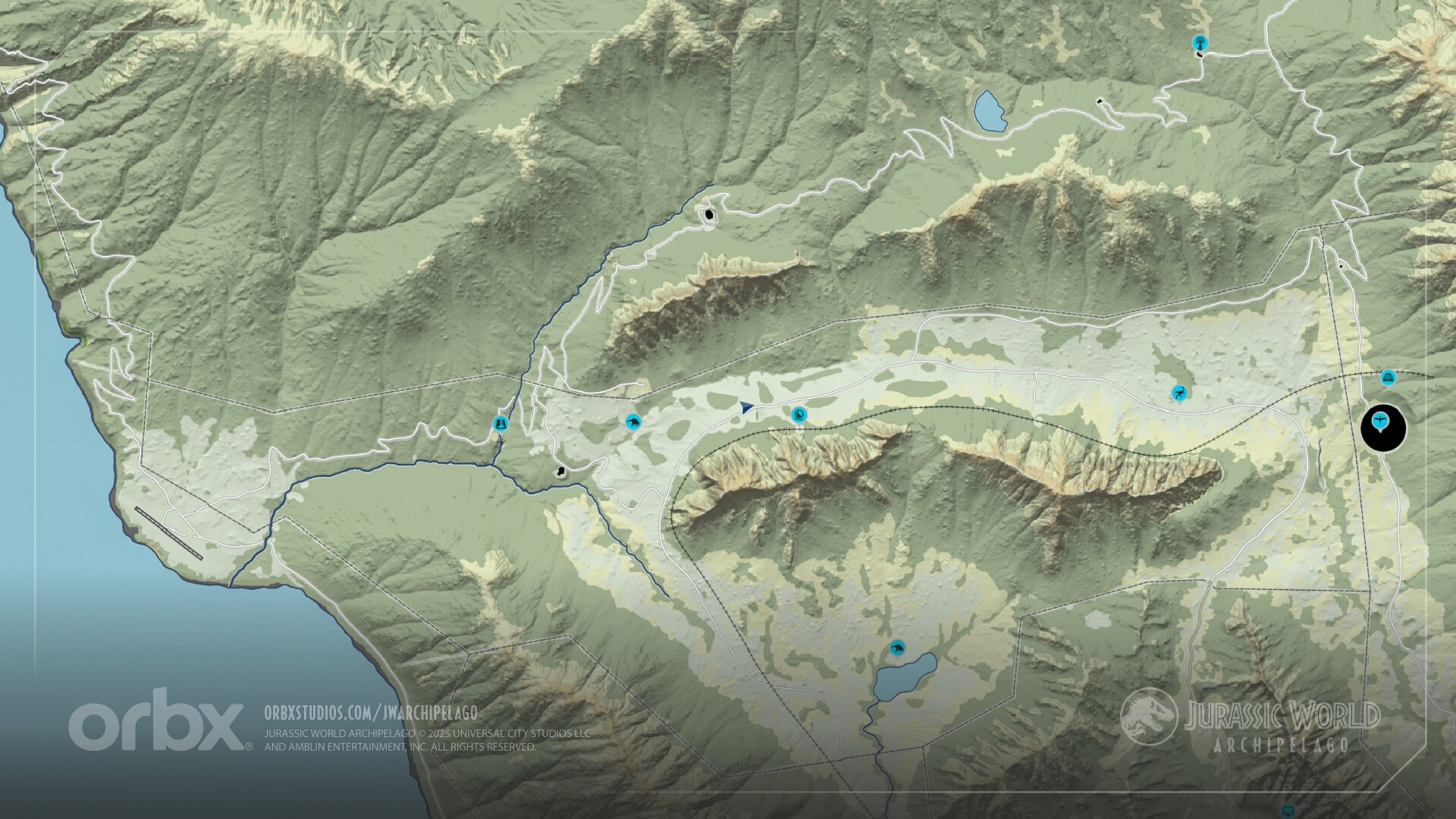
Orbx released for free a map plugin that works with MSFS 2024’s native tablet to provide navigation support in its Jurassic World: Archipelago add-on.
It can be downloaded from Orbx Direct and it’s a good aid to help you find dinosaurs and more.
- Explore every corner of the archipelago with a high-fidelity, interactive map designed specifically for JW: Archipelago.
- Easily locate all airports, heliports, and key features, including some dinosaur locations.
- Free Slew Mode: scout ahead and plan your route by manually panning across the detailed terrain.
- Live Flight Tracking: activate real-time GPS tracking to see your aircraft’s position.
- Zoom in and out with your mouse’s scroll wheel or the Numpad +/- keys.
- In pop-out mode, use the standard EFB settings to switch the EFB between portrait and landscape orientation.
Tocumen International Airport Announced for MSFS 2024 and MSFS 2020
DominicDesignTeam announced Tocumen International Airport (MPTO), serving Panama City.
The airport is said to be coming soon for both MSFS 2024 and MSFS 2020, and you can check out what it looks like in the trailer above.
Airbus A220 for MSFS Gets New Trailer

The Airbus A220 by Synaptic Simulations received a new trailer, focusing on the rather handsome Breeze livery.
Since it’s on Instagram, it can’t be embedded here, but you can check it out directly there.
Teterboro Airport V2 Released for X-Plane 12


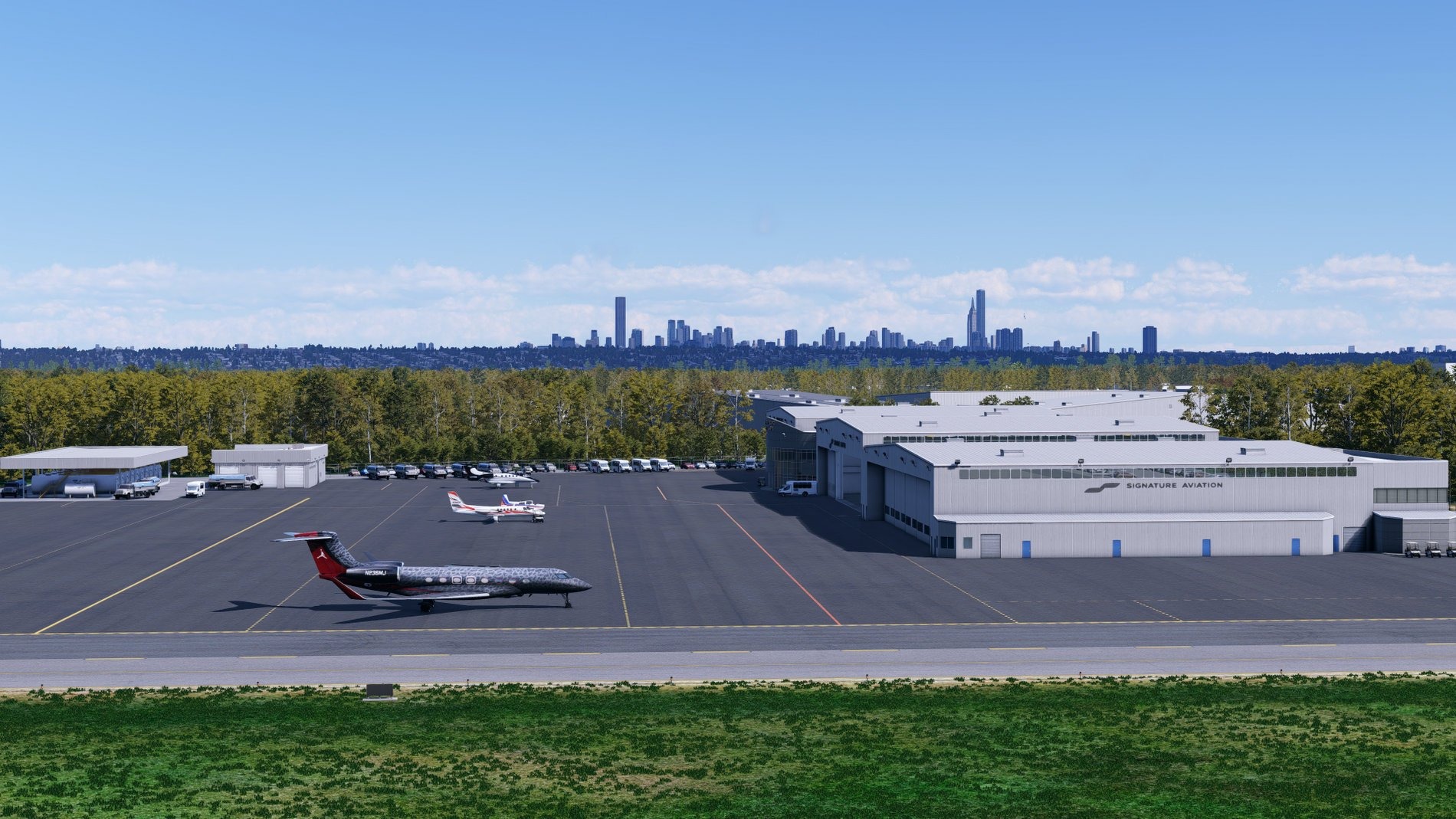



Dreamflight Studios released the X-Plane 12 version of its Teterboro Airport v2 (KTEB) in the United States, which was released a while ago for MSFS.
It’s available on X-Plane.org for $16.99 with the following features.
- Highly detailed recreation of Teterboro Airport for X-Plane 12
- Seven fully modeled FBOs with detailed interiors, including Signature, Atlantic Aviation, Jet Aviation, Meridian, and more
- Advanced custom ground work featuring high-resolution pavement textures, realistic wear, and accurate ground markings
- Current airport layout reflecting real-world operations
- High-resolution textures and custom 3D models throughout the entire airport
- Detailed landside areas including parking lots, roads, and surrounding facilities
- Realistic ground clutter and service equipment across the airport
- Carefully balanced custom night lighting for an immersive experience
- Custom static business jets positioned throughout the airport
- High-quality PBR materials for enhanced realism and visual fidelity
- Optimized for excellent performance while maintaining a high level of detail
If you’d like to read more flight simulation news, you can find plenty in our previous roundup article from yesterday.
If you want to go further back, we have a handy overview video of the major flight simulation news in the past week. You can watch it below. As usual, leaving a like and a comment and subscribing to our growing YouTube channel is extremely helpful.
While Simulation Daily is owned and financed by Orbx Simulation Systems, its staff is afforded full editorial independence and will strive to cover products from all companies and developers impartially. Check out our editorial policy.