
Valve has released a new update for Steam Workshop after a successful beta test, making it so that browsing and finding mods is a better experience than ever.
The first thing players will notice is the new home interface. It’s been updated specifically for searching, filtering, and browsing mods, so players can look around easier than ever. Plus, individual games’ Steam Workshop page can be edited by the developer. However, unless edited, the most popular mods (determined by user ratings) from the past week will be displayed at the top.
From there, players will be able to browse the item tags of mods to find what they’re looking for. Alternatively, they can go through the Most Popular, Most Subscribed, Last Update, and Most Recent sections.
There’s also a section dedicated to mods that are used as the base for a lot of other mods: Most Required by Other Items. There are also sections for Workshop authors that players follow, as well as mods from friends.
The home pages aren’t the only things that were changed. Now, when applying a filter, the page will automatically change the search results instead of forcing a page refresh. Plus, the search results have been adjusted to fit wider screens instead of showing a flat three results per row — now, most players will see four or five per row.
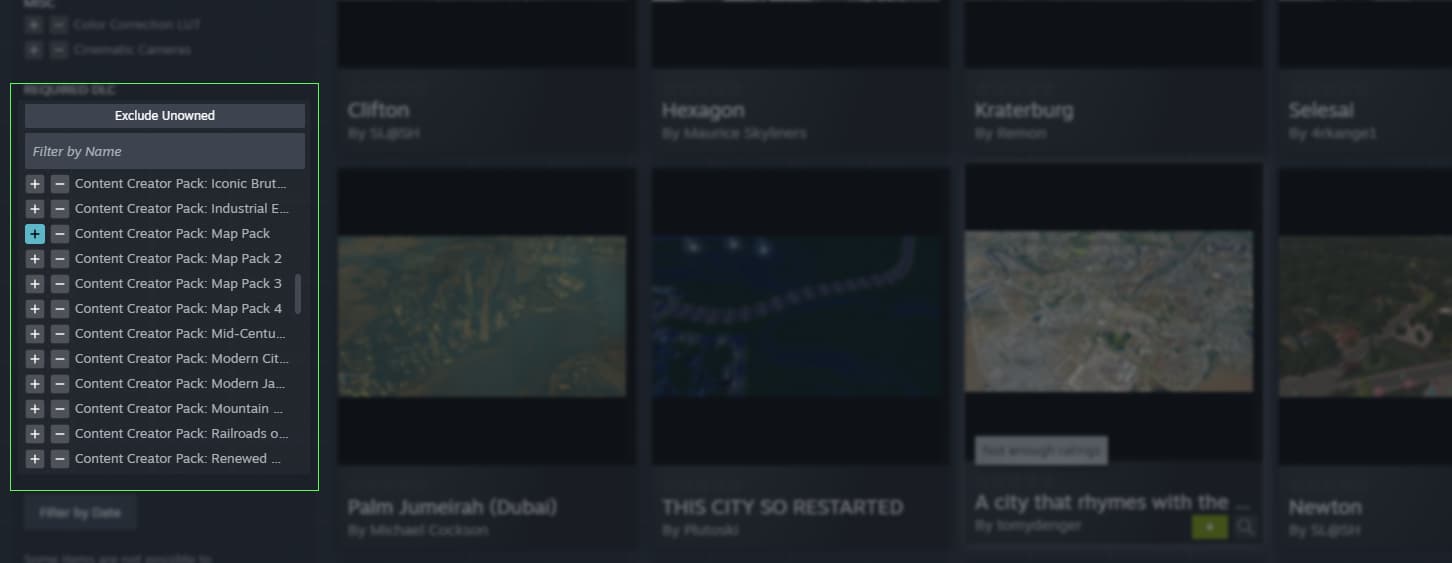
Additionally, users will be able to save their search queries and filters to easily check them out over time. Searching will also display results based on title and description, and players will be able to filter by the required DLC.
There’s also a new quick view for mods that players can check out without fully leaving the main page. This shows details like dates, file size, screenshots, and a brief description. There are also buttons to quickly subscribe, rate, or add the mod to favorites from the quick view.
Players can get a first look at the Steam Workshop update in the images below:



Valve has a small FAQ to check out here, as well as some fun trivia questions about Steam Workshop.