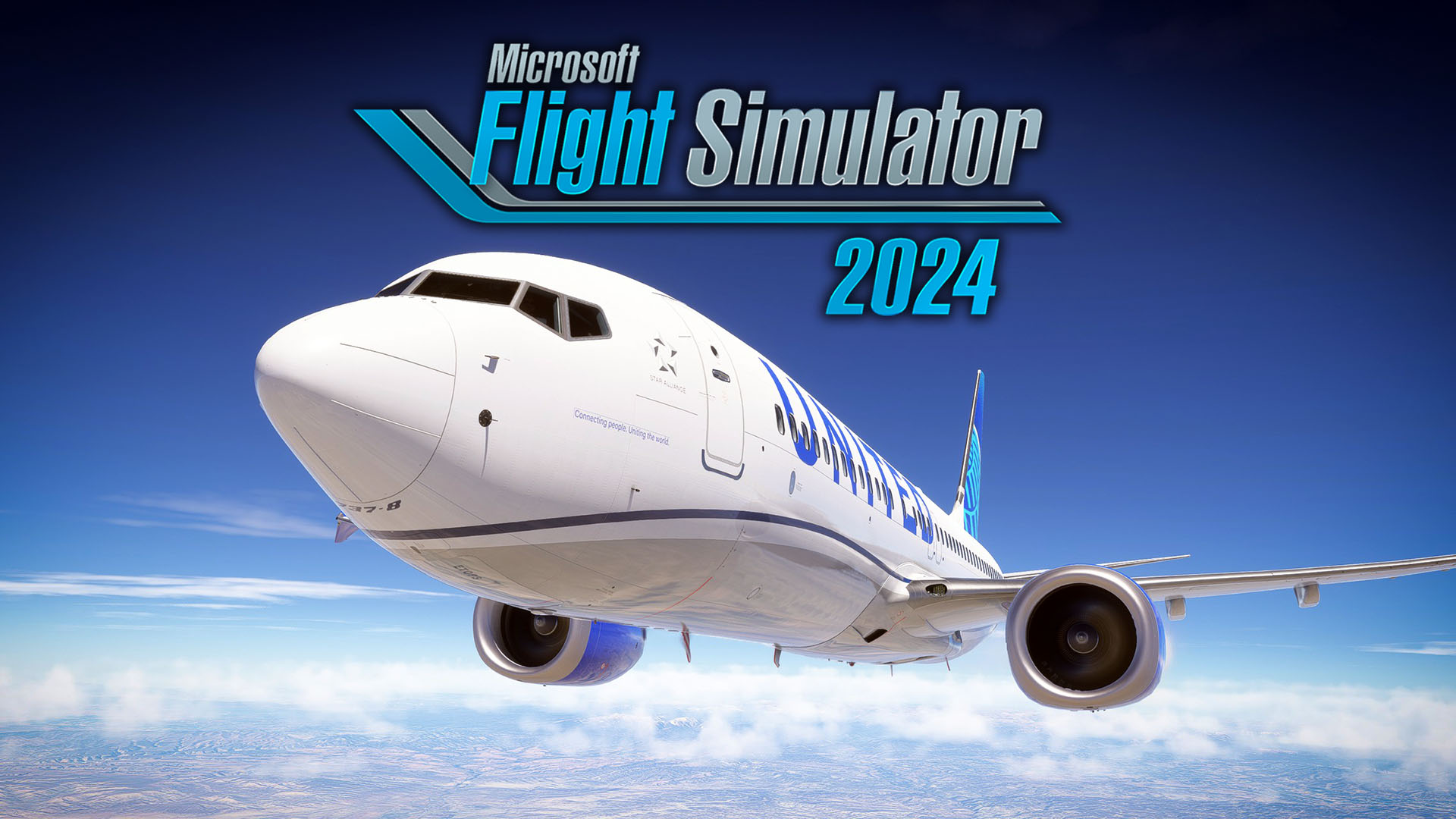
Microsoft and Asobo released the much-awaited Sim Update 5 for Microsoft Flight Simulator 2024, and it’s a pretty big one.
The update has been in beta for a couple of months, but it’s finally ready for prime time.
It brings PlayStation VR2 support for the PS5 version and various upgrades to VR gameplay for the PC version.
Everyone will benefit from plenty of improvements aiming to boost performance and stability, a new tilt feature and better resolution for the weather radar, and more.
The career mode also received plenty of improvements, including the heavy and oversized certifications.
Of course, the update comes with a massive list of bug fixes and tweaks to improve the overall experience.
We also learn that the Aircraft and Avionics update 4 will be released next week, on May 5. It’ll include native MSFS 2024 versions for the ATR 42-600/72-600, the Antonov An-2, the Fokker F.VII, the Latécoère 631, and the Savoia-Marchetti S.55/S.55X.
Below you can read the massive patch notes for Sim Update 5.
New Content & Features
- PSVR2 is now available on PlayStation 5 and PlayStation 5 Pro platforms! Enjoy!
- “Heavy” certification and “Oversized” certification are now available in career!
- VTOL certification is now unlocked.
- Added Avidyne IFD540 and IFD550 sim attachments for use by aircraft developers.
- Added sim rate under minimap
- Upgraded Tobii SDK to version 9.0.4.26.
- Added aircraft statistics comparison to the side panel when hovering over other aircraft.
- The aircraft variation type is now displayed on the aircraft selector tile
- “Enter aircraft” and “Exit aircraft” prompts are now enabled in game modes other than World Photographer. (It is possible to disable these prompt with the HUD options in the flight interface settings)
- The prompt “Exit aircraft” is now properly hidden when the HUD is hidden in the settings menu.
- Added an option to hide the HUD while in walkaround view.
- Added a feedback when a world photographer collection has been fully completed
- Added a text when transitioning to the “configure” menu in aircraft configurator
- Added a hover state on the live slider in flight conditions when selecting it with a gamepad rather than directly selecting the live slider.
- Following community feedback, we now offer you the possibility to enable or disable the movements of ground services in the airports. Find this option in the “Assistances” section, at the very end.
- Added new tag on aircraft newly purchased from the market in plane selection menus
Featured Highlights
- Flight Model improvements for storm updrafts.
- Flight Model improvements for helicopter ground effect
Stability & Performance
- Optimization of airport parking lots parked cars system.
- Memory and performance optimization of building generation.
- Memory and performance optimization of the particle effects system.
- Optimization of memory usage of NPC aircraft.
- Optimization of culling in the renderer.
- Optimization of electrical system code for large electrical systems.
- Optimization of cockpit code.
- Fixed crash occurring when executing the engine autopilot with no engines.
- Performance optimization in the texture system.
- Performance optimization of the boat and bridge systems.
- Avoid freeze when mounting/unmounting packages with lot of exclusion rectangles
- Fixed a memory corruption that could lead to a memory leak and random crashes
- Fixed a potential crash and stutters using FSR Frame Generation on NVIDIA Cards.
- Improved performance in forest areas.
- Improved the way the game switches in virtual reality to avoid excessive memory usage.
- Fixed race condition when loading key events associated to XML Gauges (could lead to random crashes)
- Fixed Model Instance being potentially destroyed upon a Build Package while reloading active LODs (could crash the sim when building the package of the currently used aircraft)
- Fixed the sim crashing during boot when both Frame Generation and smart docking system are enabled
General Bug Fixes
- Fixed a bug where the option to disable city landmark visibility was not functioning correctly.
- Fixed a bug where city and town names were missing their POIs markers. Thanks, Community!
- Fixed input action with MOD_UP being active while key was not released
- Fixed an issue where the airport name was no longer displayed after selecting an airport or a point on the world map in free flight
- Fixed an issue where the “Times flown around the world” was not properly displayed in the user profile page
- Fixed an issue where the live traffic altitude information could be incorrect and display an unrealistic value
- Fixed an issue where the “Total flight time” was empty when no flight were completed in the pilot profile
- Fixed an issue where the marketplace icon was missing on the world map filters
- On PS5, fixed an error that wrongfully reported insufficient available storage.
- Fixed the panel camera was sometimes blocked loading.
- Fixed click sound playing twice when clicking in the input bar.
- Fixed red band in one frame when toggling off HDR on PS5 with <4k output resolution
- Modified configure binding in freeflight aircraft selector to select the aircraft currently hover before starting the configuration.
- Fixed the worldmap was cut in the Market airports when resizing the window
- Fixed Framerate Multiplier always resetting to x2.
- Fixed the market notifications now update live when they are displayed, for example the notification of the number of items being downloaded/installed.
- Changed “Enter” no longer validates input area in the market to allow new lines, you now have to use “ESC”
- Fixed an issue where some bindings were not displayed in the virtual reality setting menu
- Removed mention of ISA temperature from weather panel
- Fixed issue with time slider setting incorrect day when local time goes after 23:59
- Fixed tail number not taking into account the 9 character limit on console.
- Fixed the timer stopping during low alt races when spamming pause
- The fuel gauge in “Fuel and payload” is no longer displayed for aircraft not carrying any fuel
- Fixed a small visual inconsistency when hovering cloud layers in the weather panel.
- Fixed an issue where the cloud indicator cloud disappears after being hovered in the weather panel.
- Fixed the hover state of the icons of the toolbar
- Disabled the photographer mode zoom level slider when in virtual reality.
- Fixed an issue where the “Write here…” in the chat box was not properly localized in non-English languages
- Fixed an issue where the wrong aircraft thumbnails were used at several places in the game (mainly for activities)
- Fixed an issue where the selected tile was no longer marked as selected after hovering it either with the mouse or a gamepad
- The departure and arrival card now have more accurate information in Free Flight and career.
- Fixed challenge ghosts not being transparent when it was very close to the player
- Modified toolbar system to show all 3rd party in-game panels by default.
- Added way to ban a 3rd party panel in specific game mode or mission.
- Added audio feedback when changing tab with a gamepad
- Removed sound when hovering over in-game panel header to prevent useless haptic feedback.
- Fixed an issue where the selected runway was not displayed under the “Runway” UI
- Fixed an issue where the seaplane base markers were only appearing when the “Airport” and “Seaplane base” filters were enabled at the same time
- Fixed IAS being approximated when setting simvar AIRSPEED INDICATED.
- Fixed an issue preventing to use WASM DLC aircraft on Xbox.
- Fixed simvars AIRSPEED INDICATED and AIRSPEED TRUE not being set immediately upon loading an FLT that uses ZVelBodyAxis_IAS
- Following community feedback, fixed Tobii default parameters for rotation responsiveness and camera boost.
- Following community feedback, fixed an issue when, if the cockpit interface is set to legacy with visual indicators off, the visual indicators could appear anyway.
- Fixed node lookup when merging XML files in a Modular SimObject (could cause crashes when a RemoveEntry tag targeted an unknown node)
- Fixed an issue where the mission steps panel and the discovery objective panel could be truncated after switching between full screen and windowed using the ALT+ENTER shortcut
- Fixed text in logbook that was not correctly translated
- Fixed the slider “Drone rotation speed” in the showcase tab of the camera panel was not behaving correctly. Also added the unit of the slider in the title of the line.
- Fixed DLSS AA available on unsupported devices.
- Thanks to community, we disabled AI copilot control when using the virtual cursor in the ‘All Assists’ Assistance preset.
- Fixed an issue where searching for certain POIs using their full name would sometimes not properly find them when they existing the world.
- Blocked update of key motion parameters for user aircraft (position, orientation, translational and angular velocity vectors, translational and angular acceleration vectors, total force and total moment vectors) while the user is in the in-game menu.
- Additionally, blocked update of translational and angular acceleration vectors, as well as total force and total moment vectors, while in Active Pause mode.
- This change ensures export of fixed (last valid) motion parameter values via SimVars in situations where motion is not actually being simulated, and also fixes a G-LOC issue during Active Pause.
- Fixed performance issue caused by VFX execution
- Improved localisation.
- Fixed an issue where going back to the homepage from the free flight page, challenge page or activities page would have the focus be on the wrong tile
- Added the names of airport parking lots and gates when hovering over them on the world map.
- Fixed a bug where the time does not advance while the weather panel is opened.
- Fixed several options not being properly reset in the “Effects and Animation” category of the settings
- Changing the interaction system with a gamepad or the keyboard no longer breaks the cockpit interactions until the mouse is used
- It is no longer possible to switch to the pause menu while in a transition
- It is no longer possible to switch in and out of the photo mode while in a transition
- Fixed AI aircraft failing to keep a stable altitude
- Deactivated the showcase tab of the panel camera when outside of the aircraft
- Removed weather panel humidity slider since humidity is no longer used.
Install, Performance & Graphics
- Fixed broken rendering of objects with Ghost material, fixing rendering of VR controller models.
- Added support for textures for objects with Ghost material.
- Added a pop-up while changing language.
- Temporary fix for visual glitch on AMD Radeon RX 9xxx due to badly read exposure in divergent code path.
Backwards Compatibility Bug Fixes
- Fixed Incorrect text size rendering for XML Gauges
- Fixed sound clip distance too low with FS2020 packages
Aircraft Core Systems
- Added VarSet capabilities for Hydraulic and Pneumatic valves’ target positions, to replace their respective malfunctioning Key Events.
- Simvars are: HYDRAULIC_VALVE_TARGET_POS and PNEUMATICS_VALVE_TARGET_STATUS
- ModelBehaviors: To reflect this change, new “EX1” parameters have been added to functions “ASOBO_Hydraulic_Valve_Parameters” and “ASOBO_Pneumatics_Valve_Parameters” that uses proper simvars to set the targets positions of valves.
Electricity system
- Fixed simvars used in system definitions cfg not using requested units but default one instead. Version 2.2 and up required.
- Fixed an issue causing aircraft using BUS LOOKUP INDEX simvar in different XML variable to sometimes cause some of the simvarread/writes to receive invalid indices.
- Fixed an issue causing named-based indices not to work properly for Key Events.
- Fixed Wear & Tear info not fully loaded from cfg file
- Fixed suppliers having no load when directly connected to a consumer
- Added consumers list in battery details panel in debug window
- Added batteries in consumer list of suppliers
- Fixed breakers not having any load when on a line leading to a bus. Minor version 1 or above of the electrical system will have to be set in the settings.cfg definition
- Fixed an issue where electrical APU starter would be able to run when there is no power available.
- Fixed an issue causing crashes on aircraft with a very number of lines and circuits.
Failure / Wear & Tear
- Fixed an issue that could cause the flight surfaces to take damage while the aircraft was loading.
- Added a way to indicate the speed level at which gears take damage when immersed in water.
Fuel System
- Fixed an issue on the FSX fuel system causing the fuel level of tanks to be overridden on FLT loads even if that FLT does not provide any fuel tank information.
- Fixed Fuel Pump AutoCondition parameter not working when using decimal values.
- Fixed an issue that could cause the fuel system state to be incorrectly loaded when using the SimFile FLT parameter
Hydraulic System
- Fixed an issue causing helicopter hydraulic assistance to be enabled even on aircraft not on the FS2024 Hydraulic system, potentially making them uncontrollable.
- Fixed system behavior for looping fluid systems.
- Fixed an issue causing hydraulic rudder actuator to be inoperative if the hydraulic system either does not have an elevator actuator, or that actuator is not operative.
Pneumatic & ECS System
- Fixed “OpeningNames” initialization to properly take them into account
- Added simvar PNEUMATICS_ENGINE_BLEED_AIR_PRESSURE_EX1 that actually gives the bleed air exiting from the engine, whereas PNEUMATICS_ENGINE_BLEED_AIR_PRESSURE gave the pressure of the air inside of the engine.
Glass Cockpits
- Added missing tooltips to MPA_ASD57 radio (LS-8 glider).
- Fixed an issue that caused Vcockpits meant to be displayed on the screen (i.e. the F18’s HMD), to still display while in Photo Mode.
Garmin G1000 NXI
- Heliports are now displayed on the map with the correct icon.
Garmin G3000 / G5000
- Adjusted the styling of PFD/MFD softkeys to better match the real unit.
- Improved the logic used to generate smoothed VNAV descent paths.
- Fixed an issue where in rare cases FMS speed targets would sometimes not be applied correctly.
- Hovering over a waypoint with the map pointer using the GTC Map Pointer Control popup will now allow you to open the Direct-To dialog or waypoint information for the hovered waypoint.
- Fixed an issue where TAWS could sometimes improperly issue a “don’t sink” alert during approach and landing.
- Fixed an issue where the GTC nearest waypoint pages would sometimes not update their lists correctly.
- Heliports are now included in the GTC nearest airports page if the runway surface setting is set to “Any” and the minimum runway length setting is set to zero.
- The various tabs on the GTC airport information page now display a text message when no data are available for an airport instead of just displaying a blank list.
- The GTC airport information page now correctly displays “HELIPORT” in the usage field for heliports.
- Heliports are now displayed on the map with the correct icon.
- Fixed an issue where the “Display” button on the GTC Weight and Balance page was not visible when using Vertical GTCs (GTC 57x).
Garmin G3X Touch
- Fixed an issue where the NRST waypoint pages would sometimes not update their lists correctly.
- Heliports are now included in the NRST airports page if the heliports setting toggled on, the runway surface setting is set to “Any”, and the minimum runway length setting is set to zero.
- Enabled the “Heliports” setting in the options menu for the NRST airports page.
- The Waypoint Information airport weather tab now displays the closest available METAR to the selected airport (within 15 nautical miles) if a METAR for the selected airport is not available.
- Added the “Sunrise/Sunset at Waypoint” flight plan data fields.
- Added the “WX ALTIM” CNS data bar field, which displays the altimeter setting from the nearest METAR reporting station.
- Heliports are now displayed on the map with the correct icon.
- Fixed an issue where if you closed the CNS data bar field selection dialog without changing the field you would be unable to open the selection dialog for the same field again.
- Fixed incorrect volume-to-weight fuel conversions in the CNS data bar fields and flight plan data fields.
- GPS OBS mode can now be enabled when navigating using the G3X’s internal flight plan.
Primus Epic 2.0 Integrated Avionics System
- Fixed an issue where flightplan waypoints were not clickable with a gamepad.
- Fixed an issue where erroneous GPWS alerts were triggered on approach at some airports.
- Fixed an issue where the GND PROX GPWS alert was not removed from the PFD when clear of terrain.
- Improved the logic used to generate smoothed VNAV descent paths.
- Fixed an issue where VGP did not work for visual approaches.
Pro Line 21 Integrated Avionics System
- Optimized the PFD’s artificial horizon for memory savings.
- Fixed an issue where the FMC could become frozen when accessing some PERF pages and then attempting to open a different page.
- Fixed the incorrect display of initial fix segments on the FPLN page.
- Fixed an issue where procedure names would disappear from the FPLN page after executing a MOD plan on the other FMC.
- Added correct limitation of max 8 frequencies shown on the MULTIPLE sub-pages of the FREQUENCY DATA page.
- Added correct sorting of frequencies on the MULTIPLE sub-pages of the FREQUENCY DATA page.
- Added correct interactions with SEL APT field on the FREQUENCY DATA page (pilot-entered airport can only be cleared when it is selected).
- Fixed FREQUENCY DATA page not showing when an airport had no frequency.
- Fixed CDU paging indicator being the wrong color and size.
- Fixed the FLIGHT LOG page not displaying after landing when the setting was enabled.
- Fixed an issue that caused the MFD to be blank if third party developers hadn’t created a takeoff and approach ref page in their avionics plugin.
- Improved the logic used to generate smoothed VNAV descent paths.
UNS-1Ew SBAS-Flight Management System
- Fixed a bug that caused the UNS to not publish AP modes to the FMA LVars.
- Improved the logic used to generate smoothed VNAV descent paths.
Physics
- Fixed collision issue when the plane is moving under bridges
Flight System
Flight planning
- Fixed an issue where flight level cruise altitudes were not always properly respected or converted when filing a plan with ATC
- Fixed an issue that caused the flight plan ribbon to not leave the ground for some aircraft without flight performance data.
Aircraft Engines
- Added optional dependency of constant-speed propeller blade pitch change rate on oil pressure. See SDK for details.
- Added support for two types of propeller RPM limiter:
- Pitch angle governor–based (for constant-speed propellers only)
- Fuel flow governor–based (for turboprop engines only)
- The limiter is configured via newly added parameters in the [PROPELLER] section of the engine.cfg file. See SDK for details.
EFB
- Fixed an issue causing the Liquid Tank displays to indicate random numbers rather than a name.
- Added a warning in the Mass and balance when the aircraft is overloaded
- EFB apps which are not compatible with the currently loaded aircraft are now hidden
- Fixed mass and balance empty tab to allow negative CG.
- Added pressure setting
- Fixed Turkish capitalization of special characters “i” and “i”
- Enhanced rain visuals
- Fixed logbook not reloading new statistics until restarting the game
- Planner App – Fixed sending flightplan to ATC not always selecting correct runways
- Planner App – Fixed various texts not being translated to the user’s selected language.
- Planner App – Fixed an issue where stale chart data could sometimes overwrite chart data from a newly selected airport.
- Planner App – Changed default MZFW to be MTOW (if present) or max gross in cases where CFG value is missing, to fix issues with the payload slider on many aircraft
- Planner App – Fixed an issue where Direct To bearing was not converted to magneticbearing.
- Planner App – Fixed route string input dialog textbox lacking a scroll bar and having avisual artifact.
- Planner App – Discontinuities in the flight plan are now drawn as dotted paths.
- Planner App – Improved the logic used to calculate the geometric descent path to better avoid prolonged excursions from the default flight path angle.
- Planner App – When importing a route, the option to automatically calculate cruise altitude will be toggled off if the route has a defined cruise altitude in order to prevent the imported cruise altitude from immediately being overwritten.
- Planner App – When exporting a route, the cruise altitude unit selection (feet or flight level) is now respected.
- Planner App – Fixed an issue that could sometimes lead to poor performance when automatic cruise altitude calculation was toggled on.
- Planner App – Removed the black arrows from numeric input boxes.
- Planner App – Fixed an issue where filing the plan with ATC could erroneously get the wrong IFR/VFR flight type if the Flight Rules dropdown was not toggled at least one time.
- Planner App – The EFB no longer strictly enforces the selected cruise altitude to be less than or equal to the selected aircraft’s altitude ceiling. Among other things, this stops the EFB from automatically changing the cruise altitudes of flight plans imported from external sources (including from avionics, PLN files, or plans saved to the cloud). If the selected cruise altitude exceeds the aircraft’s ceiling, a warning will now be displayed on the performance page.
- Planner App – Replaced the generic FAA contingency fuel option with a more specific FAA part 121 option since the FAA does not require contingency fuel under part 91.
- Planner App – Removed the AUTO contingency fuel option because it was redundant (it was functionally identical to the EASA option).
- Planner App – Added warnings to the performance page when problems are detected with the selected cruise altitude.
- Planner App – Added new options to configure performance for holding operations. These data are used by the new automatic final reserve fuel calculations.
- Planner App – Added warnings when the planned trip, alternate, or block fuel is estimated to be insufficient to meet the requirements of the flight plan.
- Planner App – Added a warning when the planned block fuel exceeds the selected airplane’s fuel capacity.
- Planner App – Added a new option to automatically calculate contingency fuel according to ICAO requirements.
- Planner App – Added support for automatic final reserve fuel calculations. You can now choose to have final reserve fuel calculated according to ICAO, FAA, or EASA requirements.
- Fixed EFB causing runway light flickers
- Fixed pilot weight resetting to 0 when trying to load weight on the pilot position on the world map
Minimap
- Fixed flight plan discontinuity not shown on minimap.
Aircraft Tech
Model Behavior
- Fixed issue introduced in Sim Update 4 causing visibility behavior code to still be running even when current LoD does not contain the linkednode
- Added 2 new buttons on the Animations tab of the Model Behaviors to filter in/out animation which are missing events and those that are not in the GLTF.
Aircraft Gameplay
- Fixed “disable_assistances” implemented through an assistance preset (would fail in Career mode when other presets were applied)
ATC
- Fixed an issue that caused ATC to sometimes assign cruise altitudes above the service ceiling of the aircraft.
- Fixed ATC VFR landing clearances when landing on a helipad
- Fixed an issue where the ATIS message repeated at high frequency when the text-to-speech voice was unavailable.
- Allow the player to queue a message for sending in the ATC panel.
External HUD
- HUD Is now affected by the Accessibility Minimum Text Size option
- Fixed an issue causing the HUD Helicopter Power Indicator to limit the max power displayed to the max command level
Tooltips
- Fixed an issue causing the tooltip of the Rudder Trim to be invalid
Career
- Modified the hold short validation in career to validate the mission step before the aircraft crosses the hold short line.
- Improved messages when entering career is locked because of aircraft dependencies
- Fixed missions filter not being applied correctly when looking at the Airport Missions list.
- Changed misleading name of the Super Heavy specialization and Heavy certification to Oversized
- Improved cruise altitude selection for missions.
- Added a step to remove windshield cover
- Changed parking and hold short system to be synced with code.
- Changed holdshort area from rectangle to line.
General Bug Fixes
- Fixed aircraft selection flow when entering a freelance mission
- Fixed wrong weather information for arrival airport in mission briefing
- Fixed hold short changing position.
- Fixed ATC “Acknowledge handoff” step remain displayed after a skip to descent
- Fixed Analytics overview titles being empty
- Fixed characters hovering or moving partially in the ground in RTC in career missions
- Fixed Special missions timer not being hidden on missions without time limits
- Fixed Missions Steps panel title not being retranslated when changing language
- Fixed My Companies graph not displaying correctly when first entering the page
- Fixed fleet overview sorting options not working
- Changed career missions database to avoid night missions on airport without lights.
- Added a check on altitude to trigger FL100 overspeed warning
- Fixed announcing Final when ready to land via radio
- The “Reset career” binding is no longer displayed when not in the overview category in the profile page
- Fixed switch input missing to access search bar when transferring aircraft from MyCompanies.
- Fixed screenreader reading each digit individually when reading certification price.
- Fixed screen narrator reading debug value when reading career briefing screen.
- Fixed aircraft store not resetting correctly when backing to Change Aircraft screen.
- Changed FLT used for IFR landing back-on-track. Changed final.flt for approach.flt.
- Fixed taxi to parking back-on-track teleport holdshort line.
- Fixed clouds moving when entering and exiting the pause screen in mission
- Fixed Acknowledge reach altitude step after a skip to descent
- Fixed incorrect aircraft pitch when skipping to landing
- Added a new “UseSimStatePitch” option in RequestTeleportAction to load pitch from sim state FLT
- Fixed taxi to gate clearance sent twice when infringed.
- Added “Stop after hold short line” step validation if overpassed but not infringed.
- Fixed Announce taxi to helipad flow not available.
- Fixed acknowledge frequency change not automatically completing when infringed
- Fixed ATC broken after taking off without clearance
- Fixed part of the flightplan not displayed in some IFR missions
- Fixed several different ribbons visible at the same time in some missions
- Fixed infinite loading to the briefing page of some missions
- Fixed “Stop after hold short line” step not skipped if overpassing it
- Fixed acknowledge clear to land when landing on a helipad
- Added an exclusion area near important gameplay areas to remove vegetation.
- Added a fallback if aircraft crashes when spawning on parking
- Fixed the flightplan in familiarization flight not displaying its first leg
- Fixed the taxi ribbon on the runway sometimes displaying an unrequired U-turn
- Fixed the specialization tile sometimes staying locked after passing the PPL
- Modified the way the departure parking spot is chosen is career to ensure that the aircraft spawns without colliding with any building or vegetation
- Fixed Local Time not updating when fast traveling
Free Flight
- Fixed an issue where the aircraft could spawn with the engine running instead of in cold and dark state when using a custom “on ground” spawn location in the World Map.
- Fixes the Fuel Range display on the World Map so it is directly projected onto the Earth giving an accurate visual indication of the aircraft’s range with the supplied fuel.
- Fixed player aircraft spawning at the wrong runway when launching a freeflight in some airports.
- Fixed wrong voice used for the player’s ATC communications when th ‘AI Radio Communications’ setting is disabled.
- Modified the ‘Fly Now’ button to be grayed out when selecting an helipad while an airplane is selected
- Fixed aircraft fuel resetting to its default quantity when selecting a fuel amount then exiting and going back in the aircraft configuration screen
Missions
- Fixed remove parking brake step remaining displayed
- Fixed runway Excursion Landing if no parking space available
Aerial Firefighting – Extended Attack
- Fixed after a skip “Fly to Water”, the plane appears with too much speed, preventing the player from slowing down the plane.
Flightseeing (Rotorcraft)
- Fixed clear to landing player response Audio does not play and does not display in communications tab.
Medevac
- Fixed the doctor’s final dialogue triggering twice
- Fixed scoring for reroute flow
- Fixed medevac boarding cinematic can show NPC under the aircraft.
Search & Rescue
- Fixed parking brakes step displayed after bush take off
- Fixed vegetation around target preventing to complete the rescue objective
Certifications
Heavy airliner rating
- Fixed flightplan altitudes to match spawn position
- Fixed Stop after hold short line validation
High performance endorsement
- Fixed mission failure during pre-flight
Scoop endorsement
- Fixed aircraft going out of reward screen
Online Services
- Fixed missing notification when receiving a friend invitation
- Fixed a rare crash when losing internet connection
Aircraft
- Fixed an issue causing aircraft with multiple propellers to sometimes have only a single prop rotating after rebuilding the aircraft’s package (visual only)
- Added missing parameters to define power and thrust threshold behavior on legacy propellers with low beta.
- Fixed wrong force feedback on aircraft that was causing the balloon basket to tilt under extreme windspeeds.
- Improved wake turbulence simulation, including self induced feedback loop on helicopters.
- Improved visualization & colors of all turbulence visualizations (cfd, wake & thermals).
- Improved CFD simulation on building edges.
- New parameters for surfaces: version & modifier_local_angle_scalar.
- Added ZVelBodyAxis_IAS FLT parameter to specify an airspeed in IAS
- Fixed a crash in the NPC aircraft simulation creation.
- Fixed a crash in the flap system loading aircraft with no or incomplete flap definitions.
- Fixed incorrect wingflex on gliders on flight intro screen when wind is set to very high wind speeds such as 150kts
- Fixed an issue causing ELEVATOR TRIM AXIS to be reversed on the Cessna 172, Cessna 208B and CubCrafters XCub compared to the others aircraft
- Added an extra type of cover for windshield + new generic covers to be used for anything that doesn’t match the existing cover types. These can all be removed with mission scripts and KEY_TOOLS_QUICK_PREFLIGHT.
- Fixed an issue causing the rotorcraft covers to sometimes appear offset from the rotor model in multiplayer.
- Added new DevMode window to display accessible frequencies(Debug/Aircraft/Radio Frequencies).
- Fixed an issue causing some instrument highlights to flicker in some cases
- Added a few extra Key Events to control opening/closing doors : CLOSE_AIRCRAFT_DOORS, CLOSE_AIRCRAFT_DOORS_CRASHING, OPEN_AIRCRAFT_DOORS, SET_AIRCRAFT_DOORS
- Fixed an issue that caused most FLT parameters for the radios to be ignored when skipping to next state in missions.
- Searching with marketplace item name in the aircraft selector will now display the related aircraft
- Added support for SCREEN_EMISSIVE_CODE and BUTTON_EMISSIVE_FACTOR dynamic parameters to the AS140 SimAttachment.
- Fixed an issue that caused Persistent Variables to not get saved when going back to the main menu.
- The PERFORMANCE_DATA section of the flight_model.cfg has been moved to the flight_performance.cfg file. It will still be loaded from the flight_model.cfg if it is missing from the flight_performance.cfg to ensure backwards compatibility.
- Fixed an issue causing the GNS430/530 SimAttachments to have their Zoom in/out buttons inverted.
- Fixed an issue that prevented Localization Files from being used in ModelBehaviors within SimAttachments
- Wake turbulence intensity finetuning for NPC aircraft.
- Fixed the SimAttachment heading_indicator_two_knobs heading bug that did not follow the movement of the compass
- When in modern propeller version 2 or later, rotation is ignored as a way to define rotation direction of propellers as it is a deprecated way to define rotation orientations.
- Added new versioning system to propeller system. PROP_THRUST simvar now displays modern thrust value if version is 2 or higher.
Airbus 400M Atlas
- Fixed – [Career][Remote Ops][A400M] Mini-map on the left top-corner stays zoomed in at maximum even when climbing towards 30000 feet.
- Fixed – [Airbus A400M] From A Cold & Dark Start Chocks Remain in Place Despite Being Removed.
- Fixed – [Airbus A400M] [2024] GPU Moves with Rudder Inputs.
- Fixed – [Career] [RTC] [A400M] Truck drives through the pushback vehicle during cinematic – aircraft is not oriented properly.
- Fixed – [Community][Airbus A400M] [2024] Fuel Used is correct, however Fuel On Board does not decrement Correctly.
- Fixed – [Community][Aircraft & Systems] Terrain Display not working in Airbus Aircraft.
- Fixed – Speed instability during skips in the air.
- Fixed – [CAREER] [A400M] [CARGO OPS] [HEAVY] After skipping the cruise with A400M, flaps are set at an incorrect position and trigger an aviator performance.
- Fixed – [CAREER][CARGO][A400M] Cargo boxes are missing from the A400M hold.
- Fixed – flts use IAS everywhere applicable.
- Fixed – wasm Set the force flag to TRUE when getting simvars in FLOW_CB and removed line Variables::SetValue(INI_GEAR_HANDLE_STATUS, 1); in PanelstatesManager.cpp.
- Fixed – Issue with apron.flt variables during career mode reloads.
- Fixed – [CAREER] [A400M] [CARGO OPS] [HEAVY] After skipping the cruise with A400M, flaps are set at an incorrect position and trigger an aviator performance.
- Fixed – INI_REQ_FINAL_FLT=1 set incorrectly in approach.flt.
- Fixed – ExecuteCareerCode(true).
- Fixed – [CAREER] [A400M] [CARGO OPS] [HEAVY] After skipping the cruise with A400M, flaps are set at an incorrect position and trigger an aviator performance.
- Fixed – INI_REQ_FINAL_FLT=1 set incorrectly in approach.flt.
- Fixed – ExecuteCareerCode(true).
- Fixed – flt variable causing black screens in approach.flt.
Airbus A310-300
- Fixed – [Airbus A310-300][Career][Passenger Transport] Pushback RTC displays camera that clips through aircraft.
- Fixed – [Community][Airbus A310-300] [2024] v0.0.35 Main Instrument Panel (MIP) Flood Light Inoperative.
- Fixed – [A310] [2024] Main Instrument Panel (MIP) Flood Light Inoperative.
- PS5 model performance optimizations.
- Fixed – [Airbus A310-300][Career][Passenger Transport] Pushback RTC displays camera that clips through aircraft.
- Fixed – [Community][Airbus A310-300] [2024] v0.0.35 Main Instrument Panel (MIP) Flood Light Inoperative.
- Fixed – [A310] [2024] Main Instrument Panel (MIP) Flood Light Inoperative.
Airbus A320neo
- Fixed – [A320][Livery] Rudder textures fail to animate or group correctly when controlling the rudders in Iberia livery.
- Fixed – [2024][A320][A330][A321] Air Stairs do not connect to the aircraft.
- Fixed – [Community][Aircraft & Systems] Terrain Display not working in Airbus Aircraft.
- Fixed – Speed instability during skips in the air.
- Fixed – [Community][Airbus A320 NEO v2}. Changing STAR in FMGS Causes WASM Crash.
- Fixed – Trim setting, pitch and speeds in flts.
- Fixed – flts use IAS everywhere applicable.
- Fixed – wasm Set the force flag to TRUE when getting simvars in FLOW_CB and removed line Variables::SetValue(INI_GEAR_HANDLE_STATUS, 1); in PanelstatesManager.cpp.
- Fixed – Issue with apron.flt variables during career mode reloads.
- Fixed – [Community][Airbus A320 NEO v2} Changing STAR in FMGS Causes WASM Crash.
- Fixed – Trim setting, pitch and speeds in flts.
- Fixed – flts use IAS everywhere applicable.
- Fixed – wasm Set the force flag to TRUE when getting simvars in FLOW_CB and removed line Variables::SetValue(INI_GEAR_HANDLE_STATUS, 1); in PanelstatesManager.cpp.
- Fixed – Issue with apron.flt variables during career mode reloads.
- Fixed – [Regression] [Career] [Passenger Transport] [Charter Service – VIP Airliner] [Airbus 320neo] Flaps over speed penalty can occur when skipping to descent.
- Fixed – INI_REQ_FINAL_FLT=1 set incorrectly in approach.flt.
- Fixed – ExecuteCareerCode(true).
Airbus A321
- Fixed – [Career] [Airbus A321LR] Aircraft starts off with it shutting down if you skip to taxi.
- Fixed – [Community][Aircraft & Systems] Terrain Display not working in Airbus Aircraft.
- Fixed – Speed instability during skips in the air.
- Fixed – [Community][Airbus A320 NEO v2} Changing STAR in FMGS Causes WASM Crash.
- Fixed – Trim setting, pitch and speeds in flts.
- Fixed – flts use IAS everywhere applicable.
- Fixed – wasm Set the force flag to TRUE when getting simvars in FLOW_CB and removed line Variables::SetValue(INI_GEAR_HANDLE_STATUS, 1); in PanelstatesManager.cpp.
- Fixed – Issue with apron.flt variables during career mode reloads.
- Fixed – [Community][Airbus A320 NEO v2} Changing STAR in FMGS Causes WASM Crash.
- Fixed – Trim setting, pitch and speeds in flts.
- Fixed – flts use IAS everywhere applicable.
- Fixed – wasm Set the force flag to TRUE when getting simvars in FLOW_CB and removed line Variables::SetValue(INI_GEAR_HANDLE_STATUS, 1); in PanelstatesManager.cpp.
- Fixed – Issue with apron.flt variables during career mode reloads.
- Fixed – [Regression] [Career] [Airbus A321LR] Flaps overspeed penalty after Skip to Descent.
- Fixed – INI_REQ_FINAL_FLT=1 set incorrectly in approach.flt.
- Fixed – ExecuteCareerCode(true).
Airbus A330-200
- Fixed – ZVelBodyAxis_IAS not set correctly in flt.
- Fixed – missing PERFORMANCE_DATA in -300 variant.
- Fixed – [CAREER][CARGO][A330] Cargo boxes are missing from the A330 hold.
- Fixed – [CAREER][FREE FLIGHT][A330] A330 cargo plane should not have passenger’s ground services.
- Fixed – Interactive point door not closing after skip to taxi.
- Fixed – [CAREER][CARGO][A330] Cargo boxes are missing from the A330 hold.
- Fixed – [CAREER][PASSENGER TRANSPORT][A330] Flaps issue after skipping a mission step with the A330.
- Reverted naming for A330 P2F presets.
- Fixed – flts use IAS everywhere applicable.
- Fixed – wasm Set the force flag to TRUE when getting simvars in FLOW_CB and removed line Variables::SetValue(INI_GEAR_HANDLE_STATUS, 1); in PanelstatesManager.cpp.
- Fixed – Issue with apron.flt variables during career mode reloads.
- Fixed – [Airbus A330 ALL][Belgua XL] [2024][Community Feedback] Left Wing Tank Seems to Lose 240 Lbs/Hr of Fuel during Operation. Does not Match Fuel Used.
- Fixed – [CAREER][PASSENGER TRANSPORT][A330] Flaps issue after skipping a mission step with the A330.
- Fixed – INI_REQ_FINAL_FLT=1 set incorrectly in approach.flt.
- Fixed – ExecuteCareerCode(true).
- Fixed – [CAREER][CARGO][A330] Cargo boxes are missing from the A330 hold.
- Fixed – [CAREER][PASSENGER TRANSPORT][A330] Flaps issue after skipping a mission step with the A330.
- Fixed – flts use IAS everywhere applicable
- Fixed – wasm Set the force flag to TRUE when getting simvars in FLOW_CB and removed line Variables::SetValue(INI_GEAR_HANDLE_STATUS, 1); in PanelstatesManager.cpp
- Fixed – Issue with apron.flt variables during career mode reloads
- Fixed – [Airbus A330 ALL][Belgua XL] [2024][Community Feedback] Left Wing Tank Seems to Lose 240 Lbs/Hr of Fuel during Operation. Does not Match Fuel Used
- Fixed – [CAREER][PASSENGER TRANSPORT][A330] Flaps issue after skipping a mission step with the A330.
- Fixed – INI_REQ_FINAL_FLT=1 set incorrectly in approach.flt
- Fixed – ExecuteCareerCode(true);
- Fixed – flt variable causing black screens in approach.flt.
Airbus A330-743L Beluga XL
- Fixed – [FREE FLIGHT][CAREER][SUPER HEAVY][BELUGA] Cargo is missing in the airplane.
- Fixed – [CAREER][SUPER HEAVY][BELUGA] Flaps extending too much in the begining of the approach causing overstressing the flaps.
- Fixed – [CAREER][SUPER HEAVY][BELUGA] Flaps keep extending for 25 seconds after spawning which causes not foreseen penalty for overspeeding with flaps.
- Fixed – [CAREER][CARGO SUPER HEAVY][BELUGA] Remove baggage carts from Cargo missions.
- Fixed – [Career] [Certification] [Heavy Airliner Rating] Exam begins with Beluga aircraft heavily diving downward.
- Fixed – [CAREER][SUPER HEAVY][OVERSIZED] Beluga has too big landing distance in performance data, making it not possible to have missions to Toulouse and most of other airports.
- Fixed – [FREE FLIGHT][CAREER][SUPER HEAVY][BELUGA] Cargo is missing in the airplane.
- Fixed – flts use IAS everywhere applicable.
- Fixed – wasm Set the force flag to TRUE when getting simvars in FLOW_CB and removed line Variables::SetValue(INI_GEAR_HANDLE_STATUS, 1); in PanelstatesManager.cpp.
- Fixed – Issue with apron.flt variables during career mode reloads.
- Fixed – [CAREER][SUPER HEAVY][BELUGA] Inconsistent flaps settings or flaps extending too much in the begining of the approach causing overstressing the flaps.
- Fixed – [FREE FLIGHT][CAREER][SUPER HEAVY][BELUGA] Cargo is missing in the airplane.
- Fixed – INI_REQ_FINAL_FLT=1 set incorrectly in approach.flt.
- Fixed – ExecuteCareerCode(true).
- Fixed – flts use IAS everywhere applicable.
- Fixed – wasm Set the force flag to TRUE when getting simvars in FLOW_CB and removed line Variables::SetValue(INI_GEAR_HANDLE_STATUS, 1); in PanelstatesManager.cp.
- Fixed – [CAREER][SUPER HEAVY][BELUGA] Inconsistent flaps settings or flaps extending too much in the begining of the approach causing overstressing the flaps.
- Fixed – [FREE FLIGHT][CAREER][SUPER HEAVY][BELUGA] Cargo is missing in the airplane.
- Fixed – INI_REQ_FINAL_FLT=1 set incorrectly in approach.flt.
- Fixed – ExecuteCareerCode(true).
- Fixed – flt variable causing black screens in approach.flt.
Airbus Helicopters H225
- Fixed – [Career] [H225] Player is unable to shutdown the Aircraft after going through a mission.
- Fixed – [H225][2024] Snow passes through the fuselage of the aircraft.
- Fixed – [Career] [RTC] [H225] NPC’s can be shown clipping into each other during boarding cinematic for flightseeing and passenger boarding.
- Fixed – [H225][2024] BARO UPLIM CRS and DH Knobs Will Not Change Value on The Flight and Navigation Display (FND).
- Fixed – [H225][2024] RH and LH Fuel Cut-Off Handles and Fire Extinguisher Buttons Do Not Operate Fuel Shut-Off, Aircraft Continues to Run Despite Fuel Starvation.
- Fixed – [H225][2024] GPS RNAV Providing Only ANAV with No Lateral Guidance.
- Fixed – [H225][2024] Autostart (Ctrl+E) Triggers GOV Lights and NR FADEC Failure on Engine Instrument Display (EID).
- Fixed – [Career] [Aircraft] [H225] When skipping a segment mid-flight or respawning after crashing, the Airbus H225 will have throttle set to 0.
- Fixed – [H225][2024] Issues with stickers.
- Fixed – [H225][2024] Missing Visual Helper for “Cargo Door” in H225 Preflight Inspection Checklist.
- Fixed – [H225][2024] All seats do not have collision.
- Fixed – [H225][2024] ECS System Cold/Hot Toggle Not Staying in Selected Position.
- Fixed – [H225][2024][v2.0.4] Other Player’s Landing Gear is not visible in the Multiplayer.
- Fixed – Ingestion issues.
Amphibian Aerospace Albatross G111 / HU-16 / G111T
- Fixed incorrect rendering of prop RPM and cowl flap switches (SU5 regression).
- Fixed broken autopilot on HU-16 (SU5 regression).
- Fixed bug preventing aileron movement via keyboard control.
- Fixed: Autopilot now drives ailerons directly instead of aileron trim.
- Fixed potential parking brake binding issue during apron starts.
- Fixed voltmeter showing incorrect battery voltage under certain loads.
- Fixed some incorrect checklist instructions and values for propeller rpm governor settings.
- Fixed airseed start parameters in cruise flt file.
- Fixed: Prevented squat strut from potentially deploying when starting a flight in the water or at an addon dock parking spot.
- Fixed bug with windshield water spray LODs.
- Fixed: Rain drop impact sounds removed when snowing.
- Fixed an error in the fuel selector code.
- Fixed some missing localization entries.
- Fixed LOD issue with fuel caps disappearing.
- Fixed some missing rivet and panel line issues.
- Fixed gear struts missing their inspection tooltips.
- Fixed flap handle interaction sensitivity with controller thumbstick.
- Fixed fuel transfer pump switch interaction issues with controller thumbstick.
- Improved animation responsiveness on most switches.
- Fixed occasional Garmin G3x PFD screen brightness issue on startup.
- Improved Garmin G3x screen materials.
- Added critical workaround fix for SU_05 beta regression causing aircraft to sink into the floor on aircraft configuration screen.
- Fixed gust lock not disengaging during engine auto-start sequence.
- Fixed checklist value discrepancies and missing steps.
- Fixed and improved several instrument and control animations.
- Minor cockpit texture fixes.Fixed occasional copilot and passenger lighting issues.
Archer Midnight
- Fixed: Flightseeing passengers boarding cinematic can show the NPCs walking through the vehicle adjacent from the aircraft.
- Fixed: Mapping issue regarding (Lhi Thumbstick) operable.
- Fixed: Aircraft name includes (Preset Default) or [PRESET DEFAULT], In the purchase summary and Manage Aircraft menus.
- Fixed: Aircraft is moving across the ground even with chocks on.
- Fixed: Few strings are not translated in certain LOC pack files.
- Fixed: Lights indicating enabled functions on the Autopilot panel are too bright.
- Fixed: Joystick controls are not highlighted using VR controllers.
- Fixed: Debug item \ is present in two Checklist strings in Turkish tr-TR.
- Fixed: No ground speed limit allows 140kt taxi and causes abrupt ground-to-air transition on takeoff.
Beechcraft KingAir 350i
- Pressurization is inop (not blocker as this no longer affects career or freeflight as a failure purely visual).
- Copilot now loads but his arm clips the arm rest bad, and the arm rest indicates it can move but it does not.
Boeing 737 MAX 8
- Fixed pink textures in BBJ variation.
- Cabin lighting is no longer visible into the cockpit
- Retuned B737 engine thrust to align more closely with the reference data.
- Adjusted FLC mode to more closely adjust for target speed.
- Fixed an issue where the FMC message TAKEOFF SPEEDS DELETED could be shown in flight.
- Improved Glideslope tracking to reduce pitch oscillations.
- Improved autothrottle response and tracking in SPD target modes.
- Improved autothrottle tracking accuracy in thrust target modes.
- Fixed an error during automatic PERF INIT when the plane spawns in the air.
- When PERF INIT is automatically initialized on runway spawn it now uses the filed cruise altitude instead of a default.
- Improved autothrottle tracking accuracy in thrust target modes.
- Fixed an issue where the autothrottle would erratically move at the target position in thrust modes.
- Fixed a rare crash when attempting to draw a very long position trend vector on the ND map
- Improved the calculated flight path for certain departure procedures during the preflight phase, and fixed an issue where LNAV could sometimes prematurely sequence flight plan legs while in the preflight phase.
- Fixed an issue where G/S did not show on the FMA when captured with VNAV on.
- Added openable cockpit door.
- Improved cabin, cabin seats, and cockpit LODs.
- Fixed environment occluder.
- FMC: Leg RNP is now used if available.
- Fixed an issue where the thrust limit changed to CLB immediately after takeoff when not using the TO/GA button to set takeoff thrust.
- AP: Fixed an issue where APP arming did not work unless the glideslope signal was received.
- PFD/HUD: Fixed ILS/FMC frequency and course disagree indication.
- PFD/HUD: Added received ILS/FMC ident disagree indication.
- Improved the logic used to generate smoothed VNAV descent paths.
- Improved initialisation state when spawning on final approach.
- Fixed an issue causing the Toggle All Lights keybind to not work properly on the 737
- Fixed an issue causing the spoiler handle not to be affected by controls from peripherals
Boeing 747-400 Global Supertanker
- PFD: Added received ILS/FMC ident disagree indication.
- PFD: Fixed an issue where the approach vspeed value was hidden.
- FMC: Leg RNP is now used if available.
- When PERF INIT is automatically initialized on runway spawn it now uses the filed cruise altitude instead of a default.
- Fixed an issue where the thrust limit changed to CLB immediately after takeoff when not using the TO/GA button to set takeoff thrust.
- Improved the logic used to generate smoothed VNAV descent paths.
- AP: Fixed an issue where APP arming did not work unless the glideslope signal was received.
- Fixed an issue where G/S did not show on the FMA when captured with VNAV on.
- Fixed an error where the pilot cannot navigate to the VNAV page.
- Adjusted the initial speed applied to the airplane when spawning in (or skipping to) the climb, cruise, approach, and final approach phases to give more consistent results over a wider range of scenarios.
- Improved the calculated flight path for certain departure procedures during the preflight phase, and fixed an issue where LNAV could sometimes prematurely sequence flight plan legs while in the preflight phase.
- Fixed a rare crash when attempting to draw a very long position trend vector on the ND map
- Updated performance data for EFB flight planning performance calculations.
- Adjusted empty centre of gravity.
- Fixed an error during automatic PERF INIT when the plane spawns in the air.
- Fixed an issue where the autothrottle would erratically move at the target position in thrust modes.
- Improved autothrottle tracking accuracy in thrust target modes.
- Improved autothrottle response and tracking in SPD target modes.
- Improved Glideslope tracking to reduce pitch oscillations.
- Fixed erroneous LANDING GEAR warning after takeoff.
- Adjusted FLC mode to more closely adjust for target speed.
- Fixed the throttle and spoiler lever having inverted drag when using Xbox/PS5 Controllers
- Fixed an issue where the flight director could sometimes command the wrong pitch/bank angle immediately after turning the flight director on or when activating a flight director mode when no mode was previously active.
- Fixed large transponder knob to increment/decrement the first two transponder numbers correctly.
Boeing 747-400 LCF Dreamlifter
- When PERF INIT is automatically initialized on runway spawn it now uses the filed cruise altitude instead of a default.
- Improved the calculated flight path for certain departure procedures during the preflight phase, and fixed an issue where LNAV could sometimes prematurely sequence flight plan legs while in the preflight phase.
- Fixed a rare crash when attempting to draw a very long position trend vector on the ND map.
- PFD: Fixed an issue where the approach vspeed value was hidden.
- Fixed an error during automatic PERF INIT when the plane spawns in the air.
- Improved autothrottle response and tracking in SPD target modes.
- Improved Glideslope tracking to reduce pitch oscillations.
- Fixed erroneous LANDING GEAR warning after takeoff.
- Adjusted FLC mode to more closely adjust for target speed.
- Fixed the throttle and spoiler levers having inverted drag animation on Xbox/PS5 Controllers.
- Fixed an issue where the flight director could sometimes command the wrong pitch/bank angle immediately after turning the flight director on or when activating a flight director mode when no mode was previously active.
Boeing 747-8 Intercontinental
- PFD: Added received ILS/FMC ident disagree indication.
- PFD: Fixed an issue where the approach vspeed value was hidden.
- FMC: Leg RNP is now used if available.
- When PERF INIT is automatically initialized on runway spawn it now uses the filed cruise altitude instead of a default.
- 747-8F: Added cargo models to lower cargo compartments.
- 747-8F: Added openable main entry and cargo doors.
- Adjusted CG and weights & balance management for both variants.
- Fixed the wrong COM frequency being tuned when starting flight on the runway.
- Improved the logic used to generate smoothed VNAV descent paths.
- AP: Fixed an issue where APP arming did not work unless the glideslope signal was received.
- Fixed an issue where the thrust limit changed to CLB immediately after takeoff when not using the TO/GA button to set takeoff thrust.
- Fixed overhead crossfeed and isolation valve buttons to have the line light dim with the panel lights.
- Fixed state tracking and audible chime of seatbelts sign knob.
- Fixed lighting on several knobs and buttons.
- Fixed BRT/DIM button on the CDUs not working.
- Fixed incorrect animation of left inboard aileron.
- Fixed an issue where G/S did not show on the FMA when captured with VNAV on.
- Fixed an error where the pilot cannot navigate to the VNAV page.
- Adjusted the initial speed applied to the airplane when spawning in (or skipping to) the climb, cruise, approach, and final approach phases to give more consistent results over a wider range of scenarios.
- Improved the calculated flight path for certain departure procedures during the preflight phase, and fixed an issue where LNAV could sometimes prematurely sequence flight plan legs while in the preflight phase.
- Fixed a rare crash when attempting to draw a very long position trend vector on the ND map.
- Updated performance data for EFB flight planning performance calculations (8i and 8f).
- Fixed an error during automatic PERF INIT when the plane spawns in the air.
- Fixed an issue where the autothrottle would erratically move at the target position in thrust modes.
- Improved autothrottle tracking accuracy in thrust target modes.
- Improved autothrottle response and tracking in SPD target modes.
- Improved Glideslope tracking to reduce pitch oscillations.
- Fixed erroneous LANDING GEAR warning after takeoff.
- Fixed the autopilot disconnect and cabin chime sounds not audible.
- Adjusted FLC mode to more closely adjust for target speed.
- Fixed the throttle levers and spoiler lever having inverted drag when using an Xbox/PS5 Controller.
- Fixed the 747-8F using an incorrect throttle tooltip.
- Fixed an issue where the flight director could sometimes command the wrong pitch/bank angle immediately after turning the flight director on or when activating a flight director mode when no mode was previously active.
- Removed baggage loader and catering truck ground service from 747-8F.
- Fixed some issues with the LODs.
- Fixed a typo and other various minor issues with some decals on the overhead panel.
- Fixed various panel lighting in the cockpit.
Boeing 787-10 Dreamliner
- FMC: Leg RNP is now used if available.
- When PERF INIT is automatically initialized on runway spawn it now uses the filed cruise altitude instead of a default.
- Fixed an issue where the thrust limit changed to CLB immediately after takeoff when not using the TO/GA button to set takeoff thrust.
- Improved the logic used to generate smoothed VNAV descent paths.
- AP: Fixed an issue where APP arming did not work unless the glideslope signal was received.
- Fixed some issues with cockpit labels being lit when they shouldn’t be.
- Fixed the VSD and right VOR map options being tied together.
- Fixed the compass rose sometimes being offset to the left when the MFD loads with the map in full-screen mode.
- Fixed an issue where the map loads two compass roses in some cases with VSD disabled.
- Fixed missing backlight on FMC keypad.
- Fixed ON BAT indication not illuminating when IRS is on battery power.
- Fixed state tracking and audible chime of seatbelts sign knob.
- Fixed an issue where G/S did not show on the FMA when captured with VNAV on.
- Fixed an error where the pilot cannot navigate to the VNAV page.
- Adjusted the initial speed applied to the airplane when spawning in (or skipping to) the climb, cruise, approach, and final approach phases to give more consistent results over a wider range of scenarios.
- Improved the calculated flight path for certain departure procedures during the preflight phase, and fixed an issue where LNAV could sometimes prematurely sequence flight plan legs while in the preflight phase.
- Fixed a rare crash when attempting to draw a very long position trend vector on the ND map.
- Updated performance data for EFB flight planning performance calculations.
- Fixed an issue where the numeric fpm values on the PFD’s vertical speed indicator were not visible.
- Fixed an error during automatic PERF INIT when the plane spawns in the air.
- Fixed an issue where the autothrottle would erratically move at the target position in thrust modes.
- Improved autothrottle tracking accuracy in thrust target modes.
- Improved autothrottle response and tracking in SPD target modes.
- Improved Glideslope tracking to reduce pitch oscillations.
- Fixed erroneous LANDING GEAR warning after takeoff.
- Adjusted FLC mode to more closely adjust for target speed.
- Fixed throttle and spoiler lever having inverted drag when using an Xbox/PS5 Controller.
- Fixed an issue where the flight director could sometimes command the wrong pitch/bank angle immediately after turning the flight director on or when activating a flight director mode when no mode was previously active.
- Fixed issues with the FMC keypad backlighting.
- EFIS “CTR” button needs to stick out more (hard to interact).
- APU label missing.
- Default livery issues at higher LODs/farther zoom.
- APU label missing (Overhead Panel).
- LOD issues when doors are open.
- FMC emissives LOD issue.
- FMC keypad emissives incorrect.
Boeing C-17 Globemaster III
- Compiled in SU04 Beta 1.6.31.0.
- Fixed XML Issue due to unsupported characters.
- Pressing the “8.33” button on NAVCOM Display will now enable 0.05 increments (8.33 Spacing support).
- Night Vision Support added. Use TOGGLE NIGHT VISION Keybind.
- Ramp and Cargo Bay are now walkable in walkaround mode.
- PERF Pages on FMC have been enabled. Takeoff performance data has been loaded onto the FMC, based on numbers extracted from the simulator flight model. Full PERF Calculations are now enabled.
- Tactical descents have been added. Engines reversers can now be activated in flight.
- Distance indicator to MFD page, to VOR or waypoint (MSN) has been added.
- Camera.cfg entry for VR Support added.
- NAVCOM Radio Knobs scroll speed has been adjusted.
- Engine Power has been increased slightly, as suggested by SMEs.
- Power of Heat Blur VFX Has been adjusted.
- “Max time above INT” Text has been corrected to green.
- TACAN is now returning distances and bearings correctly.
- Issues with TACAN selection have been addressed.
- Issue changing from IAS to MACH not holding speed has been corrected.
- APU limitations with gravity feed have been removed.
- A discrepancy in the barometer mmHg vs. Milibars has been corrected.
- Brake temp increasing with no brakes depressed corrected.
- COM2 radio volume is now adjustable with the ICS Knobs.
- Cold and dark status of lighting switch does not match extend/retract position of lights addressed.
- Engine starters not springing back to OFF after engine start has been successful fixed.
- Duplicated wipers in External view fixed.
- Incorrect N2 values. IDLE should be much higher, and green addressed.
- Reviews to VOR/ILS. Entering the approach on FMC no longer required for a ILS Approach.
- Difference in PBR wings vs. fuselage corrected.
- APU EGT temperature simulation has been revised.
- COMM1/COMM2 are both set to RX.
- Small FPV discrepancy between HUD and PFD corrected.
- HUD parenting issues addressed.
- PILOT QUICK LOOK FAILS TO RETURN TO Neutral fixed.
- Z fighting is present in upper parts of Left and Right Rest Area Curtains addressed.
- Visual Assist for Left and Right Rest Area Curtains visibly flicker addressed.
- Bison tail art on default livery is missing horns, added.
- Other Player’s flaps are flickering when the Player spawns with the Boeing House Livery fixed.
- Interior and Exterior lights start off for nighttime missions corrected.
- Various cockpit textures z-fight when viewed from a distance fixed.
- All 4 drums on Altimeter Calibration (MB) are set to 9 keyframes on the Animations Manager, instead of 10 fixed.
- The aircraft’s clock does not advance proportionately when the sim rate is set to 2X or 4X corrected.
- WAPS Caution (yellow) ANTI-ICE message does not extinguish if icing is not present and the anti-ice system is not activated corrected.
- The ND does not show DTG/DME or time to go fixed.
- Crackling sounds on console fixed.
- Hangar description is not formatted (line breaks are missing) addressed.
- Flight Director added to HUD.
- Added PITCH and ROLL to FMA boxes in HUD when FD is on.
- Various performance improvements made to the PFD and MFD Gauges. Reduced the sampling rate of a number of variables, and lowered the DOM impact.
- Various other performance improvements associated with avionics.
- Improved responsiveness of roll and yaw corrections during ILS Approaches. Increased bank and yaw acceleration and velocities.
- Improved Autopilot PIDs.
- Moved away from the legacy custom FBW system (30 Hz RPN attitude-hold via trim) and implemented the MSFS stock FBW system instead. The stock system provides load factor hold, auto-trim, alpha protection, and G-load limiting natively.
- Wired the overhead EFCS pitch and roll knobs to toggle the stock FBW: position 1 (EFCS) enables FBW normal law, positions 2 (Part) and 3 (Full) disable FBW and revert to direct mode.
- Removed trim interceptors. Elevator and Aileron trim can now be set directly.
- Adjusted aileron effectiveness for new FBW Implementation.
- Adjusted elevator effectiveness for new FBW Implementation.
- Adjusted spoileron logic for new FBW Implementation.
- Adjusted roll speeds, roll accelerations and other autopilot values.
- The F bug, VREF bug, and VT/Venr bug all default to 0 Fixed.
- ND heading should not display if INS is not aligned.
- HUD Heading and other info should not display if INS is not aligned.
- Various improvements to the CATIII Landing system, disconnected entirely from FMC.
- LEFT and RIGHT BDHI Selectors have been set to TACAN by default, C&D, and R4T.
- Warnings class on PFD is hidden by default, update loop moved to 2Hz.
- Fix candidate for takeoff config alarm (brakes, flaps, stabilizer, APU) continuing to sound for several seconds after takeoff: sound definitions used BreakOnStop=“false” letting the audio cycle finish; changed to BreakOnStop=“true”.
- PFD LOC/GS diamonds now display anytime a valid ILS frequency is set, regardless of autopilot mode.
- Various fixes to APPR Autopilot mode.
- Wipers seem to be slightly detached (by a few CM) from the windows fixed.
- Steps on side stair are broken has been fixed.
- Underwing lights missing emissive has been fixed.
- Autopilot not intercepting ALT correctly – always holding a few feet under, has been fixed.
- Autopilot struggling to follow LNAV has been corrected. Reverted to AP Interceptor solution.
- Fix for the HUD diamonds, both the horizontal and vertical.
- Fix for the PMA messages for APPR – not switching from TRK to CAP. Moved to a deviation-based solution.
- Removed duplicated Sound.xml instances that are resulting in sounds conflicting with each other.
Boom XB-1
- Fixed an issue causing vibrations to occur on the ground.
- Fixed an issue causing aircraft to slide on the ground after belly landing, even if stationary.
- Fixed wheels sinking into the ground on takeoff roll.
Cessna 172 Skyhawk
- Added C172 classic variants equipped with an Avidyne IFD550/540 rather than the GNS530/430.
- Added C172 classic variants equipped with an Avidyne IFD550/540 rather than the GNS530/430.
Cessna 208 B Grand Caravan Ex
- Fixed low brightness of decals (breakers, dashboard, console, overhead, pedestal)
- Fixed Left Aileron neutral state animation.
- Tuned gear spring constant + wheels new contact model to fix ground control instability.
- Added dependency of propeller blade pitch change rate on oil pressure.
- Fixed incorrect initialization of the propeller blade pitch angle in “cold & dark” state: the propeller is now initialized directly in feathered position (beta = 78°).
Cessna Citation CJ4
- Wheel chocks can now be interacted with during the preflight.
- Fixed external power not being able to connect to the aircraft.
- Fixed the AOA indexer on the glareshield.
- Added windshield covers and tie downs to be interactable and recognized for missions and with the quick-preflight hotkey.
- Adjusted the initial speed applied to the airplane when spawning in (or skipping to) the climb, cruise, approach, and final approach phases to give more consistent results over a wider range of scenarios.
- Updated performance data for EFB flight planning performance calculations.
- Fixed empty and ZFW limits for PERF INIT and performance calculations.
- Fixed standby ADI working with auto-start (ctrl-E) and auto-stop (shift-ctrl-E).
Cessna Citation Longitude
- Adjusted the flight director commanded pitch angle limits to ±20 degrees.
- Fixed an issue where the alternator dedicated to the right engine FADEC would sometimes provide power when it should not.
- Updated performance data and added a recommended holding speed schedule for EFB flight planning performance calculations.
- Adjusted the initial speed applied to the airplane when spawning in (or skipping to) the climb, cruise, approach, and final approach phases to give more consistent results over a wider range of scenarios.
- Fixed incorrect description text for the Cockpit Controls item in the Cockpit Preparation checklist in the EFB.
- Removed some duplicated items in the Before Starting Engines and Before Takeoff checklists in the EFB.
- Fixed an issue where wing-mounted light sources were sometimes offset from their intended positions.
CGS Hawk Arrow II
- Fixed UI variation.
- Fixed Flaps penalty.
Cirrus Aircraft SR22
- Updated windshield covers and tie downs to be interactable and recognized for missions and with the quick-preflight hotkey.
- Adjusted the initial speed applied to the airplane when spawning in (or skipping to) the climb, cruise, approach, and final approach phases to give more consistent results over a wider range of scenarios.
- Added performance data for EFB flight planning performance calculations.
- Fixed Z-Fighting on some liveries.
Cirrus Vision SF50 (Vision Jet)
- Updated performance data and added a recommended holding speed schedule for EFB flight planning performance calculations.
- Adjusted the initial speed applied to the airplane when spawning in (or skipping to) the climb, cruise, approach, and final approach phases to give more consistent results over a wider range of scenarios.
- Adjusted engine RPM when spawning in-flight.
CubCrafters X-Cub
- Fixed AP Breakers Linked
Daher TBM 930
- Fixed an issue where the output tension of the main and stand-by generators could rise to improperly high values while the engine was spooling up rapidly.
- Adjusted the flight director commanded pitch angle limits to +25/-15 degrees.
- Updated performance data and added a recommended holding profile for EFB flight planning performance calculations.
- Adjusted the initial speed applied to the airplane when spawning in (or skipping to) the climb, cruise, approach, and final approach phases to give more consistent results over a wider range of scenarios.
- The state of the windshield cover is now taken into account when checking progress in career missions.
De Havilland Canada CL-415
- Fixed an issue causing the CL-415 Liquid Dropping to shut down the liquid dropping doors slightly before the tanks are fully empty.
De Havilland Canada DHC-6 Twin Otter
- Fixed ELT switch and LED part names.
- Fixed cabin lights not switching off when power is cut
- Fixed transponder code defaults to 1234 on start
Diamond DA62
- Fixed missing gear compression
Guimbal Cabri G2
- Added missing highlight on yoke in checklist
Heart Aerospace ES-30
- Fixed discrepancy between flight director and pitch indicator when autopilot is engaged
- Fixed bad tensor definition
Hot Air Balloon
- Fixed an issue causing the Hot Air Balloon to take off on its own when starting on a runway.
Hughes Aircraft Company H-4 Hercules
- Fixed UI variation.
- Added new Water effects.
Joby Aviation
- Fixed issue where fuselage length was interpreted as too short.
- Joby S4 boarding cutscene has passenger npcs board from wrong location.
Magni M-24 Orion
- Fixed UI variation.
MX Aircraft Company MXS-R
- Fixed – Aircraft description is long compared to other Red Bull Air Race aircraft.
Pilatus PC-24
- Fixed: Cargo transport cinematic shows clipping happening with the Vehicle present at the start next to the Aircraft.
- Fixed: Untranslated configurations.
- Fixed: PC-24 Aircraft crashes in a loop after Back on Track during climb.
Pilatus PC-6 B2
- Fixed float variant floating above the water in multiplayer mode.
- Fixed elevator XML code.
- Added windshield cover (requires SU5).
- Fixed taxi.flt file to start engine correctly.
- Added optimized model files.
- Fixed maxMass entry for passengers.
Powrachute Sky Rascal
- Fixed: Seat tooltip comeback to “Door”.
- Fixed: Wing is not going flat with strong headwind and groundspeed = 0.
Zlin Aviation Savage Norden
- Fixed: Various.
World
- Fixed generic building’s roof colors from afar.
- Gaya fixed World POI s Grand Canyon (v2.1.11):
- Updated: Handling duplicates (WU 04).
- Gaya fixed World POI s Grand Canyon (v2.1.8):
- Fixed: WMMT Menara Telekom Tower helipad is duplicated – removed from this package.
- Gaya fixed World POI s Grand Canyon (v2.1.9):
- Added: CU14 adjustment to new TIN.
- Fixed: Launch POIs markers cannot be found on the world map (general issue).
- Gaya fixed World POI s Grand Canyon (v2.1.10):
- Added: Rebuild to SU4.
- Added: Rebuild for SU4.
- Gaya fixed WU 21 Australia – POIS (2024) (v2.0.0):
- Added: 1st Delivery (29 Pois).
- Fixed Rain Drops effect showing up on top of the Night Vision effect, they are properly sorted now.
- Fixing water cracks visible on ocean areas.
- Fixed waving bridges in photogrammetry areas with strong wind
- Fixed breaks in TIN water tile in sceneries (airports, POI) due to terraforming.
- Fixed World Map’s wind overlay not displaying different wind layers when switching them in the menu.
- Fixed rocks collisions with aircraft
Airports
- Fixed navdata loading order
- Fixed beacon light position in low graphic settings
- Fixed MoveableAirportLights seen through opaque objects
- Fixed airport popping on the World Map
- Fixed missing center line in taxi parking’s
- Fixed grass detail map applied on gravel and sand surfaces for MSFS2020 airports
- Fixed runway light meshes not loading sometimes
- Fixed backward compatibility issue for the airport “apply flatten”. MSFS (2020) packages no longer take into runways to compute the terraforming aera
- Fixed pushback not behaving correctly when requested through the key binding in untowered airports
- Fixed generated skid marks taking TIN color correction
- Fixed surface draw order when using aprons with large negative priority
- Fixed runway tree exclusion when the runway altitude is below 0.
- Runway exclusion is now weaker on TIN trees.
- Fixed airport terraforming generated too late for big airports
Bespoke Airports
- Gaya fixed microsoft-scenery-helipad-worldwide (v1.0.26):
- Fixed: Wrong ICAO code for Plaquemines Medical Center Heliport.
- Fixed: LFJ4K helipad is obstructed by a building.
- Fixed: Non-existent airport 0G49 is connected to the heliport 0G491.
- Fixed: CFMJ0 Helipad is obstructed by a building.
- Gaya fixed microsoft-scenery-helipad-worldwide (v1.0.25):
- Fixed: Helipad is buried in TIN – 1.0.22.
- Gaya fixed microsoft-scenery-helipad-worldwide (v1.0.24):
- Added: Rebuild for SU4.
- Gaya fixed microsoft-scenery-helipad-worldwide (v1.0.23):
- Fixed: SIAF Helipad is clipping through a building.
- Fixed: Helipad is buried in TIN – 1.0.22.
- Gaya fixed microsoft-scenery-helipad-worldwide (v1.0.22):
- Added: Tin Adjustment for WU21.
- Added: Tin Adjustment for CU14.
- Gaya fixed microsoft-scenery-helipad-worldwide (v1.0.21):
- Fixed: WMMT Menara Telekom Tower helipad is duplicated.
- Fixed: Texture issues on 30CL Helipad with CU 13 TIN package sideloaded.
- Fixed: 62CA Helipad is buried in TIN.
- Gaya fixed microsoft-scenery-helipad-worldwide (v1.0.20):
- Added: CU12 adjustments:.
- Gaya fixed microsoft-scenery-helipad-worldwide (v1.0.19):
- Updated: Lingotto Building [LIBH] – fixed missing building.
- Gaya fixed Glider Airports (v1.2.6):
- Added: Tin Adjustment for WU21 and CU14.
- Fixed: Terraforming issues at KFLY Meadow Lake airport.
- Fixed: EDLO ground surfaces are blurry.
- Fixed: Trees block runway 21 of EGVV airport – 1.2.5.
- Gaya fixed Glider Airports (v1.2.8):
- Fixed: Visible LOD pops on buildings – 1.2.6.
- Gaya fixed Glider Airports (v1.2.7):
- Added: Rebuild to SU4.
- Fixed: 1.2.6.
- Added: Tin Adjustment for WU21 and CU14.
- Fixed: Terraforming issues at KFLY Meadow Lake airport.
- Fixed: EDLO ground surfaces are blurry.
- Fixed: Trees block runway 21 of EGVV airport – 1.2.5.
- Added: Rebuild for SU4.
- Gaya fixed Glider Airports (v1.2.5):
- Fixed: Parking spot 4 collides with building.
- Fixed: Parking spots collide with buildings.
- Gaya fixed YSSY (v2.1.2):
- Added: TIN adjustment WU21.
- Gaya fixed YSHL (v2.1.2):
- Added: TIN adjustment WU21.
- Gaya fixed YPTN (v2.0.2):
- Fixed: Marking for the runway 32 is missing – 2.0.1.
- Fixed: Player’s aircraft is clipping with Fighter Jets present on the parking 28 and 27 – 2.0.1.
- Gaya fixed SBFI (v2.0.2):
- Fixed: Missing Lights on Runway.
- Gaya fixed RJFU (v2.1.2):
- Fixed: Performance issues on RJFU Airport – ver. 2.1.1.
- Gaya fixed RJFU (v2.1.1):
- Fixed: LOD pops on the solar panels at the RJFU airport – 2.1.0.
- Gaya fixed NZGS (v2.1.2):
- Fixed: Rocks on natural runway in NZGS.
- Gaya fixed MHTG (v2.1.2):
- Fixed: Departing from Parking Spots at MHTG results in aircraft rolling forward while unpowered.
- Gaya fixed LXGB (v2.13):
- Fixed: Road traffic crossing over LXGB Gibraltar airport.
- Gaya fixed LXGB (v2.1.2):
- Fixed: Asset misplaced on the main runway of LXGB airport.
- Gaya fixed LSZH (v2.1.1):
- Fixed: Multiple building textures appear blurry / low LOD.
- Fixed: Taxi Signs LOD pop / appear blurry when close.
- Gaya fixed LFHM (v2.1.1):
- Fixed: Missing building at LFHM airport.
- Gaya fixed LECO (v2.2.3):
- Fixed: Two taxipaths leading to the runway are missing.
- Gaya fixed KLAX (v2.1.2):
- Added: CU13 adjustment.
- Gaya fixed EKRN (v2.1.1):
- Fixed: Bespoke Airport Deletes Navdata.
- Gaya fixed EHRD (v2.1.2):
- Added: Rebuild for SU4.
- Gaya fixed EHRD (v2.1.1):
- Added: CU14 adjustment to new TIN.
- Gaya fixed EHAM (v2.1.4):
- Added: Rebuild for SU4.
- Gaya fixed EHAM (v2.1.3):
- Added: CU14 adjustment to new TIN.
- Gaya fixed EGGP (v2.1.2):
- Fixed: At the start of Cradle Heavy mission, avatar is placed just in front of an obstacle.
- Gaya fixed EDVK (v2.1.1):
- Fixed: Microsoft EDVK Kassel Scenery Deletes Navdata.
- Gaya fixed EDHL (v2.1.1):
- Fixed: Textures missing at EDHL Lübeck airport.
- Gaya fixed CYFB (v2.1.1):
- Fixed: CYFB – Collision LOD allows clipping on 3 structures.
- Gaya fixed Asobo KSFO (v2.1.3):
- Added: CU13 adjustment.
- Fixed Painted Lines issues on LEBB airport on the ramp road near the hangars close to 18 to 15 park
Generic Airports
- EGLC : Fixed missing water around airport
- KHRF : Fixed wrong ICAO : 6S5 to KHRF
- KGRR : Fixed missing terminal
- KGDK : Fixed wrong ICAO : I19 to KGDK
- KGDA : Fixed wrong ICAO : 5M9 to KGDA
- KGDA : Fixed missing buildings
- KDVO : Fixed misplaced beacon tower
- KPDG : Fixed misplaced beacon tower
- KGLN : Fixed airport needed to be closed according to real life
- OKKK : Fixed wrong ICAO : OKBK to OKKK
- KDWA : Fixed missing runway designators
- KMII : Fixed airport needed to be closed according to real life
- KJRO : Fixed wrong ICAO : I43 to KJRO
- KBRG – Fixed wrong airport altitude
- 01V : Fixed airport needed to be closed according to real life
- 02K : Fixed airport needed to be closed according to real life
- 02MU : Fixed airport needed to be closed according to real life
- 02ND : Fixed airport needed to be closed according to real life
- 02NE : Fixed airport needed to be closed according to real life
- 02OR : Fixed airport needed to be closed according to real life
- 02PS : Fixed airport needed to be closed according to real life
- 02Y : Fixed airport needed to be closed according to real life
- 03FD : Fixed airport needed to be closed according to real life
- 03I : Fixed airport needed to be closed according to real life
- 03IN : Fixed airport needed to be closed according to real life
- 03NE : Fixed airport needed to be closed according to real life
- 03PS : Fixed airport needed to be closed according to real life
- 03WY : Fixed airport needed to be closed according to real life
- 04F : Fixed airport needed to be closed according to real life
- EHVRQ – Fixed helipad needed to be closed according to real life
- KCPP : Fixed wrong ICAO : 3J7 to KCPP
- KBRG : Fixed wrong ICAO : E80 to KBRG
- KBCR : Fixed wrong ICAO : 1J0 to KBCR
- KBFZ : Fixed wrong ICAO : 8A0 to KBFZ
- 0CN1 : Fixed missing buildings into airport area
- KSVR – Fixed wrong ICAO : U42 to KSVR
- 01PN – Fixed airport needed to be closed according to real life
- 01NE – Fixed airport needed to be closed according to real life
- 01C – Fixed airport needed to be closed according to real life
- 01II – Fixed airport needed to be closed according to real life
- 01KS – Fixed airport needed to be closed according to real life
- 01LL – Fixed airport needed to be closed according to real life
- KNIC – Fixed airport needed to be closed according to real life
- ZYBS – Fixed wrong ICAO : NBS to ZYBS
- ZWBL – Fixed wrong ICAO : ZWAX to ZWBL
- ZWAT – Fixed wrong ICAO : ZAWW to ZWAT
- ZUZH – Fixed wrong ICAO : ZREE to ZUZH
- ZURK – Fixed wrong ICAO : ZCAR to ZURK
- ZUQJ – Fixed wrong ICAO : JIQ to ZUQJ
- ZSJH – Fixed wrong ICAO : JUH to ZSJH
- ZSDY – Fixed wrong ICAO : ZSHE to ZSDY
- ZPMS – Fxied wrong ICAO : ZPLX to ZPMS
- 00AZ – Fixed airport needed to be closed according to real life
- 00CO – Fixed airport needed to be closed according to real life
- 00OH – Fixed airport needed to be closed according to real life
- 00UT – Fixed airport needed to be closed according to real life
- 00TN – Fixed wrong airport location
- NM59 – Fixed wrong airport location
- ZYDD – Fixed wrong ICAO : ZLAN to ZYDD
- SSRS – Fixed wrong ICAO : SBRR to SSRS
- Fixed helipads on ground colliding with buildings and vegetation
World Update 2 – USA
- Gaya fixed WU02 usa-point-of-interest (v2.3.2):
- Added: CU13 adjustment [Alcatraz].
World Update 4 – France & Benelux
- Gaya fixed WU 04 france-benelux-point-of-interest (v2.1.6):
- Fixed: POI is slightly floating above the ground – 2.1.4.
- Updated: Remove duplicate POI (world poi).
- Gaya fixed WU 04 france-benelux-point-of-interest (v2.1.4):
- Added: CU14 adjustment to new TIN.
- Gaya fixed WU 04 france-benelux-point-of-interest (v2.1.5):
- Added: Rebuild to SU4.
- Gaya fixed WU 04 france-benelux-point-of-interest (v2.1.3):
- Added: CU14 adjustment to new TIN.
- Gaya fixed WU 04 france-benelux-point-of-interest (v2.1.2):
- Fixed: The Hook Endorsement Certification drop area does not register the cargo – updated package.
World Update 7 – Australia
- Gaya fixed WU 07 australia-point-of-interest (v2.0.13):
- Fixed: The lighthouse model appears to be missing some parts – 2.0.10.
- Gaya fixed WU 07 australia-point-of-interest (v2.0.12):
- Added: Tin adjustments for WU21.
- Fixed: Terrain next to the POI looks unnatural – 2.0.10.
World Update 10 – USA
- Gaya fixed WU 10 – USA (v2.0.11):
- Fixed: Vegetation on helipad in Arecibo Telescope.
- Gaya fixed WU 10 – USA (v2.0.10):
- Added: CU13 adjustment [The Getty Museum].
World Update 11 – Canada
- Gaya fixed WU 11 canada-point-of-interest (v2.0.10):
- Fixed: ‘LANDMARK POI -’ prefixed in title of some search results.
- Gaya fixed WU 11 – Canada (v2.0.10):
- Fixed: ‘LANDMARK POI -’ prefixed in title of some search results.
- Gaya fixed WU 11 – Canada (v2.0.11):
- Fixed: National flag is present at the POI – 2.0.9.
- Fixed: National flag is present at the Chateau Frontenac POI – 2.0.9.
World Update 13 – Oceania & Antarctica
- Gaya fixed WU 13 – Oceania (v2.0.9):
- Fixed: The POI is missing – 2.0.8.
World Update 16 – Caribbean
- Gaya fixed WU 16 – Caribbeans (v2.0.8):
- Fixed: The POI is missing – 2.0.8.
- Fixed: Parts of the POI are incorrectly placed or missing – 2.0.7.
World Update 18 – Germany, Austria, and Switzerland
- Gaya fixed WU 18 germany-austria-switzerland-point-of-interest (v2.0.10):
- Fixed: Vegetation experiencing LOD pop-in at Altenberger Cathedral POI.
- Gaya fixed WU 18 germany-austria-switzerland-point-of-interest (v2.0.11):
- Fixed: There are corrupted textures and terrain at Säntis Transmission Tower POI.
- Gaya fixed WU 18 – Dach 2 (v2.0.10):
- Fixed: Vegetation experiencing LOD pop-in at Altenberger Cathedral POI.
World Update 19 – Brazil
- Gaya fixed WU19 sa-east-point-of-interest (v2.0.10):
- Fixed: “Statue of Cicero” POI is displayed at two different locations.
Vegetation
- Fixed plant mesh not rendered in Sub build
Traffic
- Multiplayer: Improved fallback model matching using more metadata like wingspan, engine count and engine type to produce a closer alternative match.
- Multiplayer: Ensured model matching does not match airplanes for helicopters when a fallback is used.
Air Traffic
- The offline AI Traffic is now enabled as an experimental feature. While you may experience issues, you can now use traffic add-ons.
- Traffic that can be in “sleeping” state for various reasons, will now be ignored by the traffic conflict system to avoid lock ups.
- Various traffic behavior improvements when taxiing onto the runway and taking off.
- Traffic will now have NAV and TAXI lights on during daytime also.
Marine Traffic
- Gaya fixed microsoft ships river barge (v1.0.0):
- Added: 1st delivery – 3 boats [Atlantic | BelAmi | Taifun].
- Fixed Problems on Ship orientation.
- Fixed Bridge cross problems.
Marketplace
- Fixed an issue where attempting a purchase on Steam with the overlay disabled would result in the title becoming unresponsive
- Fixed a potential crash when exiting the Marketplace right after launching a search
Multiplayer
- Fixed Wingflex simvar not replicated in multiplayer
Accessibility
- Removed “Assisted Yoke” assistance as it limited inputs too much without notifications leading to confusion.
- Improved the readability of user interface elements.
Virtual Reality
- The virtual reality bindings now correctly show the correct bindings for the current device when the user changes their device while on the menu
- Fixed the frame gen option was not correctly saved in VR
- The cockpit interactions tooltip are now displayed in VR while using VR Controllers regardless of Cockpit Interaction mode (These tooltips were incorrectly hidden in “Legacy” mode).
- It is now possible to hide, delay or show the instrument tooltip directly from the virtual reality mode.
- Fixed an issue where a grey rectangle was around popups when in Virtual Reality
- Added a system to be able to interact with the cockpit using the gamepad in virtual reality.
- Fixed the cutout were not correctly surrounding buttons in virtual reality (for example after your first flight in the career, when you are presented with the certification button).
- Fixed an issue where the raycast white dot was missing in the pause menu
- Fixed the in game panels “minimize” button was resizing and moving the panels in virtual reality.
- Fixed sometimes the panels were not interactable after switching out of virtual reality.
- Fixed a crash occurring after switching VR on/off while using AMD FSR Frame Generation.
- The button “VR control” now brings up the correct category in the options.
- The photo mode is now in cinema mode
- Fixed World Scale overridden between session.
- Fixed an issue where some interaction elements in VR would be ignored if another element would be behind it
- Fixed Occlusion Projection using Quad Views (affecting Engine Exhaust for instance)
- Fixed the default values of the virtual reality graphics sections
- Fixed the “Reset to default” feature of the Virtual Reality graphic settings section resetting the non-virtual reality graphics options too.
- Fixed an issue when, restoring to default, the settings were wrongly set.
- Added the Virtual Reality graphic settings on PlayStation 5.
- Fixed loss of inputs sometimes occurring when launching the Preflight training in virtual reality.
- Fixed an issue that caused the Yoke/Collective highlight not to be active in VR on some aircraft.
- Fixed an issue sometimes causing the yoke/collective to not be grabbable in virtual reality.
- Fixed an issue that caused the yoke/collective interaction to fail if the second controller was targeting a collideable glass cockpit.
- Fixed an issue that caused the yoke/collective interaction to fail if the second controller was targeting a collideable glass cockpit.
- Fixed lighting issues with clouds fogging (fixes cockpit glass flickering through clouds, and lighting differences using Quad Views)
- Fixed the ratio of the EFB in virtual reality.
- The resize icon for panels is now correctly shown in virtual reality.
- Virtual reality mode is accessible only once start screen is visited.
- Fixed an issue causing the F18’s HMD and other “Render on Screen” vcockpits to not properly follow the camera movements in VR.
- Updated virtual reality camera position on B737 – CabriG2
- Fixed an issue causing multiple position switch to require releasing the control to move more than 1 position at a time.
- The VR/Non-VR EFB states are now saved differently, changing the size and orientation in VR will not apply the same orientation and size on flat screens anymore
- Fixed a bug where the virtual reality preset option was not correctly loaded after a game’s reboot.
- Added an option to disable the HUD while in cockpit view specifically in Virtual Reality
- Added a shortcut in the bottom bar to indicate how to switch to VR when a headset is detected on the main page
- The cockpit tooltip cards are now closer to the currently hovered element in Virtual Reality
- Use the ‘controller vibration’ accessibility setting to control vibrations in VR
- Added a semi-transparent background around the toolbar to avoid a confusion where panels could be set to go behind the toolbar area and would be unmovable because of it
- Trying to create a marker after zooming in on the worldmap in VR no longer places the marker elsewhere around the point of selection.
- Fixed changing the foveated mode introduced a delta in the controllers raycast for interactions with the cinema VR Mode
- The toolbar visibility is now off by default when launching a flight in VR
- Fixed the lag of the controllers and the UI when moving while in first person avatar view
- Fixed several issues in trainings where some briefing text weren’t correctly displayed
- Fixed the design of the “ready to fly button” in VR, displaying in at the center of the view with a greyed out background
- Fixed an issue where the user had a wrong binding when shown the VR recenter popup in certain conditions
- Fixed an issue where selecting element inside a list with the VR controllers when both the dragging and the selecting was on the same input was frustrating
- Added the storage of the position and state of the panels in VR independently from their state in non-VR
Cameras
- Fixed a deadzone that was present on some camera actions preventing small movements
Controls
- Fixed missing control of player character camera when toggling on cursor mode
- Updated localization of “MENU SCROLL UP/DOWN/LEFT/RIGHT” into MENU GAUGE UP/DOWN/LEFT/RIGHT” to reflect their updated behaviour.
- Scrolling is now done with “MENU SCROLL AXIS X/Y”
- Fixed “VR – TOOLBAR TOGGLE” only being triggered on press no matter the action’s setting.
- Action has been set to have input repetition off by default when mapped from scratch and inside the “Keyboard 2020 Transversal preset”. It has been set to be triggered on release on Keyboard 2024 Transversal preset.
- However this change does not apply to pre-existing custom preset, if you notice your VR toolbar not appearing please check the action’s setting and set it with “Input repetition” OFF or “Input repetition” ON + “Set control on release” ON.
- Fixed default Category/Aircraft Specific preset incorrectly set to undefined when using “Reset to Defaults” button.
- Fixed action “DISPLAY CHECKLIST” not opening the EFB panel on the checklist
Peripherals
- Fixed “Display Map” and “Display Navlog” not functioning when activated during a flight.
- Following community feedback, fixed an issue when unplug/plug an USB device during gameplay could cause massive stutters.
Peripherals
- Remapped Alt+1 through Alt+6 (QWERTY layout) on “Keyboard 2024Transversal” profile, mapping is now :
- Alt+1 : TOGGLE NAMEPLATES
- Alt+2 : TOGGLE TAXI RIBBON
- Alt+3 : TOGGLE LANDING RIBBON
- Alt+4 : TOGGLE CFD
- Alt+5 : TOGGLE WAKE TURBULENCES DISPLAY
- Alt+6 : TOGGLE 3D THERMALS DISPLAY
- Changed “VR – TOOLBAR TOGGLE” keyboard mapping to left CTRL
- Mapped “VR – TOOLBAR TOGGLE” on gamepads to RB+Lstick / R1+L3
- Mapped Photo mode camera tilt on VR right hand controller default profiles
- Added new native support for peripherals on PC & Xbox
- Switched mapping of “EYE TRACKING RESET” in Keyboard 2024 Transversal profile from Alt+8 to Lshift+Space
Various Peripheral Fixes
- Fixed some unusable actions being listed in control settings
- Added new input icons for VR Controllers and some other peripherals to distinguish them from gamepads when they were the same.
- Fixed conflict in briefing between accessing marketplace offers and the EFB flight plan.
- Fixed some actions appearing twice inside control settings
- Fixed a conflict with leaving cockpit interactions on gamepads would also decrease throttle by 1%
- Relative axis action now active while in cockpit interactions or cursor mode
New Controls
- For the DualSense controller, added the following new actions for relative axis:
- COLLECTIVE AXIS RELATIVE
- HELICOPTER THROTTLE AXIS RELATIVE
- MIXTURE AXIS RELATIVE
- PROPELLER AXIS RELATIVE
- SPOILERS AXIS RELATIVE
- Added “WAKE TURBULENCES DISPLAY” toggle, on and off action.
- Added menu/panel confirmation on VR controllers dominant hand bottom button for easier and quicker navigation
Activities
Rally Races
- Fixed an issue causing some aircraft to bounce off of rally races pylons rather than back on track when colliding with them with the propeller.
Red Bull Races
- Fixed the “practice” button of Red Bull was duplicated in the briefing menu
- Fixed the difficulty texts in the briefing were displaying a placeholder value the first time you got to the page
- Fixed Water Polygons corrupted setup at Budapest. Water now goes up to the river docks.
- Fixed Tree Spawning through a tent during Abu Dhabi event
- Fixed a bug where the players could fly over a chicane and not be penalized.
- Fixed some pylon positioning in the Monument Valley Expert and True to Life race course for Red Bull Air Races.
Training
- Fixed “Reach 1000 ft” does not get validated after reaching specified altitude during “Short take-off”.
- Fixed parking brake step if player leaves the cockpit
- Fixed instructor final exam dialog.
- Fixed syntax error in Updraft training
World Photographer
- Fixed being unable to take photos in the photo mode in virtual reality.
- Fixed worldmap tiger area focus
Free Flight
- Added a “new” tag in Free Flight aircraft selector on aircraft recently purchased from the Marketplace
Player Profile
Photo Album
- On PlayStation 5, photo Album now stores pictures using the PS5 Media Gallery, instead of using the game internal storage
- Pictures deleted from the PS5 Media Gallery will be deleted from the Photo Album as well
- Pictures deleted from the Photo Album will be deleted from the PS5 Media Gallery as well
- Pictures edited using the PS5 Media Gallery edit feature won’t be visible in the Photo Album
- Note: Photos taken before this update are not affected. Use the “Export to gallery” button in the Photo Album if you wish to save a copy to the PS5 Media Gallery.
DevMode
- Fixed an issue in the “Debug Aircraft Flight Performance” tool where pressure altitude was incorrectly interpreted as true altitude during turbine engine performance calculations and export to a file. (Note: This difference between pressure and true altitude increases with altitude when temperature deviates from ISA).
- Increased the maximum callstack depth for the Coherent Debugger Timeline profiler from 5 to 35 entries.
- Enabled full functionality of the Web View Profiler (Devmode → Tools → Web View Profiler) which allows for fine-grained analysis of JS execution and layout times, as well as memory allocations.
- Added command line flag to disable the JavaScript JIT (??-DisableJSJIT??). Disabling the JIT reduces the likelihood of crashes while debugging, and creates an environment which is closer to that on consoles in terms of performance
- Added time-step statistics for the user aircraft/motion simulation to the “Integration and Rotation Simulation” section of the “Debug Aircraft Weight” window.
- Added a “Propeller RPM Limiter Analysis” debug sub-window, accessible via checkbox in the “Debug Aircraft Engines” window. The tool provides a clear and efficient way to tune the new propeller RPM limiter.
- Added edition of dependencies in Package Inspector
- Removed option to select old LOD curve
- Added a new panel in the Career Tool to run any mission of the career through specific id or by research. This feature is only available for marketplace partner.
- Improved Mach number display precision in “Debug Aircraft Tracking” window (from 1 to 3 decimal places).
- Removed “Debug SoundTracks” tool from public builds (showing CRCs in this configuration made the tool useless)
- Fixed some debug not correctly reset when closing the devmode
General
- Fixed Calculator debug dialogs missing
- Fixed fuel tank debug box flipped along the X axis
- Fixed possible crash when opening the Aircraft Capture Tool
- BglExplorer: Add missing helipad start, approach and VASI lights information
- Removed some irrelevant options from the Devmode Debug menu.
- Added Input Device editor
- Added Input App Tool to edit input profile
- Fixed SPB compiler not reporting XML parsing errors when building a project
- Added settings for VFX particles quality, if set to High will sort the particles to prevent render order issues
- Added option to export current FLT in Debug / Aircraft / FLT files
- Fixed ILS debug color
- Fixed light blinking for one frame when turned on
- Fixed spawning VFX before the aircraft container is fully loaded.
- Fixed resize cursor not working
- Fixed SimObjectSpawner animation list being displayed for SimObject with no animation
- Removed internal Impostor Baker tool from devmode
- Improved in Capture Tool the Optimise camera parameter with Aircraft Nodes
- Fixed moving custom camera with keyboard / gamepad in aircraft capture tool
- Added a new stat to SimObjectStatistics Profiler, GPU Memory Used
- Fixed AutoSet filter disappearing from the console after Build
- Added “Debug biomes” and “Debug surface type” in the “Debug > Terrain” menu
- Renamed Statistics Profiler to Scenery Statistics
- Fixed possible crash when using fspackagetool.exe with a Steam build and modelbehaviors files
- Merged both simobjects stats dialogs
- Merged User light tool and Aircraft debug lights
- Added SimObject Statistics Tool
- BglExplorer: Fixed incorrect parking information
- Fixed a possible crash when using long names in UserLight Tool.
- Added new package validator rules at build and export
- Added support to gamepad in Content Creator Dialog.
- BglExplorer: Added a tool to search text. Added apron information.
Navigation Graph Editor
- Fixed navgraph editor automatically opening when switching to navgraph tab
Project Editor
- When creating a package with a custom asset group the popup asking for order hint now appears at the end.
- Added templates for SimAttachmentLib asset group to clarify format
Scenery Editor
- Added exclude vegetation and exclude buildings option for helipads
- Fixed rendering issue when using the same instanced and non instanced mesh in a scene.
- Fixed light exclusion polygons not working far away
- Added a warning when ILS frequency not use odd digits in the tenths
- Hide light type for painted hatched area
- Fixed vegetation density applied by mistake by the editor
- Fixed gizmo window not applying transformation from input fields
- Fixed slow snapping to ground for VectorPlacement
- Added “Ground as reference” option in the scenery editor
- Support instancing of scenery objects not snapped to ground
- Fixed apron UV difference between editor and in game.
- Be careful: packages built with SU5 might have apron UV changes!
- Added a warning when a model GUID is not found
- Removed “Reset points altitude” option from context menu of objects that are always on ground.
- Optimize object window
- Fixed 3rd party aerials sometimes not properly displayed on areas that are censored on Bing maps
- Improved popup to select a model.
- Improved moving / rotating a scenery object with snap to normal enabled
- Fixed VectorPlacement no longer in groups when loaded by the editor.
- Added option per runway to remove buildings
- Save “View only current package” and “Selection of locked objects” options in user settings
- Fixed “Edit SimPropContainer” option sometimes not using the correct position/rotation
- Fixed incorrect rotation when editing SimPropContainer
- Moved all airport navdata inside a subsection
- Fixed SimPropContainer sometimes not spawning.
- Fixed SimPropContainer following the ground during SimPropContainer edition.
- Fixed snow on sceneries with glass material
- Support “region code”, ‘transition altitude” and “transition level” for airports in the editor
- Fixed SimPropContainer scalable in the editor but not in game.
- Improved rectangle heightmap edition:
- The heightmap button automatically enables the terraforming.
- More grid display option.
- Independent brush strength.
- Weaker inflate brush.
- Added material name in the decal name
- Fixed incorrect taxi path edge markings.
Camera Editor
- Removed Camera Editor from public build (obsolete)
SimAttachment Editor
- Fixed loading error
SimObject Editor
- Fixed some combobox falling back to input field when disabling validation checks
- Added live editing link with jetways for editing interactive points.
- Fixed SimObjectEditor live edition and cockpit.cfg
- Fixed issue with modified state while in live edition mode
- Fixed parsing of floating point number in pair-type parameters.
- Removed input slider in SimObject Editor
- Added min/max constraint in Curve Editor
- Fixed wrong rotation used in live edition mode for simattachments
- Added new window to debug current container file merge
- Fixed Registration in interior model sometimes not working
- Fixed model.cfg option withExterior_showInterior causing issue with model loading
- Fixed sometime check for outside modification triggering incorrectly
- Fixed system.cfg / areasmintemperature validation condition
- Updated View menu order
- Added fuel system version 7 to enum values
- Added enum values for ui_typerole field in aircraft.cfg
- Added missing hydraulic actuator types LiquidDroppingDoor and ThrustReverser
- Fixed edit in place mode + live reload wrongly saving files
- Updated cockpit.cfg params in the editor
- Merged SimAttachmentEditor in the SimObjectEditor
- Fixed possible issues with edit in place mode modifying incorrect field
- Fixed legacy fields always hidden in search dialog even when use legacy is on
- Fixed field linked_behavior writing incorrect value
- Fixed empty aicraft.cfg file created on save
- Added prop_mod_version field
- Fixed default value with required field in material_guid
- Fixed light live edition after rebuild
Visual Effects Editor
- Improved node list draw time
Biome Editor
- Added reload the biomes on save
- Fixed displaying too many surface types
SDK
- Fixed pitch not taken into account when loading a FLT in “limited” mode.
- Fixed SimConnect_SetRelativeCamera6DOF call which ignored position parameters and put camera at the center of the SimObject, not the eyepoint.
- Changed the way status update message are sent when the user enables/disables the addon camera through the in game panel.
- Fixed SimVarWatcher documentation links
- Few Camera API changes:
- Added functions to load some parts of the world
- Changed the way position and rotation referential are handled
- Added the possibility to focus a SimObject and follow its movement based on its object Id
- Keep the world around the aircraft loaded while using the Camera API and going far away of the aircraft to avoid it to falling under the ground
- Fix regression on secondary aerials on areas with both photogrammetry and censored/military areas
- Fixed targeted position variable in World referential which were computed wrongly.
General
- Added Camera API for SimConnect and WASM into Flight Simulator 2024
- Added MicroScratche_*.png to SharedAssets
Samples
- Fixed SimVarWatcher debug build in SDK samples
- Clean Wasm samples to use the new Vars API
Audio
- SDK Wwise project – fixed missing convolution reverbs in outside aux busses
SimConnect
- Fixed a SimConnect crash that could occur on client destruction if it used NavData API
- Added possibility to use CommBus with Simconnect
- Added possibility to add I O and Z vars to Data Definition
- Fixed facilities pavement “enable” member always set to false
- Fixed a SimConnect where the sim stopped sending some messages when a new CSimScheduleGroup was added
SimVars
- Added SimVar MOTION_SIMULATION, which indicates whether motion simulation for the user aircraft is active.
- Fixed setting auto-coordination on/off through SimVar “AUTO COORDINATION”
WASM API
- Fixed a race condition when adding textures through the LLVG API which could cause random crashes with WASM modules
- Fixed Wasm modules sometimes going dirty after closing a simconnect connection
- Fixed an infinite loading that can occurs when wasm modules get simconnect open dispatch with a GetNextDispatch and have a CallDispatch registered – The H225 was impacted.
- Added HEvent in Event API
- Fixed access to O and I vars on some component of the aircraft
- When Wasm has been waited for too long during a frame, modules are now suspended for the rest of the frame to allow the game to continue to run
- Fixed remove directory in work folder
- Fixed consistency between readdir ino and fstatat ino.
- Fixed access to some AVar stored in buffer (with fsVarsAVarBufferGet)
- Fixed a regression introduced during flighting about FsVarParamVariant type which has been changed. This caused wasm modules compiled with a SU4 SDK or lower not to work correctly.
- Fixed setting altitude referential which used Ellipsoid instead of Geoid + Used right simobject while computing camera rotation
- Fixed crash on wasm reload due to wrong nullptr check
- Fixed SimConnect_CameraAcquire function through wasm
- Fixed fstat for stdin, stdout and sterr
- Added “fsMapViewSetWeatherRadarTiltInRadians”, “fsMapViewSetWeatherRadarStabilization”, “fsMapViewSetWeatherRadarPitchLimitsInRadians”, “fsMapViewSetWeatherRadarBankLimitsInRadians” and “fsMapViewSetWeatherRadarScanRate” in MapView API
- Fixed opendir not returning nullptr when files doesn’t exists
- Fixed fseek relative to SEEK_END
- Fixed approximation error when spawning vfx in world
- Fix get_name_of_name_variable causing wasm dirty and returned string getting corrupted
- VFX API – Fixed freeze when set position of VFX just after spawning it
JS API
- Added
closedboolean property toJS_Runwaytype in Facility listener reflecting runway closed state. - Added “GET_TIMEZONE_INFO” call to the facility listener. It takes a UTC timestamp in ms as the datum, and a latitude and longitude in degrees as arguments.
Exporter 3DSMAX
- Support 3dsmax 2025
- Fixed Multi-Exporter stops the export with error exception if LOD minsize value has been deleted.
- Fixed “Animation Groups” menu not appearing when SDK 2020 is installed
- Support 3dsmax 2026
Exporter Blender
- Fixed incorrect material export on instanced objects when background export is disabled.
- Added Cancel Export button.
- XML generation is now more conservative, aiming to preserve user-defined custom setups whenever possible (e.g., animation declarations, auto-LOD configurations, etc.).
- Fixed an issue where the XML was missing LOD entries when re-exporting a model with only a subset of its LODs.
- Fixed lods not in correct order in generated xml when lods have different name prefixes.
- Added button to show exporter in a floating window.
- Added a new Export Selected option to the exporter right-click menu. This allows users to export selected items without checking or unchecking list entries.
- Added checked/unchecked filters to the Objects, Presets, and Layers list views.
- Added “Reset Filters” button in filters panel.
- Added “Check All” and “Uncheck All” buttons to the list view right-click menu. Available in all list views containing checkable items.
- Added support for deleting multiple presets using multi-selection.
- Light types are now exposed in the Light Data panel. The light type can be changed on the fly without needing to recreate the light.
- Added logs to inform user when gltf, bin and xml files are set to read-only. If gltf or bin files are set read only, then export is cancelled.
- Drastically reduced export times on big scenes : ( 1min30 to 11 seconds per gltf in a scene with more than 17k objects) . Added export time logs.
- Material animation export has been fully reworked and now works reliably in all cases, including animated materials on static objects.
- In Blender 4.5, material animations can be exported using both “Action Mode” and “NLA Tracks”. In Blender versions earlier than 4.5, material animations can only be exported in “NLA Tracks”. Material animation export is not supported in Blender versions earlier than 3.6.
- Fixed incorrect mask preview when a material uses a blend mask.
- Removed unsupported animation modes from export settings. “NLA Tracks” and “Actions” are now the only supported modes.
- Added new pre-export log messages to warn about empty presets, empty LODs, unset export folders, invalid texture directories etc
- Exporter now correctly handles object and image names with Blender’s numbered suffixes (e.g., “.001”).
- Added “Select All” and “Deselect All” options to all exporter list context menus. The menu appears when right-clicking an item.
- New Image Flag Tool: set flags on multiple images at once. Access it from menu “MSFS2024” > “Set Image Flags”.
- Refactored collision primitives: they are now curves using a dedicated Geometry Nodes modifier. Collisions can now be selected directly by clicking on their gizmo shapes.
- Resolved a rare issue where export progress would freeze when “Export in Background” was enabled.
- Fixed export of unwanted objects when working with multiple scenes in a single Blender file.
- New logging system implemented.
- Fixed incorrect conversion from light temperature to light color.
- Fixed Light color not working correctly in Kelvin mode.
- Fixed missing presets when loading scenes created with older SDK versions.
- Fixed UI list filters not displaying items that are children of collapsed entries.
- Added an error when user try to export an empty collection or if the resulted glTF is empty
- Fixed glass material not correctly imported
- Exporter is now compatible with Blender files that contain multiple scenes.
- Added support for Blender 4.5 and the new Action Slots feature.
- Fixed export of constant anim in NLA Track mode.
- DA62 sample – Airframe : Fixed liveries and Registration Number.
- DA62 sample – Cockpit : Added Seatbelt setup.
- Fixed gltf light import
- Updated Blender Addon documentation
- Fixed landing gears animations in DA62 Sample.
- Fixed invalid vertex normal on skinned meshes.
- New documentation buttons available in exporter header.
- DA62 sample: Fixed landing gear rig and added tire deformation and UV offset animation.
- Fixed detail normal map on the windshield material.
- Increased Material UV Tiling maximum value from 10 to 100.
- Fixed material property “Receive Rain” not saved on clearcoat and windshield.
- Set the default animation export mode to “ACTIONS” in Blender 4.5. This is now the recommended method for exporting animations, as action slots are simpler to use and export times are shorter since keyframes are not baked by default, unlike the “NLA Tracks” mode.
- Fixed an issue where the clearcoat extension export failed when the detail normal map was not found on disk.
- Fixed export of skinned meshes, it now works in all cases.
- Fixed export of skinned propellers.
- Fixed incorrect positioning of children of a skinned node.
- Fixed “Reset Origin” not working correctly when the parent node also has the option enabled.
- Fixed export error when exporting armature in rest pose.
- Added a warning when exporting a skinned object without its armature.
- Added a warning when “Reset Origin” is enabled on a skinned object.
- Fixed an error when saving
- Fixed DA62 sample scene (propeller, LOD issues)
- Fixed invalid tire material type when importing into Blender.
Documentation
- Documentation updated regarding MapVIEW API function.
- Updated documentation related to Sim Attachment IFD.
If you’d like to read more flight simulation news, you can find plenty in our latest roundup article from yesterday.
If you want to go further back, we have a handy overview video of the major flight simulation news in the past week. You can watch it below. As usual, leaving a like and a comment and subscribing to our growing YouTube channel is extremely helpful.