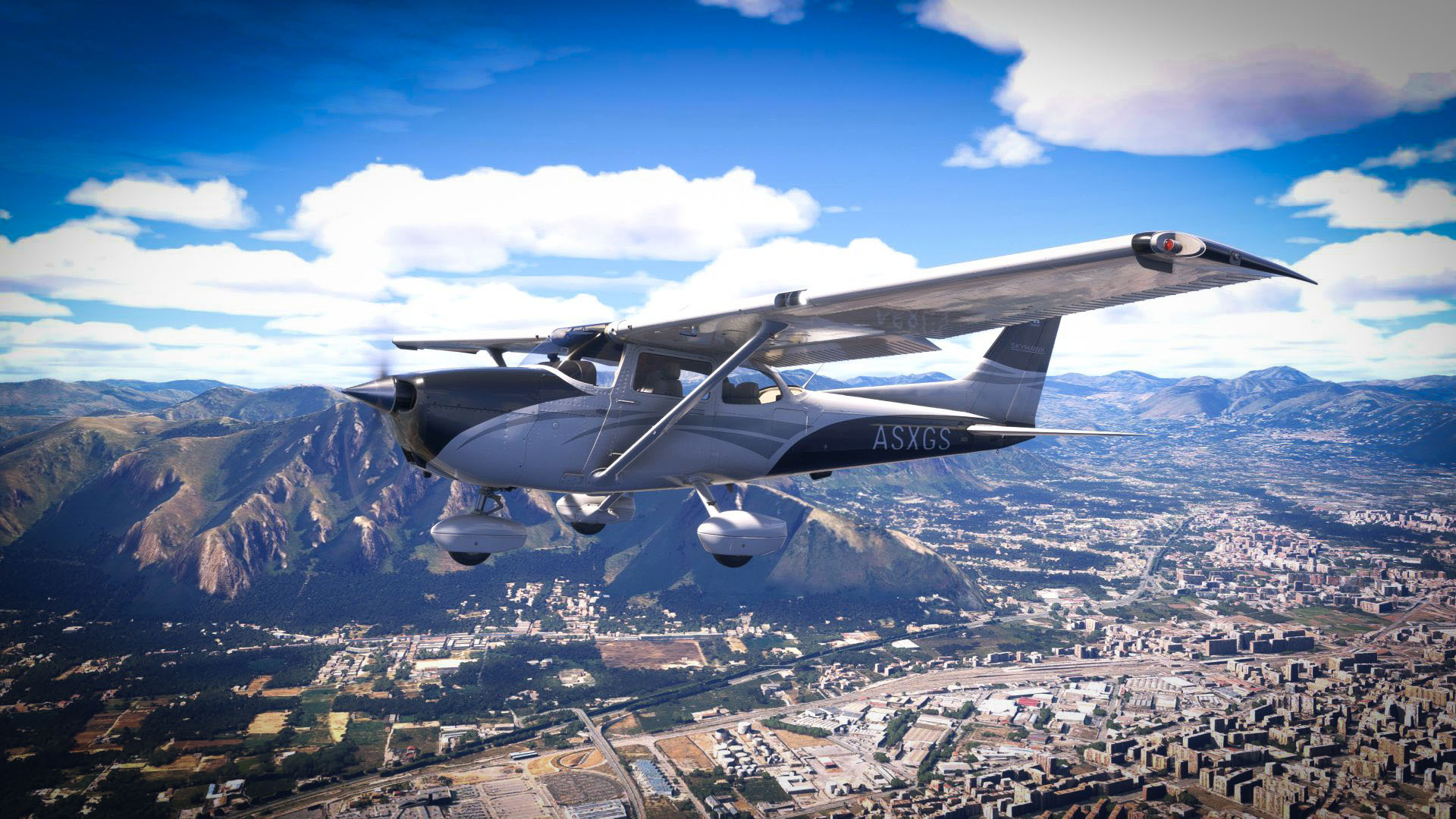
Today, Microsoft and Asobo released a new beta version of Sim Update 6 for Microsoft Flight Simulator 2024.
Numbered 1.8.8.0, this version brings back a beloved feature from MSFS 2020: Bush Trips. A few are still missing because they’re in internal testing, but most are already accessible.
The beta is available on all platforms that host Microsoft Flight Simulator 2024: PC, Xbox Series X|S, and PS5.
If you’d like to know more, down to the smallest detail, you can read the full patch notes below.
It’s worth reminding you that the update isn’t ready yet, and the latest roadmap indicates a likely official launch between July and August.
New Content and Features
- MastLights have been added to a large number of generic airports, ranging in size from M to XXL, with automatic placement. This improves illumination at parking spots at these airports in night conditions.
- Bush trips have returned and are now accessible in the Sim Update 6 Beta from the Activities menu. Please note some bush trips are still being tested and are not yet available (full list below). We encourage everyone participating in flighting to play bush trips and share your feedback.
- The following bush trips are not yet available:
- Discover Sweden
- North Queensland Coast
- Austria – Land of Mountains and Music
- Germany’s Coast and the Rhine
- The Alpine World of Switzerland
- The Baltic Coast of Denmark and Sweden
- Wales
- Upper Northeast Adriatic Countries
- Rijeka to Santorini
- Breckenridge
- The following bush trips are not yet available:
Stability & Performance
- Fixed frame rate cap not ignored during initial boot (was slowing it down)
- Fixed unnecessary long loading times occurring is specific cases.
General Bug Fixes
- Fixed landing tips notification sometimes appearing after taking off
- Fixed an issue where the option “First person freelook speed” was missing on Xbox
- Fixed an issue where some input device could be impossible to scroll when configuring the hardware
- When using a search with a controller, validating the text using the virtual keyboard now immediately focus on the dropdown.
- Fixed date and time flight conditions are reset after returning to main menu
- Fixed scoring for rotorcraft CPL
- Fixed Search departure/arrival not updated after a freeflight.
- Fixed display logbook.
- Fixed selecting a copilot not working after selecting no copilot in customize identity screen
- Fixed buttons not working and input disappearing when switching from mouse to another device
- Fixed an issue where changing the flight conditions was not possible when not in a group
Aircraft
- Fixed an issue causing the CAMERA_RAY_NODE_COLLISION to not work properly, which was used by the F18’s HMD to hide it when looking at the F18’s cockpit and instruments.
- Fixed snow on cargo loads
Boeing 737 MAX 8
- Fixed Cabin Doors missing animations.
Aircraft Engines
Turbine Engines
- Added an optional “delta_commanded_Ne_table” parameter to the [TURBINEENGINEDATA] section of engines.cfg. This multi-dimensional table is applicable only when either the “corrected_commanded_Ne_table” or “uncorrected_commanded_Ne_table” parameter is used, and defines a correction to corrected or uncorrected commanded Ne, respectively, as a function of condition lever position and throttle lever position. See SDK for details.
- Added an optional “uncorrected_commanded_Ne_table” parameter to the [TURBINEENGINEDATA] section of engines.cfg. When specified, this table defines the target uncorrected N1 for turbojet, turbofan, turboprop, and turboshaft engines as a function of throttle lever position. When omitted, the existing behavior remains unchanged to preserve backward compatibility. See SDK for details.
- Added an optional “corrected_commanded_Ne_table” parameter to the [TURBINEENGINEDATA] section of engines.cfg. This multi-dimensional table allows corrected commanded Ne to be explicitly tuned as a function of pressure altitude, inlet Mach number, and throttle lever position. For turbojet and turbofan engines, it represents the target corrected N2. For turboprop and turboshaft engines, it represents the target corrected N1. When omitted, the existing behavior remains unchanged to preserve backward compatibility. See SDK for details.
- Added an optional “full_throttle_commanded_n1” parameter to the [TURBINEENGINEDATA] section of engines.cfg (for turbojet, turbofan, turboprop, and turboshaft engines). When specified, this parameter also overrides “high_n1” for consistency and modifies the engine-speed control law for turboprop and turboshaft engines so that it controls actual N1 instead of corrected N1. When omitted, the existing behavior remains unchanged to preserve backward compatibility. See SDK for details.
EFB
Minimap
- Fixed the minimap auto-zoom when no aircraft category is specified, now adopting the behaviour of PLANETYPE_PROPELLER category by default
- Fixed the simrate indicator not properly scaling depending on the screen resolution
- Added an option to minimize/disable the minimap
Aircraft Gameplay
External HUD
- Added the propeller lever notch in the external HUD
Career
- Replaced “No Skip Bonus” with “Skip Cost” in mission reward screen and change how it is calculated
- Added a warning notification when a WASM crash or an aircraft related issue is detected during a mission.
- Fixed aircraft sometimes spawning with zero speed after a back on track or a skip.
- Added more missions available at night in live weather and live time.
- Added a warning icon and extra rewards on missions that start or end at night on a runway with no lights.
General Bug Fixes
- Fixed an issue that sometimes incorrectly set the turbine engine rating briefing.
Missions
- Added a notification to warn the player if they try to take off with the doors open
Airports
Bespoke Airports
- Fixed edited passenger boarding, such as at LEBB
Generic Airports
- Renamed “ParkingLight” to “MastLight” for parking spot illumination of airports.
Virtual Reality
- Following community feedback, we fixed an issue where the virtual reality controller could display a “Controller disconnected” pop-up when it went to sleep mode.
Controls
- Added action “EYE/HEAD TRACKING PAUSE”. Assigned [Shift+Alt] on Keyboard default profiles.
Peripherals
- Thrustmaster T.Flight Hotas 4 is now functional again on PlayStation 5 consoles
- On PlayStation 5, T.Flight Hotas 4 and T.Flight Hotas 5 (PS4 compatibility mode) default profiles have been adapted to the recently integrated Thrustmaster SDK.
- With this change in SDK, other Thrustmaster peripherals are now not read as T.Flight Hotas 4 anymore. However custom input profiles from versions previous to SU6 aren’t compatible.
DevMode
- Fixed “Open local documentation” button in DevMode menu hich tried to open old documentation
- Fixed checks on VisualEffectLib and VisualEffectLegacyLib output path in PackageBuilder
- Added Thrustmaster PS5 device type to the Input Profile Editor
General
- Added max value for WASM memory in SimObject Profiler
- Potential fix for mouse disappearing unexpectedly while using devmode.
- Added mesh occluder debug in “Debug >Aircraft>Environement occluder”.
- Fixed Screenshots having incorrect resolution when smart docking is enabled
Scenery Editor
- Fixed scenery object shift between the editor and the built package
- Fixed framerate issues in the editor with projected meshes (regression SU6)
- Fixed collisions not working for instanced objects
- Fixed “View only current package” not reloading the ground textures.
- Polygons can now be used for material and vegetation override at the same time
- Fixed hiding objects with the eye icon not working for a lot of types
SimObject Editor
- Fixed hydraulics valve of type ShutOff required to have a Circuit
- Fixed possible infinite freeze when opening the navgraph editor
- Fixed CFG Validation Window allowing modification of parm from VFS files
Visual Effects Editor
- Fixed random crash in VFX Templates/Instances debugger
SDK
- Added key event GROUND_SERVICE_ATC_MESSAGE to trigger new Ground Services for user aircraft
SimVars
- Added SimVar IS_ANY_OPEN_INTERACTIVE_POINTS_RISKING_TO_CAUSE_CRASH which returns true if any interactive point would make the aircraft crash if it reached their failure speed (i.e. they have the type Main, Cargo or Emergency, they have a positive failure speed and they are opened at more than 95%)
Exporter Blender
- GLTF import: Support deprecated ‘AsoboMacroLight’. They are automatically imported as Street Lights.
- GLTF import: Support deprecated decal materials defined in the ‘ASOBO_material_blend_gbuffer’ extension.
- GLTF import: Disable assignment of a unique ID to each imported object. This prevents issues when importing GLTF files containing nodes with the same ID.
Documentation
- Update to the
ui_fuel_burn_rateparameter description as well as associated career documentation to better explain how it affects the effective range of the aircraft. - Fix for missing additions to APU (Fuel + Pneumatics) docs that were not included in a previous documentation update.
- Update to multiple pages related to APUs (Fuel system, Pneumatics system, etc…) to clarify that the simulation can currently only parse one APU definition.
- Simvars: New liquid dropping SimVars added to the documentation – LIQUID DROPPING TANK PCT FULL VOLUME, LIQUID DROPPING TANK PCT FULL WEIGHT
Microsoft Flight Simulator 2024 is currently available for PC, Xbox, and PS5.
If you’d like to read more flight simulation news, you can find plenty in our roundup article from yesterday.
If you want to go further back, we have a handy overview video of the major flight simulation news in the past week. You can watch it below. As usual, leaving a like and a comment and subscribing to our growing YouTube channel is extremely helpful.
While Simulation Daily is owned and financed by Orbx Simulation Systems, its staff is afforded full editorial independence and will strive to cover products from all companies and developers impartially. Check out our editorial policy.