Before we get down to business, you can check out a couple of stories that received their own individual coverage.
- Korea: IL-2 Series Preview and New Gameplay – A Promising Window Into the Early Jet Age
- Korea: IL-2 Series Coming to Steam, Reveals Post-Launch Roadmap
New Microsoft Flight Simulator 2024 Sim Update 5 Beta Build Released

Microsoft and Asobo released a new beta build of the upcoming Sim Update 5 for Microsoft Flight Simulator 2024.
The build, titled 1.7.9.0, is one of the more sizable, and it comes with plenty of improvements to the Boeing 737 MAX and the EFB with its flight planner app.
There’s plenty more, and below you can find the patch notes.
Known Issue
- There is an known regression in test build 1.7.9.0 where ATC will always clear you to the altitude you have filed in your flight plan. If you attempt to fly at a different altitude, you will be told to descend. Additionally, after you take off, you may be cleared to an arbitrary altitude.
- This issue will be resolved in a future SU5 pre-release test build.
Stability & Performance
- Fixed the sim crashing during boot when both Frame Generation and smart docking system are enabled
General Bug Fixes
- Fixed performance issue caused by VFX execution
- Fixed generated buildings missing windows and doors
- Fixed an issue where going back to the homepage from the free flight page, challenge page or activities page would have the focus be on the wrong tile
- Added the names of airport parking lots and gates when hovering over them on the world map.
Install, Performance & Graphics
- Fixed broken rendering of objects with Ghost material, fixing rendering of VR controller models.
- Added support for textures for objects with Ghost material.
Aircraft
- Fixed an issue breaking some behaviors for FS2020 aircraft (Tags Once, Delta, Wrap, Lock, DisabledWithMotionControllers, DisabledInVr, Disabled not being properly read)
Boeing 737 MAX 8
- Improved the calculated flight path for certain departure procedures during the preflight phase, and fixed an issue where LNAV could sometimes prematurely sequence flight plan legs while in the preflight phase.
- Fixed an issue where G/S did not show on the FMA when captured with VNAV on.
- Added openable cockpit door.
- Improved cabin, cabin seats, and cockpit LODs.
- Fixed environment occluder.
Heart Aerospace ES-30
- Fixed bad tensor definition
Glass Cockpits
- Fixed an issue that caused Vcockpits meant to be displayed on the screen (i.e. the F18’s HMD), to still display while in Photo Mode.
Pro Line 21 Integrated Avionics System
- Fixed an issue where the FMC could become frozen when accessing some PERF pages and then attemping to open a different page.
Flight System
Flight planning
- Fixed an issue that caused the flight plan ribbon to not leave the ground for some aircraft without flight performance data.
EFB
- Planner App – Improved the logic used to calculate the geometric descent path to better avoid prolonged excursions from the default flight path angle.
- Planner App – When importing a route, the option to automatically calculate cruise altitude will be toggled off if the route has a defined cruise altitude in order to prevent the imported cruise altitude from immediately being overwritten.
- Planner App – When exporting a route, the cruise altitude unit selection (feet or flight level) is now respected.
- Planner App – Fixed an issue that could sometimes lead to poor performance when automatic cruise altitude calculation was toggled on.
- Planner App – Removed the black arrows from numeric input boxes.
- Fixed an issue where filing the plan with ATC could erroneously get the wrong IFR/VFR flight type if the Flight Rules dropdown was not toggled at least one time.
- Planner App – The EFB no longer strictly enforces the selected cruise altitude to be less than or equal to the selected aircraft’s altitude ceiling. Among other things, this stops the EFB from automatically changing the cruise altitudes of flight plans imported from external sources (including from avionics, PLN files, or plans saved to the cloud). If the selected cruise altitude exceeds the aircraft’s ceiling, a warning will now be displayed on the performance page.
- Planner App – Replaced the generic FAA contingency fuel option with a more specific FAA part 121 option since the FAA does not require contingency fuel under part 91.
- Planner App – Removed the AUTO contingency fuel option because it was redundant (it was functionally identical to the EASA option).
- Planner App – Added warnings to the performance page when problems are detected with the selected cruise altitude.
- Planner App – Added new options to configure performance for holding operations. These data are used by the new automatic final reserve fuel calculations.
- Planner App – Added warnings when the planned trip, alternate, or block fuel is estimated to be insufficient to meet the requirements of the flight plan.
- Planner App – Added a warning when the planned block fuel exceeds the selected airplane’s fuel capacity.
- Planner App – Added a new option to automatically calculate contingency fuel according to ICAO requirements.
- Planner App – Added support for automatic final reserve fuel calculations. You can now choose to have final reserve fuel calculated according to ICAO, FAA, or EASA requirements.
- Fixed EFB causing runway light flickers
- Fixed pilot weight resetting to 0 when trying to load weight on the pilot position on the world map
Aircraft Gameplay
ATC
- Fixed ATC VFR landing clearances when landing on a helipad
Career
General Bug Fixes
- Fixed acknowledge clear to land when landing on a helipad
- Added an exclusion area near important gameplay areas toremove vegetation
Missions
Search & Rescue
- Fixed vegetation around target preventing to complete the rescue objective
- Fixed an issue where electrical APU starter would be able to run when there is no power available.
Certifications
High performance endorsement
- Fixed mission failure during pre-flight
Airports
Generic Airports
- KNIC – Fixed airport needed to be closed according to real life
- ZYBS – Fixed wrong ICAO : NBS to ZYBS
- ZWBL – Fixed wrong ICAO : ZWAX to ZWBL
- ZWAT – Fixed wrong ICAO : ZAWW to ZWAT
- ZUZH – Fixed wrong ICAO : ZREE to ZUZH
- ZURK – Fixed wrong ICAO : ZCAR to ZURK
- ZUQJ – Fixed wrong ICAO : JIQ to ZUQJ
- ZSJH – Fixed wrong ICAO : JUH to ZSJH
- ZSDY – Fixed wrong ICAO : ZSHE to ZSDY
- ZPMS – Fxied wrong ICAO : ZPLX to ZPMS
- 00AZ – Fixed airport needed to be closed according to real life
- 00CO – Fixed airport needed to be closed according to real life
- 00OH – Fixed airport needed to be closed according to real life
- 00UT – Fixed airport needed to be closed according to real life
- 00TN – Fixed wrong airport location
- NM59 – Fixed wrong airport location
- ZYDD – Fixed wrong ICAO : ZLAN to ZYDD
- SSRS – Fixed wrong ICAO : SBRR to SSRS
Traffic
Marine Traffic
- Fixed Problems on Ship orientation.
- Fixed Bridge cross problems.
Marketplace
- Fixed a potential crash when exiting the Marketplace right afterlaunching a search
Virtual Reality
- Updated virtual reality camera position on B737 – CabriG2
- Fixed an issue causing multiple position switch to require releasing the control to move more than 1 position at a time.
- The VR/Non-VR EFB states are now saved differently, changing the size and orientation in VR will not apply the same orientation and size on flat screens anymore
- Fixed a bug where the virtual reality preset option was not correctlyloaded after a game’s reboot.
Controls
- Fixed action “DISPLAY CHECKLIST” not opening the EFB panel on the checklist
Peripherals
Various Peripheral Fixes
- Fixed some actions appearing twice inside control settings
New Controls
- Added menu/panel confirmation on VR controllers dominant hand bottom button for easier and quicker navigation
Activities
Training
- Fixed syntax error in Updraft training
DevMode
- Improved Mach number display precision in “Debug Aircraft Tracking” window (from 1 to 3 decimal places).
General
- Added SimObject Statistics Tool
- BglExplorer: Fixed incorrect parking information
Project Editor
- When creating a package with a custom asset group the popupasking for order hint now appears at the end
Scenery Editor
- Support “region code”, ‘transition altitude” and “transition level” for airports in the editor
- Fixed SimPropContainer scalable in the editor but not ingame
SimAttachment Editor
- Fixed loading error
SimObject Editor
- Fixed legacy fields always hidden in search dialog even when use legacy is on
- Fixed field linked_behavior writing incorrect value
SDK
- Fixed regression on secondary aerials on areas with both photogrammetry and censored/military areas
- Fixed targetted position variable in World referential which were computed wrongly
SimConnect
- Fixed facilities pavement “enable” member always set to false
Exporter Blender
- Fixed detail normal map on the windshield material.
- Increased Material UV Tiling maximum value from 10 to 100.
- Fixed material property “Receive Rain” not saved on clearcoat andwindshield.
- Added documentation about actions setup in blender 4.5.
- Added documentation about the new Image Flags tool.
- Added documentation about the new Logs panel.
- Set the default animation export mode to “ACTIONS” in Blender 4.5. This is now the recommended method for exporting animations, as action slots are simpler to use and export times are shorter since keyframes are not baked by default, unlike the “NLA Tracks” mode.
- Fixed an issue where the clearcoat extension export failed when the detail normal map was not found on disk.
- Fixed export of skinned meshes, it now works in all cases.
- Fixed export of skinned propellers.
- Fixed incorrect positioning of children of a skinned node.
- Fixed “Reset Origin” not working correctly when the parent node also has the option enabled.
- Fixed export error when exporting armature in rest pose.
- Added a warning when exporting a skinned object without its armature.
- Added a warning when “Reset Origin” is enabled on a skinned object.
- Fixed an error when saving
- Fixed DA62 sample scene (propeller, LOD issues)
Navigraph Adds Scratchpads
Navigraph added scratchpads within its app, letting you take quick notes and keep them organized, which is honestly quite invaluable if you’d rather not demolish entire tropical forests’ worth of paper.
You can select various templates, including basic ones like blank, lined, and checkered paper, and a typable notepad. If you want something more specialized, you can find templates for writing down ATIS, PIREPs, IN/OUT times, takeoff and landing data (TOLD), clearance (CRAFT), and holding instructions.
You can see what it looks like in the video above.
Ramstein Air Base Released for Free For Microsoft Flight Simulator 2024
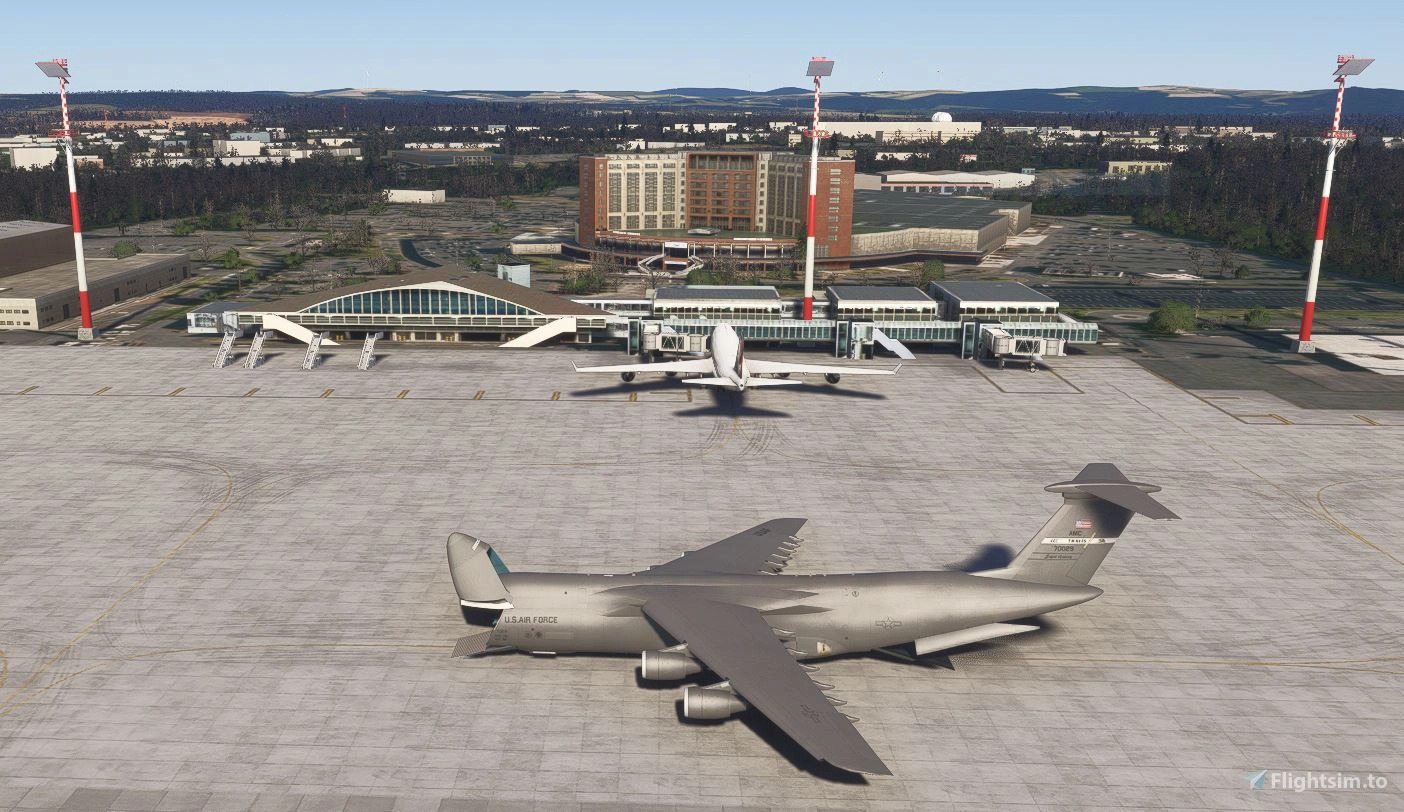
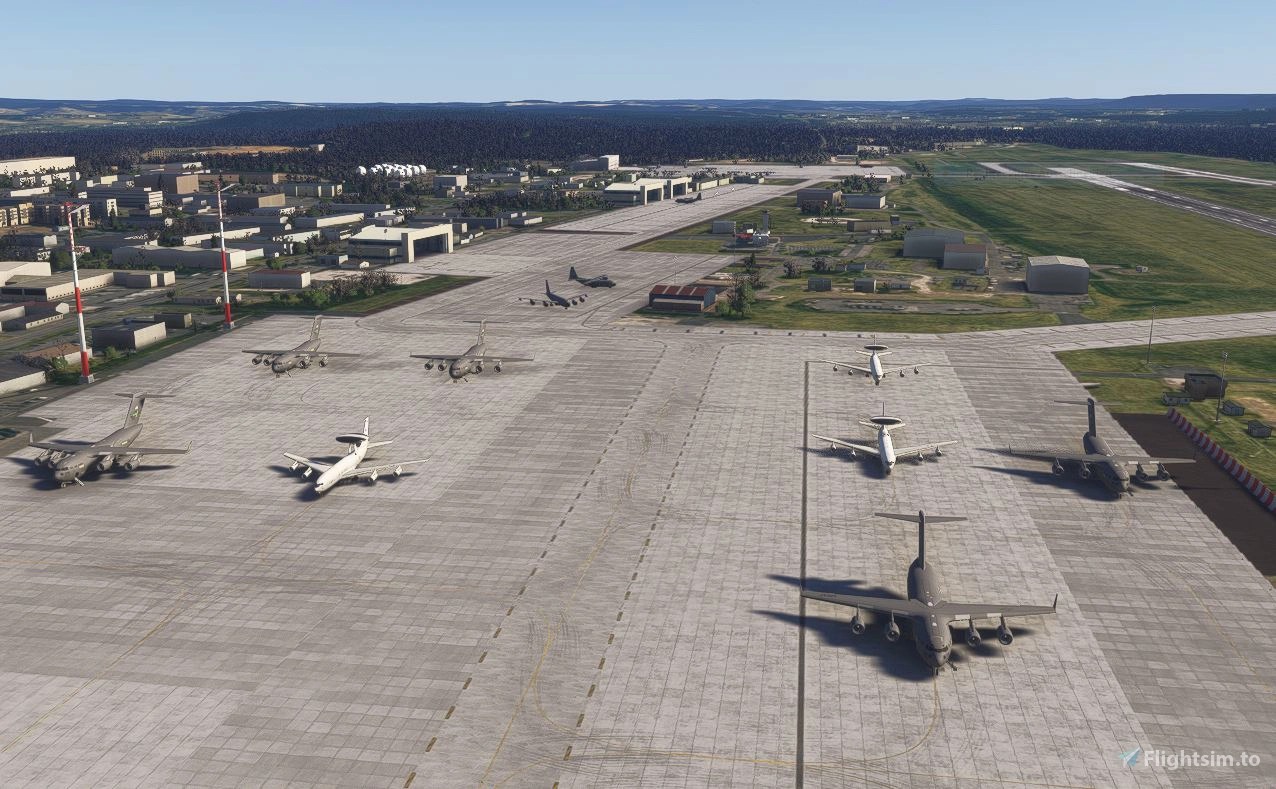
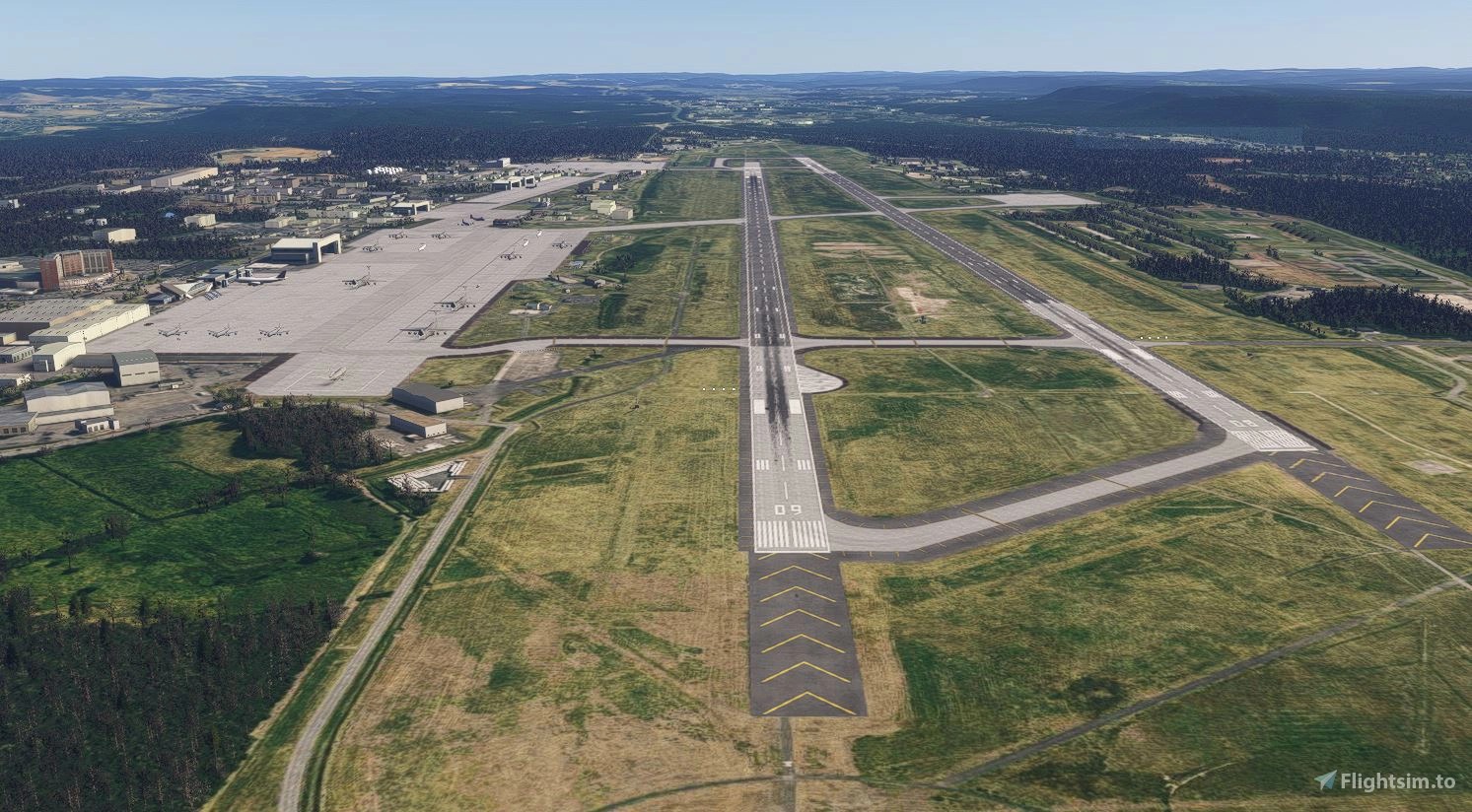
jdiegel released a free rendition of Ramstein Air Base (ETAR) in Germany. It’s available on Flightsim.to.
You can see what it looks like in the gallery above.
If you’d like to read more flight simulation news, you can find plenty in our previous roundup article from yesterday.
If you want to go further back, we have a handy overview video of the major flight simulation news in the past week. You can watch it below. As usual, leaving a like and a comment and subscribing to our growing YouTube channel is extremely helpful.