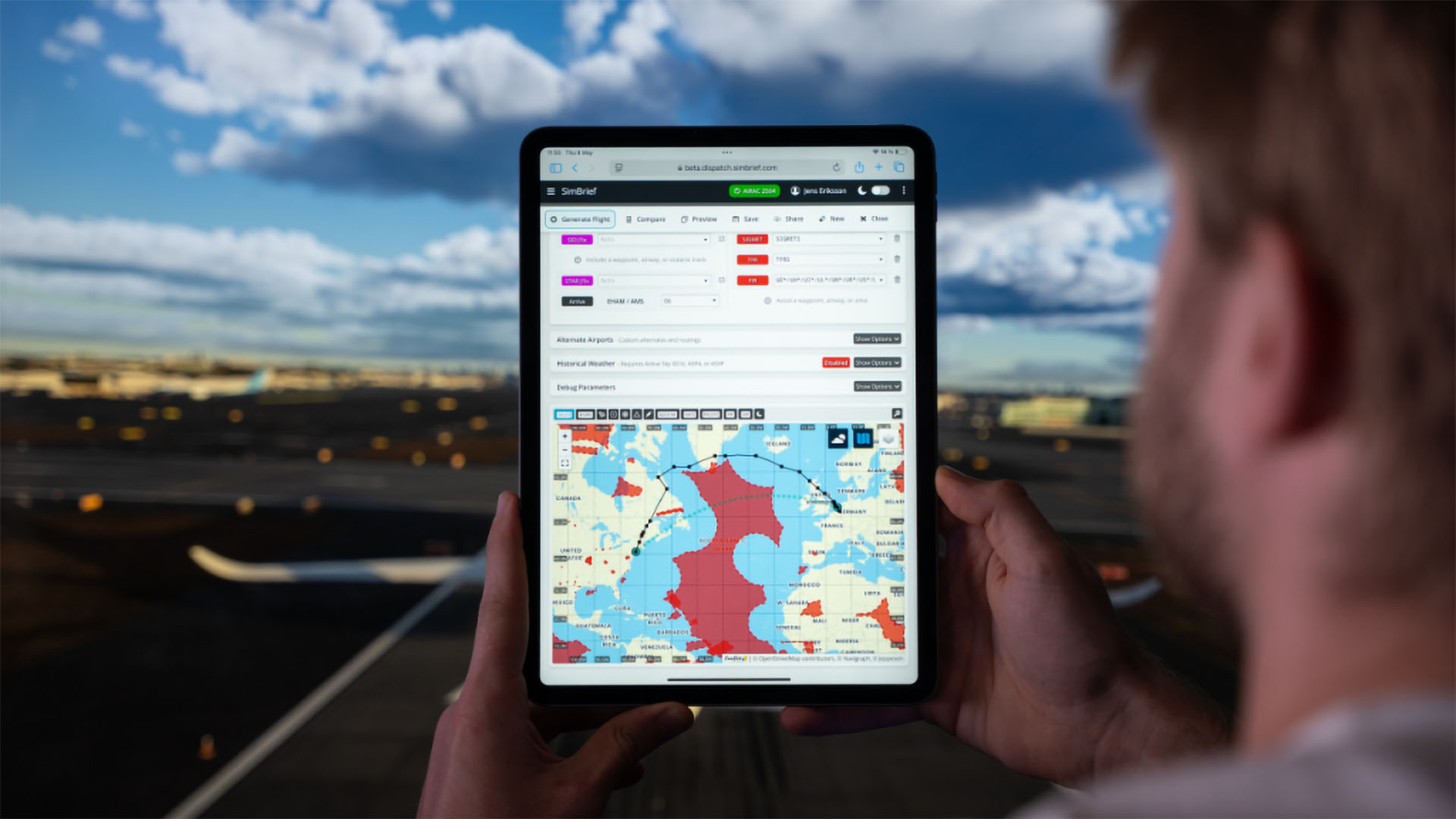
The popular flight planning platform Simbrief just received a big update with some features that will likely thrill flight simulation enthusiasts.
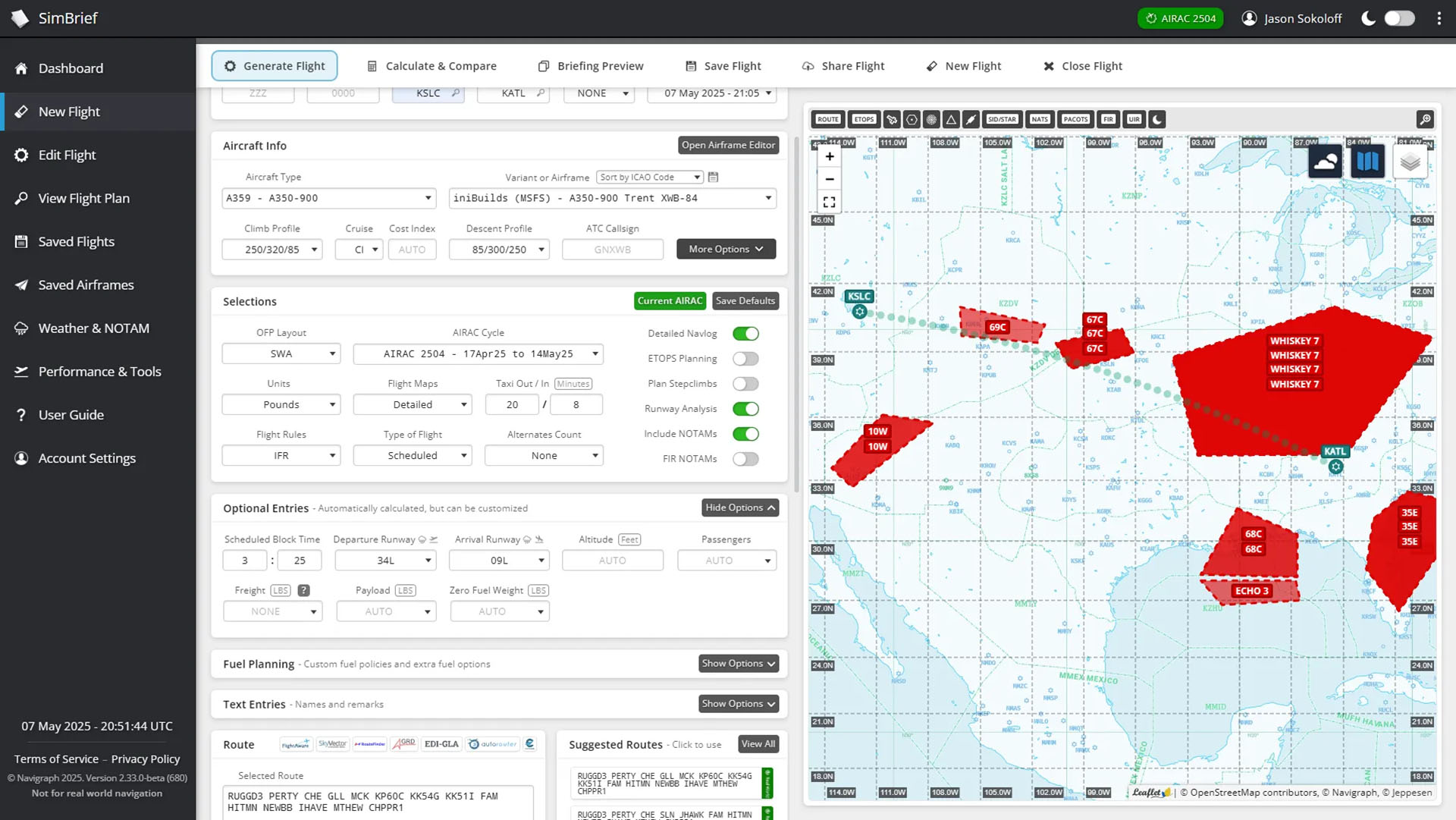
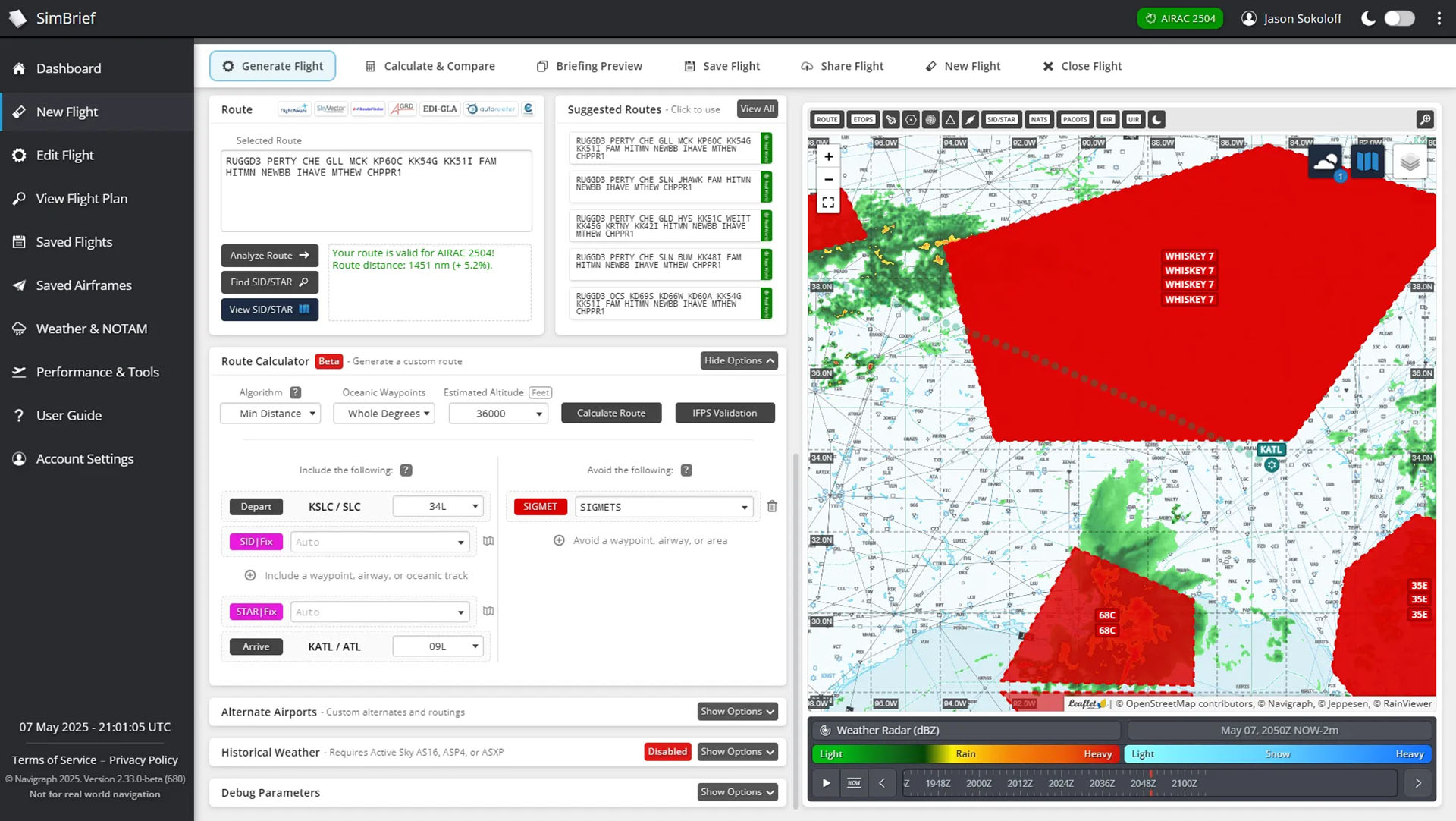
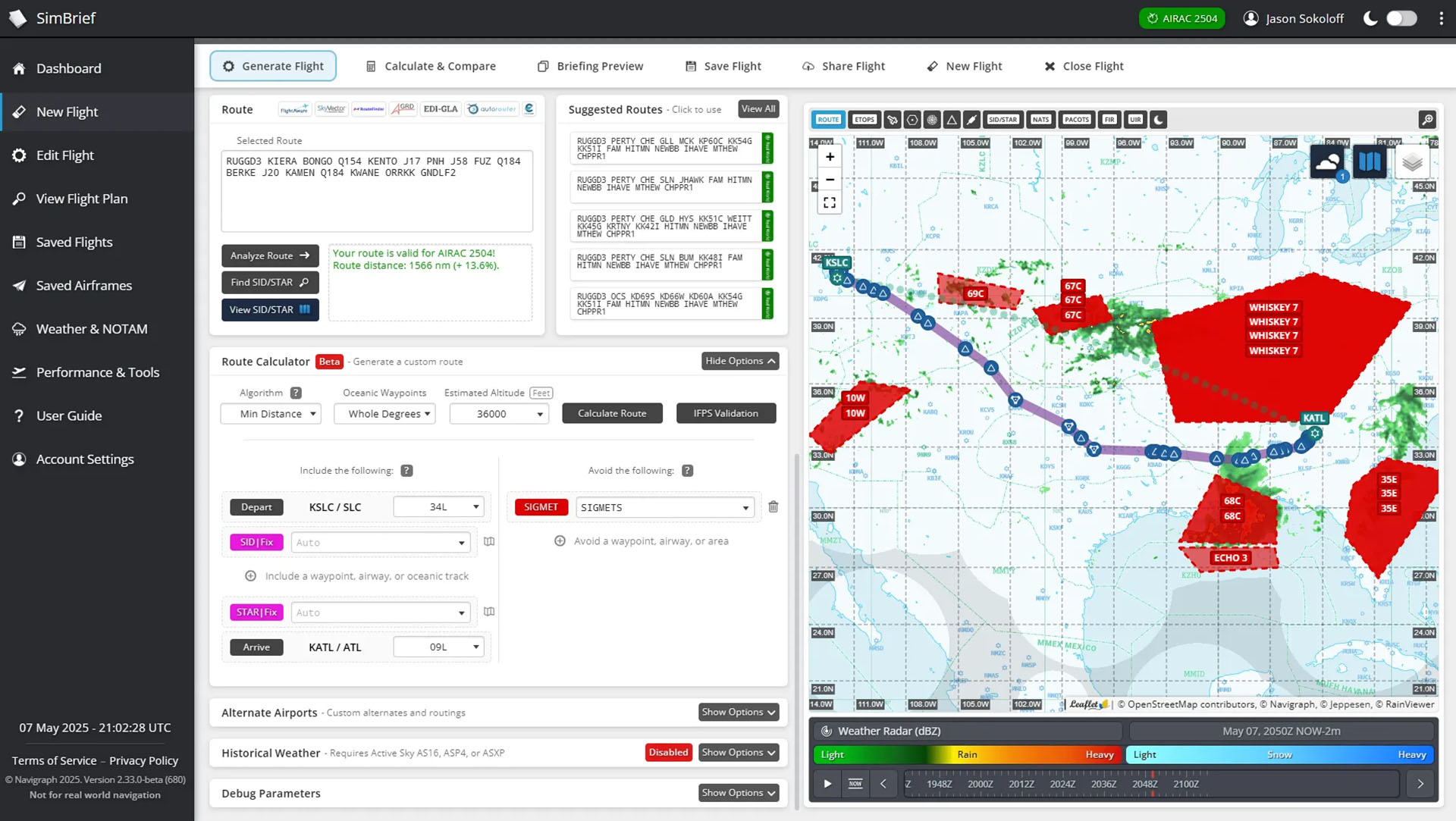
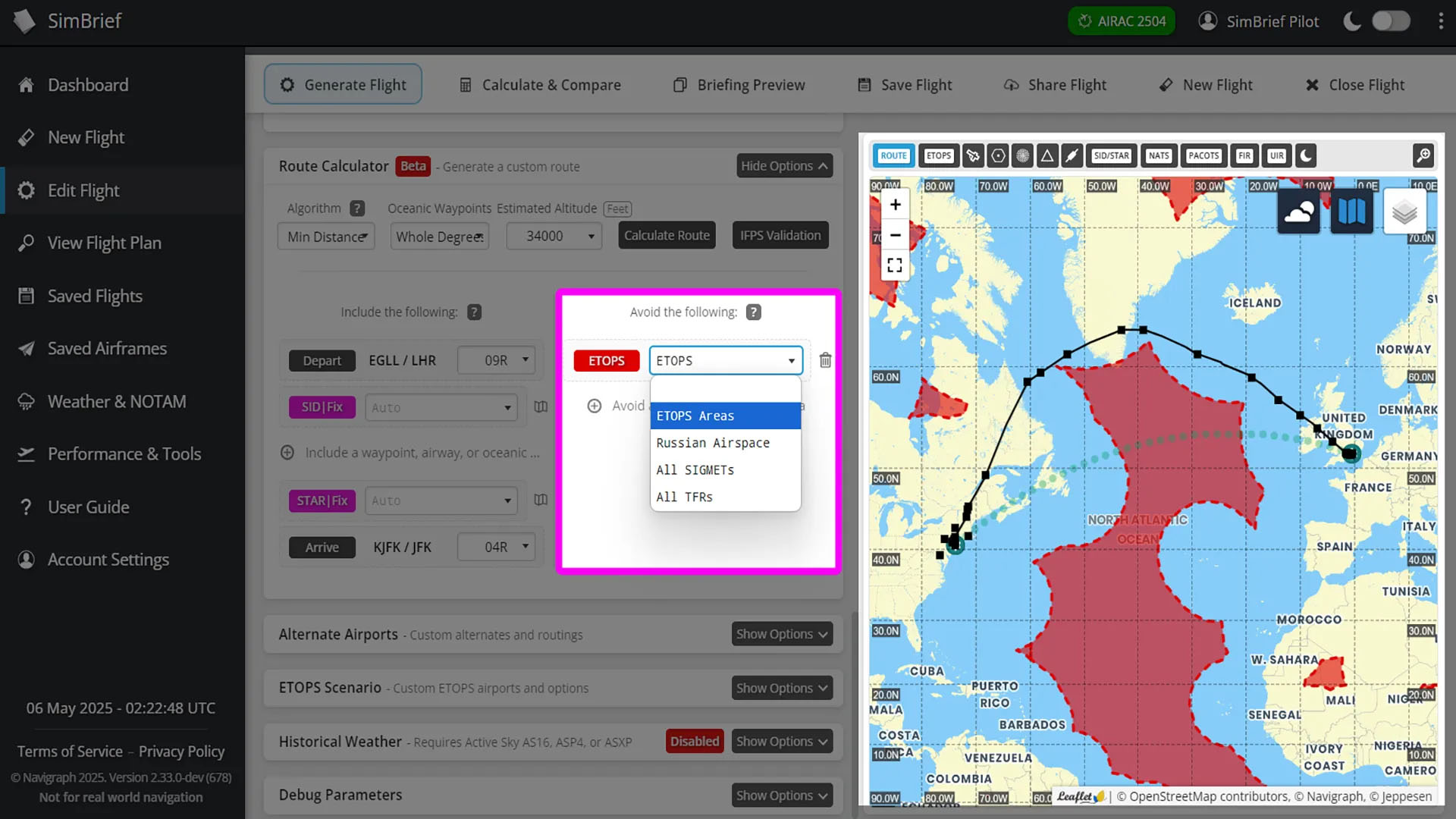
According to the announcement, a new route calculator can create routes avoiding any weather events (SIGMET) that you select or all of them. You can also tell it to keep away from temporary flight restrictions or ETOPS areas. The latter is very useful when ferrying across oceans aircraft that aren’t ETOPS certified.
It’s worth mentioning that this feature isn’t free for everyone but requires a Navigraph subscription.
Here’s a handy list of new features reserved to Navigraph subscribers.
- Brand new route calculation engine: The redesigned route calculator tool finds routes in seconds, not minutes! It’s also much more reliable when avoiding multiple areas or fixes, gives more efficient routes over oceans, and is better optimized for Free Route Airspace.
- Avoid predefined areas: Russian airspace, ETOPS areas, and more can be avoided using the dropdown menu. Any other waypoints, airways, or airspaces can be avoided by manually typing them in.
- Easily add oceanic tracks: Just click “include a waypoint, airway, or oceanic track” and select a track from the list, or manually type in your own waypoints or airways to include.
- Instant map previews: Before generating your route, check the interactive map to see exactly which waypoints, airways, or areas you’re avoiding or including.
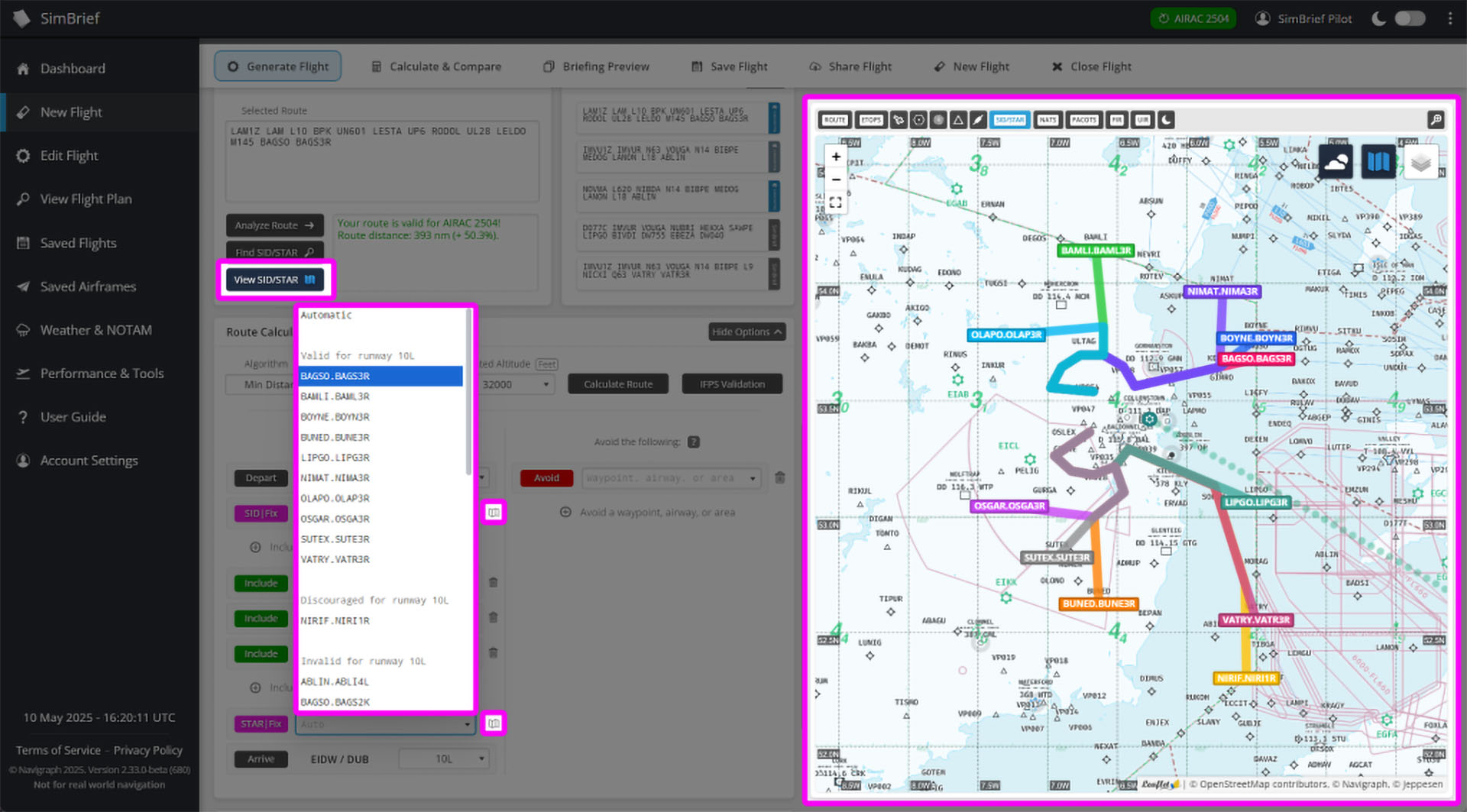
- Choose specific SIDs or STARs: Pick exactly which ones you want from the dropdown list, or leave them in “Auto” to let the route calculator find the best one. SIDs and STARs are labelled and sorted based on whether they are valid for the selected runway and aircraft type.
- SID/STAR visualization: Not sure which SID or STAR to choose? Preview all of them on the interactive map, just like in Navigraph Charts!
That being said, there’s also new stuff for those who prefer to steer clear from a subscription and use the free features Simbrief offers.
- Flight History overhaul: When viewing history flights, flight plan revisions are now grouped together to reduce clutter. Click on a group to see all previous versions of that flight plan.
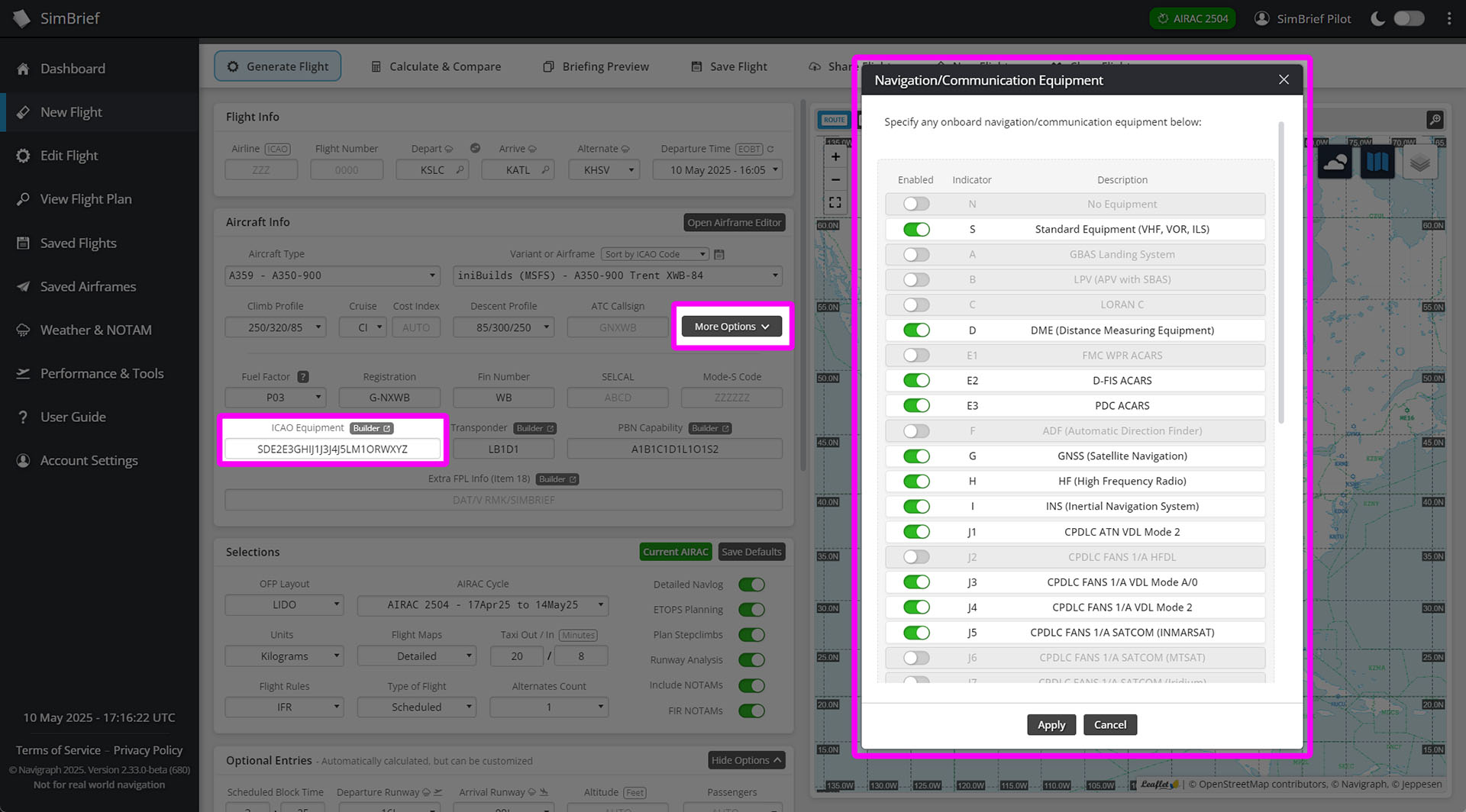
- Expanded aircraft options: More aircraft options can be customized directly on the Flight Options page, including equipment codes, PBN capabilities, and more.
- Easier equipment editing: Pop-up widgets make it a breeze to edit aircraft equipment codes and ATC flight plan remarks-no more manual typing.
Below you can check out a few images of the new features.
If you’re wondering, Simbrief is a platform-agnostic web-based flight planner, and it’s compatible with all major civilian simulators, including Microsoft Flight Simulator 2024, Microsoft Flight Simulator, X-Plane, and Prepar3D.